AT A GLANCE:
General information
This section applies to anyone who lifts loads using the crane, performs work on the crane, or works nearby.
At the start
Using this product manual
The following symbols are used in this product manual:
- This is an instruction regarding an action and prompts you to perform a work step.
- This is the result of an action and describes what happens on the device.
- This is a list.
Only with...
A section that appears in a box framed by a dashed line is only applicable for certain types, versions or options. The condition to which the section applies is specified at the beginning in the heading “Only with...”.
Instructions for the product manual
Read the product manual through carefully before beginning work. Also be sure to observe additional product manuals for accessories and components.
Afterwards, keep the product manual available in the vicinity of the crane. It must be accessible to all who work with or on the crane.
In the case of reselling or hiring out, always provide the product manual together with the crane.
Proper use
The chain hoist is suitable for the lifting and lowering of attached loads.
The chain hoist is designed for these applications:
- Independently as a solo chain hoist for the stationary lifting and lowering of loads.
- On a trolley running along an I-beam for moving loads in a linear direction.
- On a jib crane (with hoist trolley) for moving loads in a circular direction.
- On an HB crane installation for all-round moving of lightweight loads.
- On a single girder travelling crane (with hoist trolley) for all-round moving of loads.
- During operation, observe the classification according to FEM, duty cycle and switching rate.
- Only use the chain hoist within its theoretical service life.
- Do not use in aggressive environments.
- Long-term usage only in weatherproof areas. Temporary use outdoors in rain or snow is permitted, preferably with electronic control.
Regulations
The installation has been built and tested according to European standards, rules and regulations applicable at the time of its manufacture. The conventions applied during design and construction are specified in the Declaration of Conformity or the Declaration of Incorporation. The conventions must also be observed for installation, operation, inspection and maintenance, as must the applicable occupational health and safety regulations.
Which provision applies in individual cases will greatly depend on the crane’s use and the national regulations. Review and observe all applicable and current regulations, including the occupational health and safety regulations. Refer also to the Declaration of Conformity or Declaration of Incorporation.
Warranty
- ABUS assumes no liability for damages that were caused by improper use, inadequately trained personnel, incorrect performance of work, nor for any changes, reconstruction or other modification of the crane or crane components which were not approved by ABUS.
- Any warranty claim becomes invalid if components were modified without consent, the crane or crane components were installed, used or serviced in any way other than that described in this product manual, or if parts other than original ABUS replacement parts were used.
- Safe operation of the crane or crane components is only guaranteed if original ABUS replacement parts are used.
Instructions regarding safety
Observe these instructions for safe handling of the crane. Special hazard notices are located in the corresponding sections in which the danger arises.
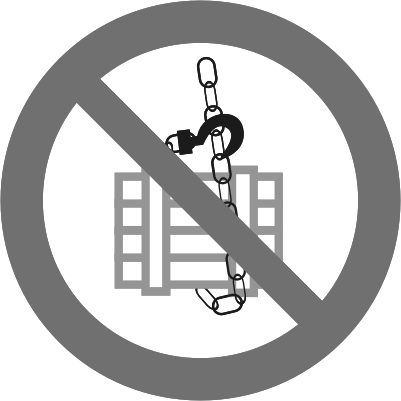
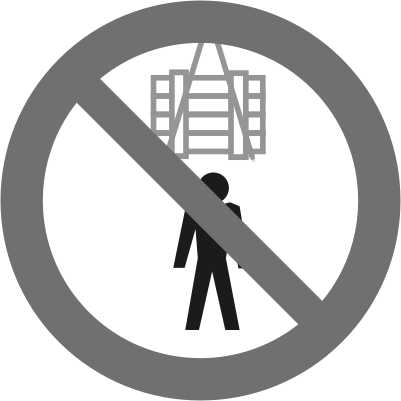
- Falling loads: Suspended loads can fall, injuring or killing people. Do not stand under suspended loads!
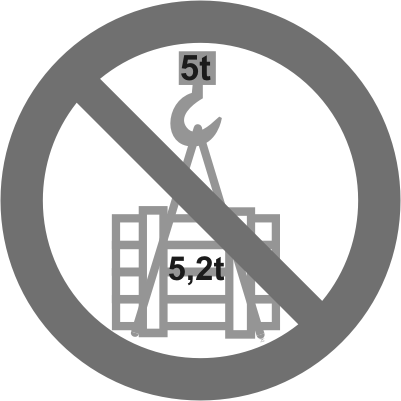
- Do not exceed the maximum load capacity!
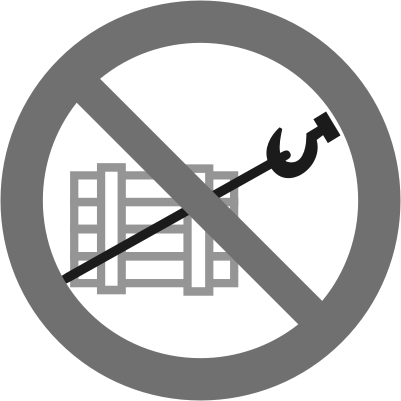
- Do not pull, cut loose or tow loads at an angle!
- Do not transport any persons along with the load!
- Never twist suspended loads in the load hook or allow the load to fall into the load hook. The momentum can cause the load or chain hoist to fall, injuring or killing people.
- Only use the chain hoist if there are no visible signs of damage on it.
- Observe the current occupational health and safety regulations for working with the chain hoist.


The chain hoist
Description of the device
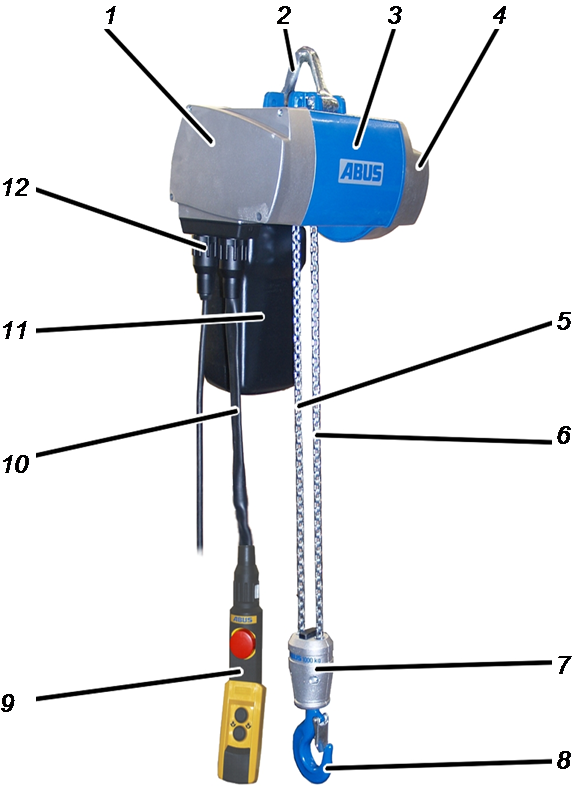
- 1: Motor cover
- 2: Suspension bracket
- 3: Housing with hoist motor
- 4: Gear unit
- 5: Chain, first fall
- 6: Chain, second fall (version)
- 7: Bottom block
- 8: Load hook
- 9: Pendant control
- 10: Control cable
- 11. Chain box
- 12: Connection cable with bayonet coupling
Performance features
The chain hoist:
- The chain hoist has a slow lifting speed and a fast lifting speed.
- The chain hoist is controlled using the “ABUCommander” pendant control. Depending on the version, the pendant control hangs directly on the chain hoist or on a mobile control (version).
Alternatively, the chain hoist can be equipped with an “ABURemote AC” radio remote control. The receiver is thereby directly mounted on the chain hoist.
- Single-fall chain hoist: The chain hoist has a rotating hook assembly with a fixed load hook. The load hook can thus be guided by the hook assembly.
- The chain hoist has a chain.
- The chain hoist is equipped with a folding, removable suspension bracket for easier installation. A hinged suspension hook can be used as an option.
- The chain hoist is equipped with an adjustable friction clutch. This is factory set for 1.3 to 1.4 times the maximum load capacity. It is used as an emergency stop device and to protect against occasional mechanical overload. For chain hoists with a maximum load capacity over 1000 kg, the friction clutch fulfils the function of overload protection. It conforms to the requirements for direct-acting overload protection according to DIN EN 14492-2.
- The chain hoist is of a modular construction. Gear unit and housing can thus be easily removed and exchanged.
- The chain hoist has a removable chain guide and chain sprocket. This enables quick exchange of wearing parts.
- The chain hoist can be equipped with an ABULiner for continuously variable control of the lifting speed (optional).
- Only for chain hoist with electronic control: The chain hoist can be equipped with an operating hours counter (optional).
For the chain hoists GM2 and GM4:
- The suspension bracket can be rotated 90°.
For the chain hoists GM2, GM4 and GM6:
- The chain hoist is equipped with direct control 400 V / 50 Hz as standard.
- Only for direct control without electric trolley travel and for direct control with electric trolley travel: The chain hoist has three-pole protection with integrated fuses.
- The chain hoist can be equipped with electronic control using maintenance-free semiconductor technology with 48 V control voltage (optional).
For chain hoist GM8:
- The chain hoist is equipped with electronic control using maintenance-free semiconductor technology with 48 V control voltage.
For chain hoists with electronic control:
- The chain hoist can be equipped with ABURemote AC radio remote control (optional),
For chain hoists with a mechanical hoist limit switch:
- The chain hoist can be equipped with a mechanical hoist limit switch (optional).
- An upper and a lower switching point can be set with the mechanical hoist limit switch. When the load hook reaches one of the switching points, the chain hoist brakes and halts.
- The switching points of the mechanical hoist limit switch can be used in combination with a contactor control as a hoist limiter.
- The switching points may be triggered during normal operation. If the microswitches of the hoist limit switch wear out due to regular use, the friction clutch of the chain hoist serves as an emergency end stop device.
For chain hoists with an electronic hoist limit switch:
- The chain hoist can be equipped with an electronic hoist limit switch with teach-in function (optional).
- An upper and a lower switching point can be set with the electronic hoist limit switch. When the load hook reaches one of the switching points, the chain hoist brakes and halts.
- Optionally, an additional switching point can be located between the two switching points as an intermediate switching point. If this additional switching point is programmed, the chain hoist brakes as soon as the load hook approaches the intermediate switching point and halts there. The switching point can then be overrun by releasing the button for lifting/lowering and pressing it again (stop-and-go).
- The switching points on the electronic hoist limit switch are programmed with a supplied teach-in module, which is plugged in instead of the pendant control.
Alternatively, a pendant control with an additional teach-in button is also available.
With ABURemote AC, the teach-in function can be operated remotely (optional).
Technical data
Electrical connection
GM2 (all versions) |
|||
|---|---|---|---|
Operating voltage |
220 –240 V |
380 –415 V |
460 –500 V |
Mains frequency |
50 Hz |
50 Hz |
50 Hz |
Duty cycle |
60 % |
60 % |
60 % |
Switching rate |
360 c/h |
360 c/h |
360 c/h |
Rated power |
0.09 kW |
0.09 kW |
0.09 kW |
Start-up current IA |
1.77 A |
1.02 A |
0.85 A |
cos phi A |
0.85 |
0.85 |
0.85 |
Rated current IN |
1.35 A |
0.80 A |
0.65 A |
cos phi N |
0.56 |
0.56 |
0.56 |
GM 2 (all versions) |
|||
|---|---|---|---|
Operating voltage |
208 – 230 V |
360 – 400 V |
440 – 480 V |
Mains frequency |
60 Hz |
60 Hz |
60 Hz |
Duty cycle |
60 % |
60 % |
60 % |
Switching rate |
360 c/h |
360 c/h |
360 c/h |
Rated power |
0.11 kW |
0.11 kW |
0.11 kW |
Start-up current IA |
1.77 A |
1.02 A |
0.85 A |
cos phi A |
0.85 |
0.85 |
0.85 |
Rated current IN |
1.35 A |
0.80 A |
0.65 A |
cos phi N |
0.56 |
0.56 |
0.56 |
GM4 (all versions) |
|||
|---|---|---|---|
Operating voltage |
220 – 240 V |
380 – 415 V |
460 – 500 V |
Mains frequency |
50 Hz |
50 Hz |
50 Hz |
Duty cycle |
60 % |
60 % |
60 % |
Switching rate |
360 c/h |
360 c/h |
360 c/h |
Rated power |
0.22 kW |
0.22 kW |
0.22 kW |
Start-up current IA |
4.80 A |
2.80 A |
2.30 A |
cos phi A |
0.85 |
0.85 |
0.85 |
Rated current IN |
2.60 A |
1.50 A |
1.30 A |
cos phi N |
0.70 |
0.70 |
0.70 |
GM 4 (all versions) |
|||
|---|---|---|---|
Operating voltage |
208 – 230 V |
360 – 400 V |
440 – 480 V |
Mains frequency |
60 Hz |
60 Hz |
60 Hz |
Duty cycle |
60 % |
60 % |
60 % |
Switching rate |
360 c/h |
360 c/h |
360 c/h |
Rated power |
0.26 kW |
0.26 kW |
0.26 kW |
Start-up current IA |
4.80 A |
2.80 A |
2.30 A |
cos phi A |
0.85 |
0.85 |
0.85 |
Rated current IN |
2.60 A |
1.50 A |
1.30 A |
cos phi N |
0.70 |
0.70 |
0.70 |
GM6 (all versions) |
|||
|---|---|---|---|
Operating voltage |
220 – 240 V |
380 – 415 V |
460 – 500 V |
Mains frequency |
50 Hz |
50 Hz |
50 Hz |
Duty cycle |
50 % |
50 % |
50 % |
Switching rate |
300 c/h |
300 c/h |
300 c/h |
Rated power |
0.40 kW |
0.40 kW |
0.40 kW |
Start-up current IA |
7.80 A |
4.50 A |
3.75 A |
cos phi A |
0.70 |
0.70 |
0.70 |
Rated current IN |
3.80 A |
2.20 A |
1.80 A |
cos phi N |
0.84 |
0.84 |
0.84 |
GM 6 (all versions) |
|||
|---|---|---|---|
Operating voltage |
208 – 230 V |
360 – 400 V |
440 – 480 V |
Mains frequency |
60 Hz |
60 Hz |
60 Hz |
Duty cycle |
50 % |
50 % |
50 % |
Switching rate |
300 c/h |
300 c/h |
300 c/h |
Rated power |
0.50 kW |
0.50 kW |
0.50 kW |
Start-up current IA |
7.80 A |
4.50 A |
3.75 A |
cos phi A |
0.70 |
0.70 |
0.70 |
Rated current IN |
3.80 A |
2.20 A |
1.80 A |
cos phi N |
0.84 |
0.84 |
0.84 |
GM8 800.8-1 and 1600.4-2 |
|||
|---|---|---|---|
Operating voltage |
220 – 240 V |
380 – 415 V |
460 – 500 V |
Mains frequency |
50 Hz |
50 Hz |
50 Hz |
Duty cycle |
50 % |
50 % |
50 % |
Switching rate |
300 c/h |
300 c/h |
300 c/h |
Rated power |
0.2 kW |
0.2 kW |
0.2 kW |
Start-up current IA |
6.00 A |
3.50 A |
2.90 A |
cos phi A |
0.75 |
0.75 |
0.75 |
Rated current IN |
4.30 A |
1.40 A |
2.10 A |
cos phi N |
0.56 |
0.56 |
0.56 |
GM 8 800.8-1, 1600.4-2 |
|||
|---|---|---|---|
Operating voltage |
208 – 230 V |
360 – 400 V |
440 – 480 V |
Mains frequency |
60 Hz |
60 Hz |
60 Hz |
Duty cycle |
50 % |
50 % |
50 % |
Switching rate |
300 c/h |
300 c/h |
300 c/h |
Rated power |
0.24 kW |
0.24 kW |
0.24 kW |
Start-up current IA |
6.00 A |
3.50 A |
2.90 A |
cos phi A |
0.75 |
0.75 |
0.75 |
Rated current IN |
4.30 A |
1.40 A |
2.10 A |
cos phi N |
0.56 |
0.56 |
0.56 |
GM8 800.10-1, 1000.8-1, 1600.5-2 and 2000.4-2 |
|||
|---|---|---|---|
Operating voltage |
220 – 240 V |
380 – 415 V |
460 – 500 V |
Mains frequency |
50 Hz |
50 Hz |
50 Hz |
Duty cycle |
50 % |
50 % |
50 % |
Switching rate |
300 c/h |
300 c/h |
300 c/h |
Rated power |
0.3 kW |
0.3 kW |
0.3 kW |
Start-up current IA |
6.00 A |
3.50 A |
2.90 A |
cos phi A |
0.75 |
0.75 |
0.75 |
Rated current IN |
4.30 A |
1.60 A |
2.10 A |
cos phi N |
0.56 |
0.56 |
0.56 |
GM 8 800.10-1, 1000.8-1, 1600.5-2, 2000.4-2 |
|||
|---|---|---|---|
Operating voltage |
208 – 230 V |
360 – 400 V |
440 – 480 V |
Mains frequency |
60 Hz |
60 Hz |
60 Hz |
Duty cycle |
50 % |
50 % |
50 % |
Switching rate |
300 c/h |
300 c/h |
300 c/h |
Rated power |
0.36 kW |
0.36 kW |
0.36 kW |
Start-up current IA |
6.00 A |
3.50 A |
2.90 A |
cos phi A |
0.75 |
0.75 |
0.75 |
Rated current IN |
4.30 A |
1.60 A |
2.10 A |
cos phi N |
0.56 |
0.56 |
0.56 |
GM8 800.12-1, 1000.10-1, 1250.8-1, 1600.6-2, 2000.5-2 and 2500.4-2 |
|||
|---|---|---|---|
Operating voltage |
220 – 240 V |
380 – 415 V |
460 – 500 V |
Mains frequency |
50 Hz |
50 Hz |
50 Hz |
Duty cycle |
50 % |
50 % |
50 % |
Switching rate |
300 c/h |
300 c/h |
300 c/h |
Rated power |
0.33 kW |
0.33 kW |
0.33 kW |
Start-up current IA |
6.00 A |
3.50 A |
2.90 A |
cos phi A |
0.75 |
0.75 |
0.75 |
Rated current IN |
4.30 A |
1.90 A |
2.10 A |
cos phi N |
0.57 |
0.57 |
0.57 |
GM 8 800.12-1, 1000.10-1, 1250.8-1, 1600.6-2, 2000.5-2, 2500.4-2 |
|||
|---|---|---|---|
Operating voltage |
208 – 230 V |
360 – 400 V |
440 – 480 V |
Mains frequency |
60 Hz |
60 Hz |
60 Hz |
Duty cycle |
50 % |
50 % |
50 % |
Switching rate |
300 c/h |
300 c/h |
300 c/h |
Rated power |
0.4 kW |
0.4 kW |
0.4 kW |
Start-up current IA |
6.00 A |
3.50 A |
2.90 A |
cos phi A |
0.75 |
0.75 |
0.75 |
Rated current IN |
4.30 A |
1.90 A |
2.10 A |
cos phi N |
0.57 |
0.57 |
0.57 |
GM8 800.16-1, 1000.12-1, 1250.10-1, 1600.8-1, 1600.8-2, 2000.6-2, 2500.5-2 and 3200.4-2 |
|||
|---|---|---|---|
Operating voltage |
220 – 240 V |
380 – 415 V |
460 – 500 V |
Mains frequency |
50 Hz |
50 Hz |
50 Hz |
Duty cycle |
40 % |
40 % |
40 % |
Switching rate |
240 c/h |
240 c/h |
240 c/h |
Rated power |
0.4 |
0.4 |
0.4 |
Start-up current IA |
6.00 A |
3.50 A |
2.90 A |
cos phi A |
0.75 |
0.75 |
0.75 |
Rated current IN |
4.30 A |
2.20 A |
2.10 A |
cos phi N |
0.59 |
0.59 |
0.59 |
GM 8 800.16-1, 1000.12-1, 1250.10-1, 1600.8-1, 1600.8-2, 2000.6-2, 2500.5-2 and 3200.4-2 |
|||
|---|---|---|---|
Operating voltage |
208 – 230 V |
360 – 400 V |
440 – 480 V |
Mains frequency |
60 Hz |
60 Hz |
60 Hz |
Duty cycle |
40 % |
40 % |
40 % |
Switching rate |
240 c/h |
240 c/h |
240 c/h |
Rated power |
0.48 kW |
0.48 kW |
0.48 kW |
Start-up current IA |
6.00 A |
3.50 A |
2.90 A |
cos phi A |
0.75 |
0.75 |
0.75 |
Rated current IN |
4.30 A |
2.20 A |
2.10 A |
cos phi N |
0.59 |
0.59 |
0.59 |
GM8 800.20-1, 1000.16-1, 1250.12-1, 1600.10-1, 2000.8-1 1600.10-2, 2000.8-2, 2500.6-2, 3200.5-2 and 4000.4-2 |
|||
|---|---|---|---|
Operating voltage |
220 – 240 V |
380 – 415 V |
460 – 500 V |
Mains frequency |
50 Hz |
50 Hz |
50 Hz |
Duty cycle |
40 % |
40 % |
40 % |
Switching rate |
240 c/h |
240 c/h |
240 c/h |
Rated power |
0.5 |
0.5 |
0.5 |
Start-up current IA |
6.00 A |
3.50 A |
2.90 A |
cos phi A |
0.75 |
0.75 |
0.75 |
Rated current IN |
4.30 A |
2.50 A |
2.10 A |
cos phi N |
0.65 |
0.65 |
0.65 |
GM 8 800.20-1, 1000.16-1, 1250.12-1, 1600.10-1, 2000.8-1 1600.10-2, 2000.8-2, 2500.6-2, 3200.5-2, 4000.4-2 |
|||
|---|---|---|---|
Operating voltage |
208 – 230 V |
360 – 400 V |
440 – 480 V |
Mains frequency |
60 Hz |
60 Hz |
60 Hz |
Duty cycle |
40 % |
40 % |
40 % |
Switching rate |
240 c/h |
240 c/h |
240 c/h |
Rated power |
0.6 kW |
0.6 kW |
0.6 kW |
Start-up current IA |
6.00 A |
3.50 A |
2.90 A |
cos phi A |
0.75 |
0.75 |
0.75 |
Rated current IN |
4.30 A |
2.50 A |
2.10 A |
cos phi N |
0.65 |
0.65 |
0.65 |
Ambient conditions for operation:
Ambient temperature |
-10 °C to +40 °C |
Ambient temperature |
+40 °C to +80 °C |
Housing |
IP 55 |
Insulation class |
F |
Fuses:
- 3x ceramic tube fuse 32x6.3
10A, slow-blow
Noise emissions:
Size |
Sound pressure level LP, m dB(A) at distance of 3 m |
Sound pressure level LW, m dB(A) |
|---|---|---|
GM2 |
55 |
72 |
GM4 |
55 |
72 |
GM6 |
61 |
78 |
GM8 |
62 |
79 |
In the table, the sound pressure level LP is specified for a distance of 3 m from the chain hoist. To calculate the sound pressure level LW, the sound pressure level at any distance may be used.
Transporting the chain hoist
Removing the chain box
Bolt
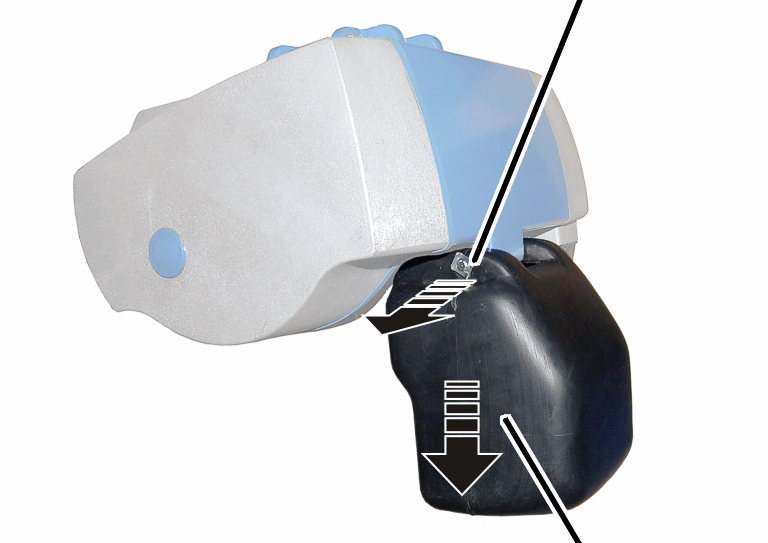
- Release the SL safety clip(s) (1x or 2x) from the bolt.
- Hold the chain box firmly and pull out the bolt(s) (1x or 2x).
- Remove the chain box.
- Place the detached chain box next to the chain hoist.
Protecting plug-in connections
Socket
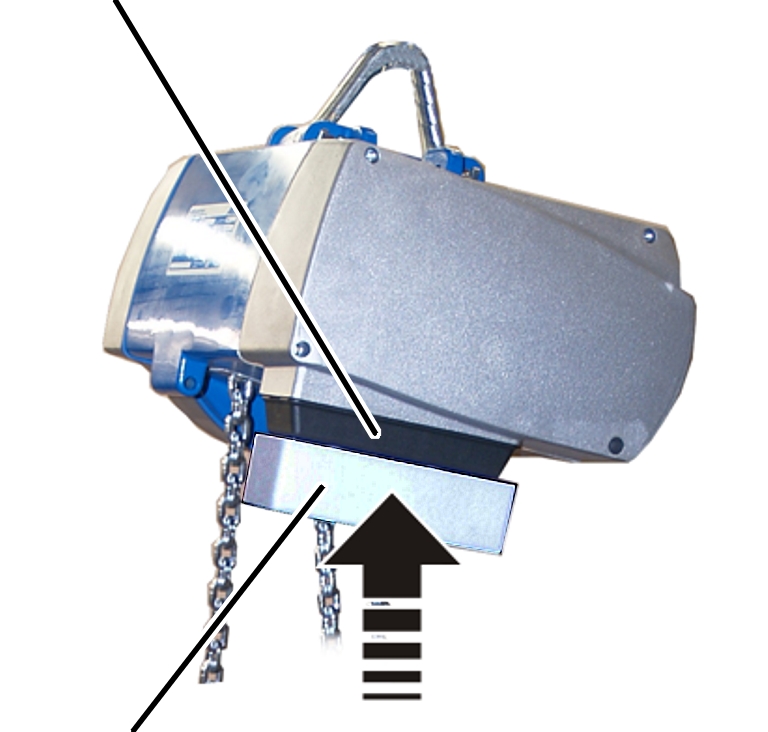
- Attach the transport guard (from the original packaging or, for example, firm cardboard) to the socket.
- Take care that the socket is not damaged and set the chain hoist down.
Loading and unloading the chain hoist
Load the chain hoist in the original packaging.
The chain hoist does not always lie in the middle of the original box.
Centre of gravity symbol
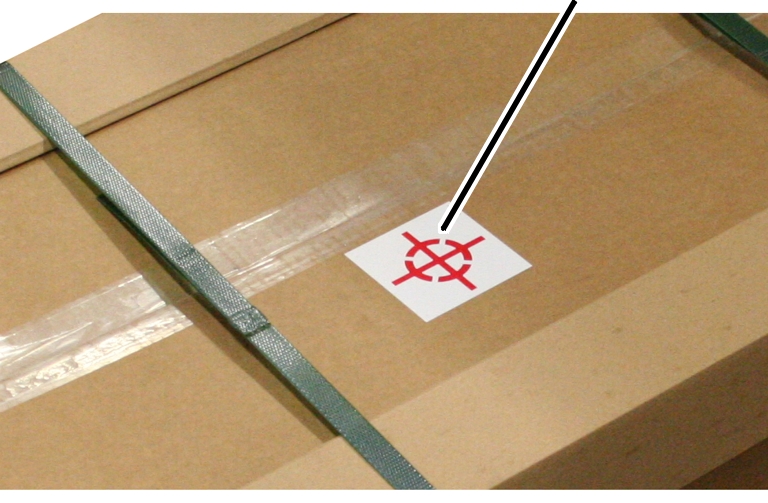
- When loading and unloading, note the centre of gravity symbol on the box.
Disposing of the chain hoist
If the chain hoist must be disposed of:
- Dismantle the chain hoist as far as possible.
- Observe local regulations concerning disposal and recycling.
- Dispose of the individual parts sorted by material in an environmentally sound manner.
- Dispose of the oil from the gear unit as a lubricant.
- Dispose of brake linings and friction clutch linings as multiple components (hazardous waste).
- Dispose of electronic components as scrap electronic parts.
- Dispose of the housing, chain sprocket, chain guide, chain, suspension bracket, gear unit and load hook as scrap metal.
- Parts of the chain hoist that have been repainted are to be disposed of in accordance with the paint manufacturer's instructions.
- Dispose of cables, plug-in connections and pendant controls as scrap electronic parts.

Installing and connecting
This section applies to anyone who works on the crane prior to its use
The end user of the crane is responsible for the proper qualifications of the commissioning personnel.
Examples of qualified persons:
- Persons with comprehensive knowledge from specialist training in engineering and in the electrical systems of cranes.
- Persons with sufficient experience in the operation, installation and maintenance of cranes.
- Persons with comprehensive knowledge regarding the relevant technical rules, directives and safety regulations applicable in the respective country.
- Persons receiving regular training from ABUS.
ABUS assumes no liability for damage due to incorrectly performed commissioning work done by unqualified personnel.
ABUS recommends having the commissioning work performed by the ABUS assembly team.
Checking the requirements
The following requirements must be met in order for the chain hoist to be mounted.
Checking the load capacity
- The supporting structure (steelwork, building, crane installation) from which the chain hoist is to be suspended must have a sufficient load capacity.
The load capacity of the supporting structure is derived from the weight of the chain hoist, the maximum load capacity of the chain hoist, the weight of the trolley (if applicable) and possibly the additional weight of the chain as well.
- For the weight of the chain hoist, refer to the table.
- If the hook path of the chain hoist is longer than 3 metres: Add the additional weight of the chain.
Size |
Number of falls |
Weight without trolley |
Additional weight per metre hook path for hook paths longer than 3 metres |
|---|---|---|---|
GM2 |
Single-fall |
22 kg |
0.34 kg |
GM2 |
Twin-fall |
25 kg |
0.68 kg |
GM4 |
Single-fall |
30 kg |
0.65 kg |
GM4 |
Twin-fall |
34 kg |
1.30 kg |
GM6 |
Single-fall |
57 kg |
1.24 kg |
GM6 |
Twin-fall |
63 kg |
2.48 kg |
GM8 |
Single-fall |
94 kg |
2.27 kg |
GM8 |
Twin-fall |
108 kg |
4.54 kg |
- Add the maximum load capacity.
- Only for trolley: Add the weight of the trolley.
- Check the entire supporting structure as to whether it will support the expected load.
Installation overview
The following sections show how the chain hoist is installed.
- First, the suspension bracket of the chain hoist is prepared and the chain hoist is attached to the supporting structure. See “Installing the chain hoist”.
- Then, the bayonet connector is connected to the connecting cable and the connecting cable is inserted into the chain hoist. See “Connecting the chain hoist”.
- Then the chain box is installed. See “Installing the chain box”
- Finally, the chain is lubricated. See “Lubricating the chain”.
- Only with chain hoists with a hoist limit switch: Lastly, the switching points of the mechanical hoist limit switch (“Setting the switching points of a mechanical hoist limit switch”) or the electronic hoist limit switch (“Setting the switching points of an electronic hoist limit switch”) and, if applicable, the intermediate switching point of the electronic hoist limit switch (“Setting the intermediate switching point of an electronic hoist limit switch”) are set.
Installing the chain hoist
Only for GM2 and GM4
Turning the suspension bracket by 90° or removing it
Depending on the installation site, the suspension bracket can be turned by 90°.
Suspension bracket
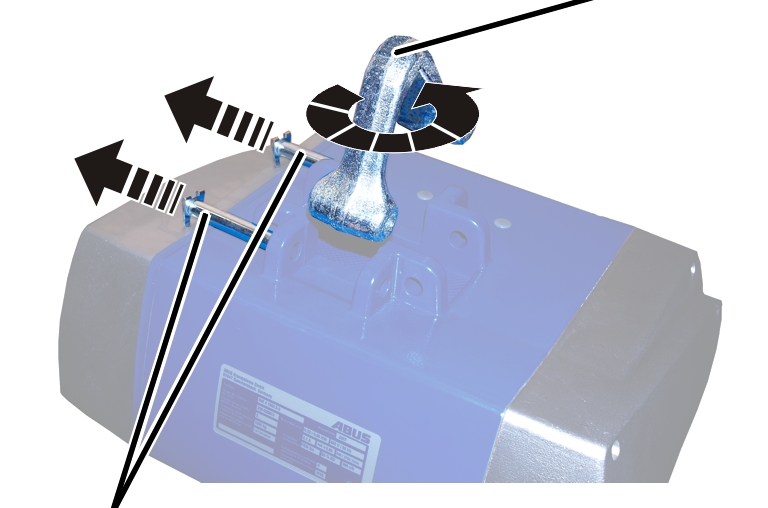
- Detach the SL safety clip from each of the bolts (2x).
- Pull out the bolt.
- Pull out the suspension bracket, turn it 90° and reinsert it.
- Insert the bolt.
- Secure the bolts with the SL safety clips (1x each).
Folding out the suspension bracket and attaching the chain hoist
BoltSuspension bracket
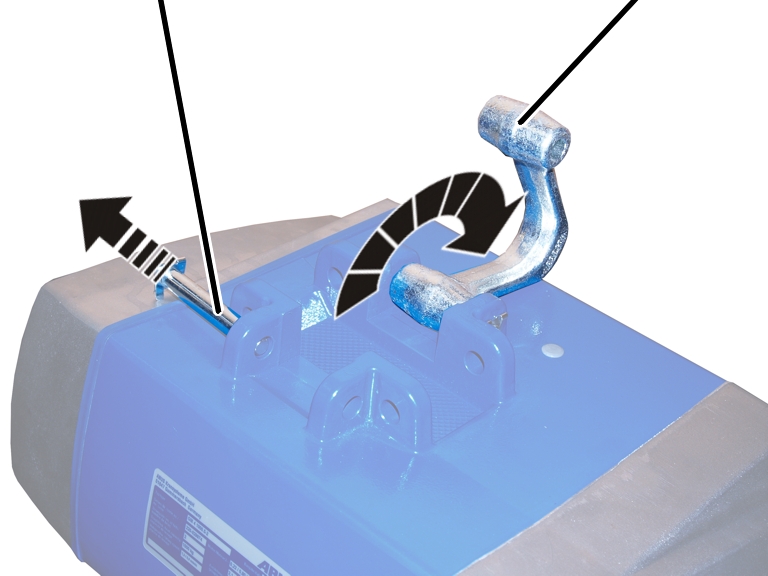
- Detach the SL safety clip from the bolt.
- Pull out the bolt.
- Fold out the suspension bracket.
- Lift the chain hoist and attach it under the supporting structure, under the trolley or under the crane.
- Fold the suspension bracket over an appropriate anchorage or the travelling gear bolt of the trolley.
- Insert the bolt.
- Secure bolt with SL safety clip.
Only with suspension hook
If required, the chain hoist can be installed with an optional suspension hook.
Suspension hook
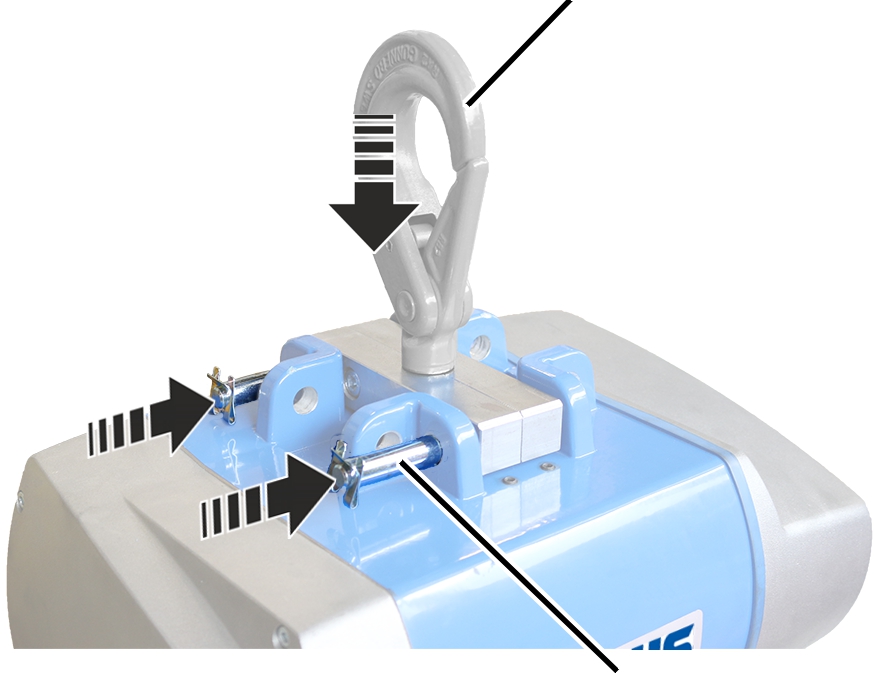
- Insert suspension hook.
- Insert bolts (2x).
- Secure bolts with SL safety clips (2x).
Supporting structure
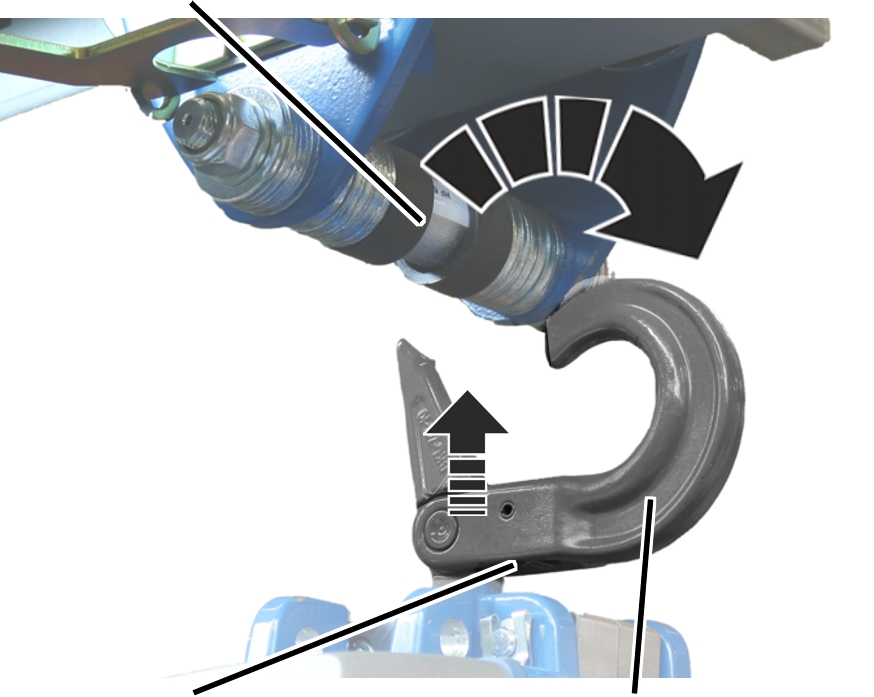
- Undo the safety device and open the suspension hook.
- Lift the chain hoist and attach it under the supporting structure, under the trolley or under the crane.
- Close the suspension hook over an appropriate anchorage or the travelling gear bolt of the trolley.
Only for GM8
Turn second fall straight
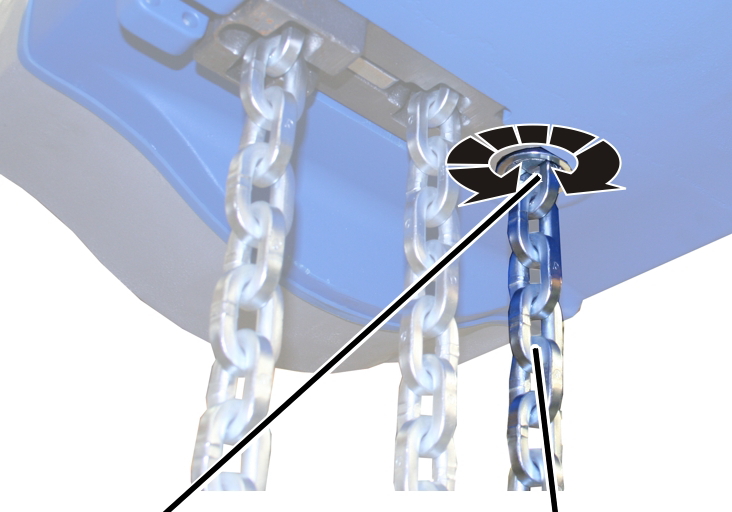
- Check the chain anchor point: The second fall should extend straight to the bottom block and not be twisted.
If necessary:
- Turn the chain anchor point.
Connecting the chain hoist
Only for electronic control or ABULiner
Selecting a fault current protection switch
- If fault current protection is used as a safety measure, be sure to use fault current protection that is sensitive to universal current.
The chain hoist can cause leakage current during operation, which could cause a fault current protection switch to trigger.
If the fault current protection triggers due to leakage current during normal operation:
- If possible, exchange the fault current protection switch for one with 0.3 A. This will no longer guarantee personnel safety.
- Alternatively, a leakage current compensating filter can be installed.
Connecting the bayonet coupling to the connection cable
Connector housingBayonet nut
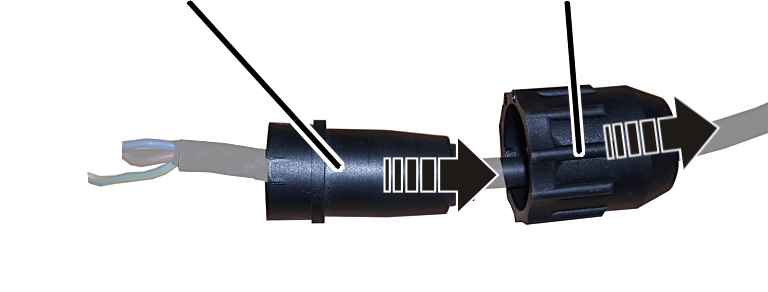
- Insert the bayonet nut on the connection cable.
- Insert the connector housing on the connection cable.
Wire end bushingProtective conductor
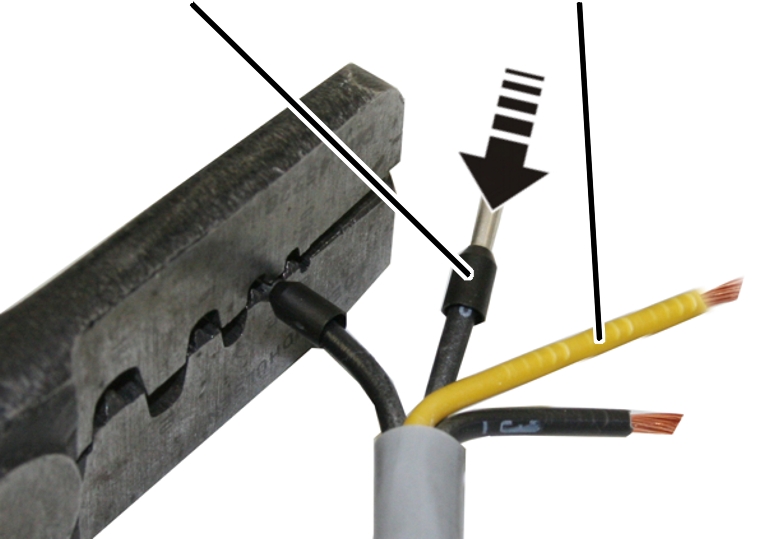
- Leave the protective conductor somewhat longer than the other wires and connect it in advance.
- Press the wire end bushings onto the wires.
O-ring, thick
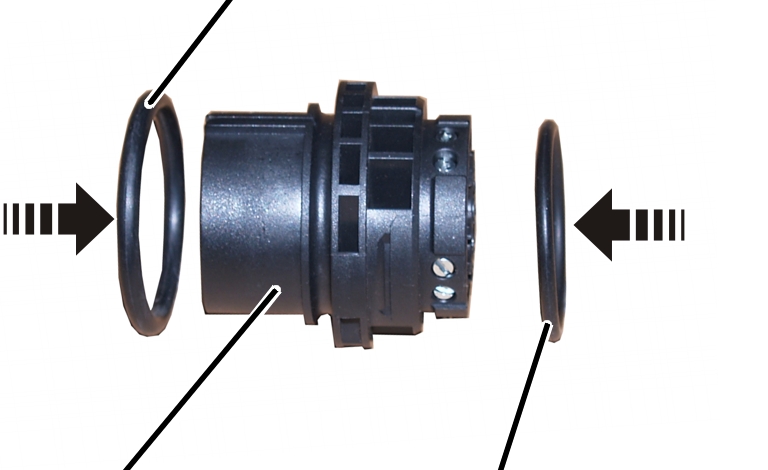
- Insert the O-rings on the bush insert.
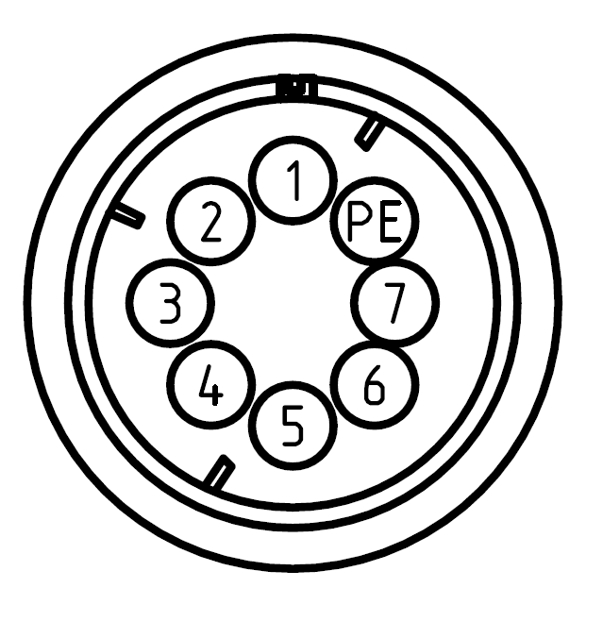
- Check that the assignment is correct (view of drawing from front) and connect the wires to the bush insert.
Bush insert
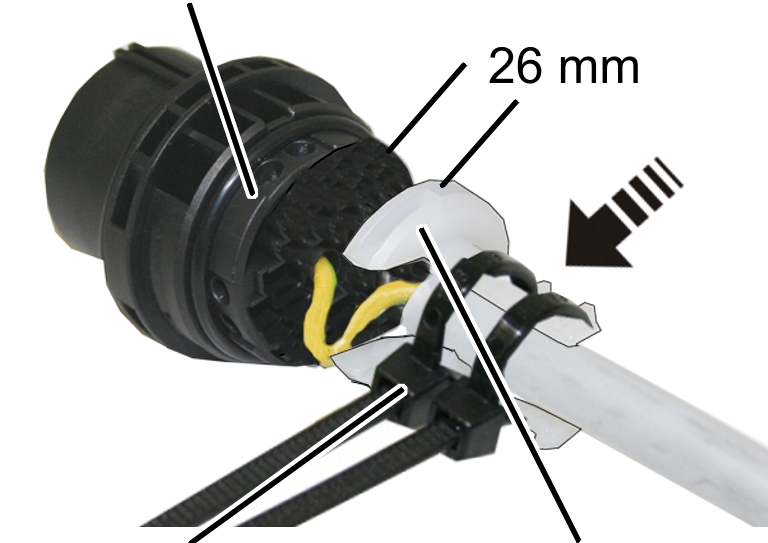
- Slide the strain reliever onto the connection cable so that 26 mm clearance remains between the strain reliever and the bush insert.
- Fasten the strain reliever with cable ties (2x).
Bush insertBayonet nut
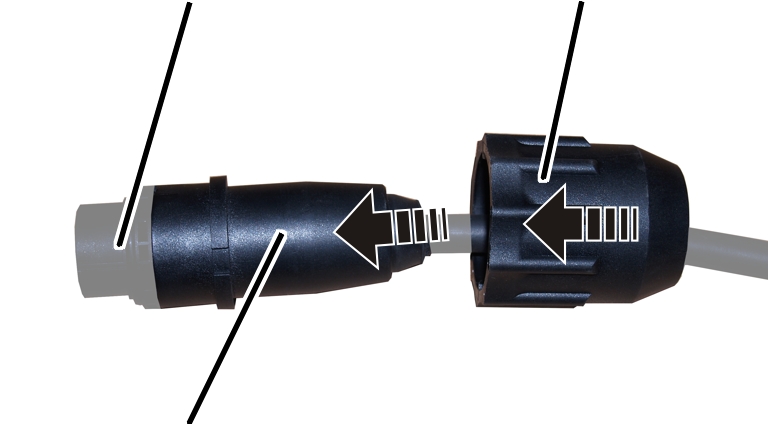
- Press the connector housing onto the bush insert until it clicks.
- Slide the bayonet nut over it.
Connecting the chain hoist
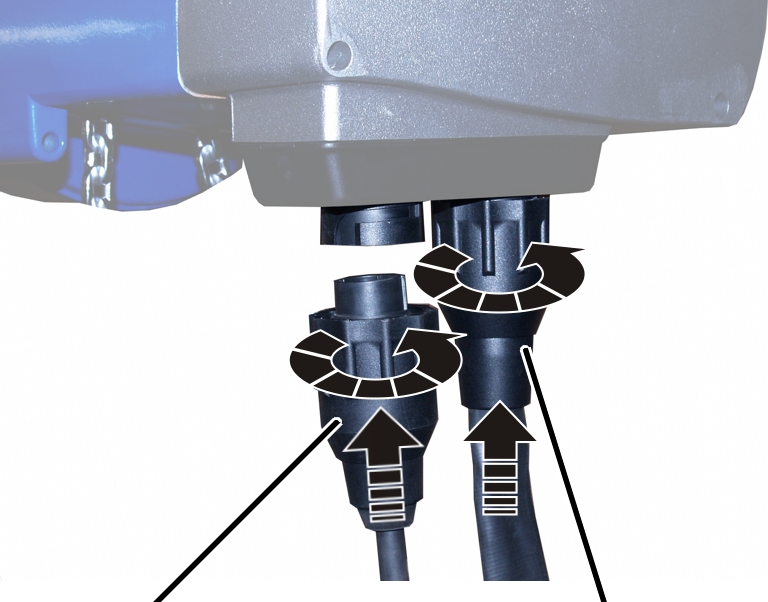
- Insert the bayonet coupling of the connection cable and the bayonet connector of the control cable. Due to a notch, the plug-in connections will only fit together in one position.
- Slide on and tighten the bayonet nuts.
Installing the chain box
Only for GM2, GM4 and GM6 (GM6 with plastic chain box)
The illustrations show a chain box being installed on the GM6 chain hoist. Installation on a GM2 or GM4 chain hoist is very similar.
Installing the chain box
BoltSL safety clip
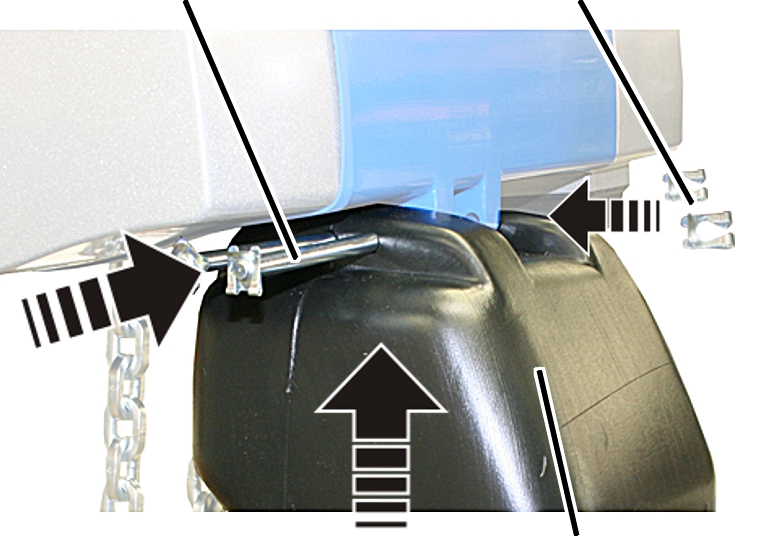
- Place the chain in the chain box.
- Turn the chain box as shown in the figure (slanted side facing outward).
- Use the bolts to install the chain box on the chain hoist.
- For GM2: Use a bolt to fix the chain box to the chain hoist.
- For GM4 and chain box with one hole: Use a bolt to fix the chain box to the chain hoist.
- For GM4 and chain box with two holes: Use a bolt to fix the chain box to the chain hoist. Use the inner holes of the chain box. The outer holes remain free.
- For GM6 and plastic chain box: Use two bolts to fix the chain box to the chain hoist.
- Secure the bolts with the SL safety clips (1x or 2x).
Only for GM8
Attach buffer
Suspension straps
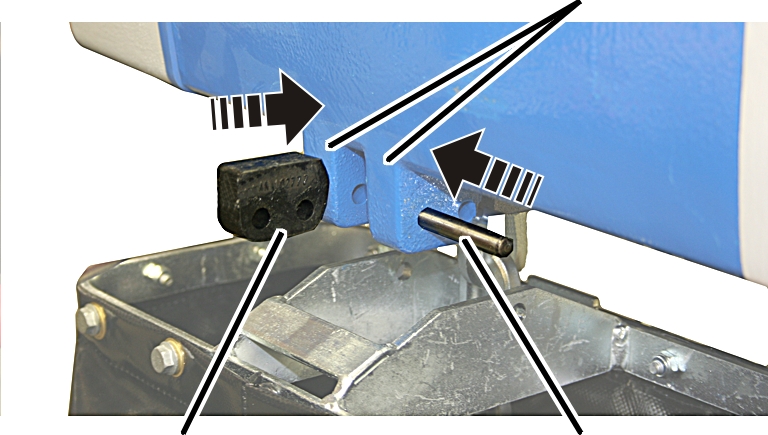
- Turn the buffer as shown in the figure (rounded side facing inward).
- Push the buffer between the suspension straps on the chain hoist.
- Push the short bolt through the outer holes of the suspension straps and the buffer.
Only for GM6 (GM6 with chain box with metal frame) and GM8
The illustrations show a chain box being installed on the GM8 chain hoist. Installation on a GM6 chain hoist is very similar.
Installing the chain box
Inner holeBolt
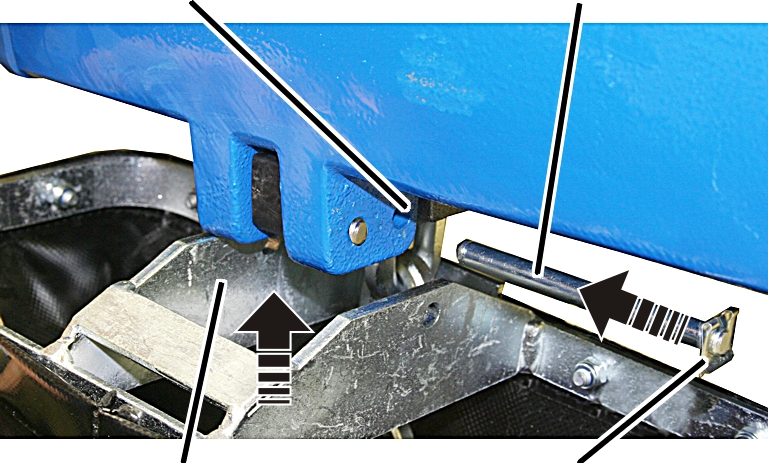
- Place the chain in the chain box.
- Turn the chain box as shown in the figure (bar facing outward).
- Use the bolts to install the chain box on the chain hoist.
- For GM6 and chain box with metal frame: Use a bolt to fix the chain box to the chain hoist. Use the inner holes of the suspension strap. The outer holes of the suspension strap remain free.
- For GM8: Use a bolt to fix the chain box to the chain hoist. Use the inner holes of the suspension strap. The buffer is fixed to the outer holes of the suspension straps.
- Secure the bolts with the SL safety clips (2x).
Lubricating the chain
A well-lubricated chain wears much slower and can be used considerably longer. The chain must be lubricated before operation.
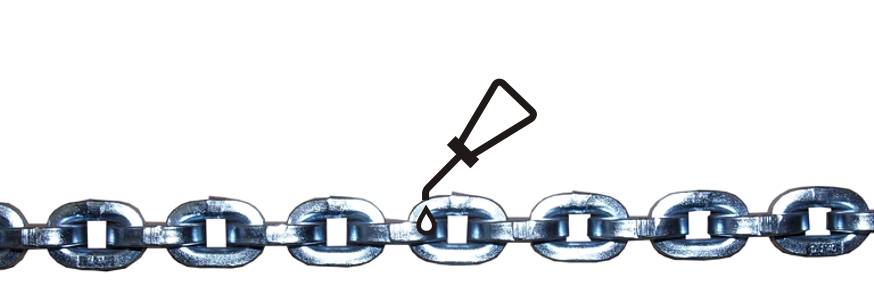
- Press the LIFT button and allow the chain to run into the chain box. Lubricate the chain during its movement.
Lubricant: “Chainlife S”. For details, see “Lubricants”.
- Apply additional lubricant to the unstressed chain in the chain box so that it flows into the joints of the chain links.
Setting the switching points of a mechanical hoist limit switch
Only with a mechanical hoist limit switch
This section only applies to chain hoists with a mechanical hoist limit switch of the sizes GM4, GM6 and GM8.
Overview:
Size |
Number of falls |
Hook path |
Mechanical hoist limit switch |
Switching hysteresis B [mm] |
Hook path per |
Hook path per revolution of block adjustment [mm] |
|---|---|---|---|---|---|---|
GM4 |
1 |
≤8 m ≥9 m |
GPK 48.2 GPK 205.2 |
28 118 |
58 251 |
14 58 |
GM4 |
2 |
≤4 m ≥5 m |
GPK 48.2 GPK 205.2 |
14 59 |
29 126 |
7 29 |
GM6 |
1 |
≤10 m ≥11 m |
GPK 48.2 GPK 205.2 |
34 145 |
72 310 |
17 72 |
GM6 |
2 |
≤5 m ≥6 m |
GPK 48.2 GPK 205.2 |
17 73 |
36 155 |
8 36 |
GM8 |
1 |
≤14 m ≥15 m |
GPK 48.2 GPK 205.2 |
49 207 |
103 440 |
24 103 |
GM8 |
2 |
≤7 m ≥8 m |
GPK 48.2 GPK 205.2 |
25 104 |
52 220 |
12 51 |
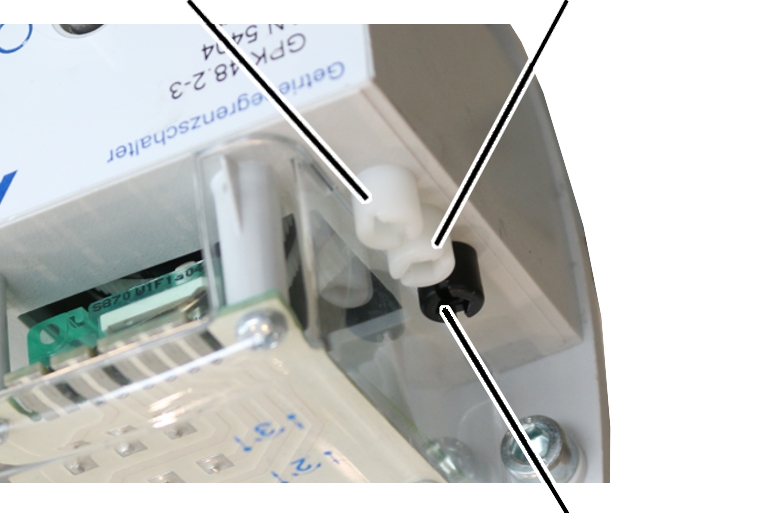
Outer white adjusting screw
(lower switching point)Middle white adjusting screw
(upper switching point)
Unscrewing the motor coverFillister-head screws 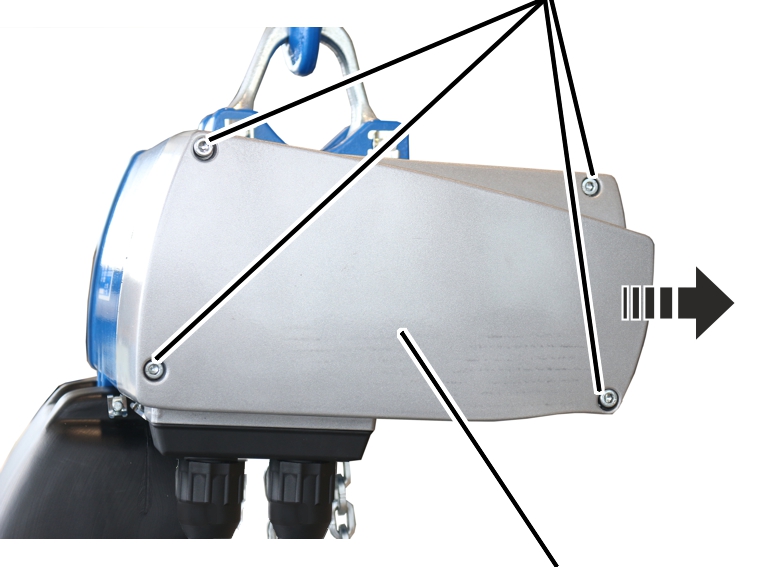
The fillister-head screws are secured by O-rings and thus do not fall out of the motor cover.
The power supply must remain switched on while setting the switching points. |
|---|
Setting the upper switching point
Control camMiddle 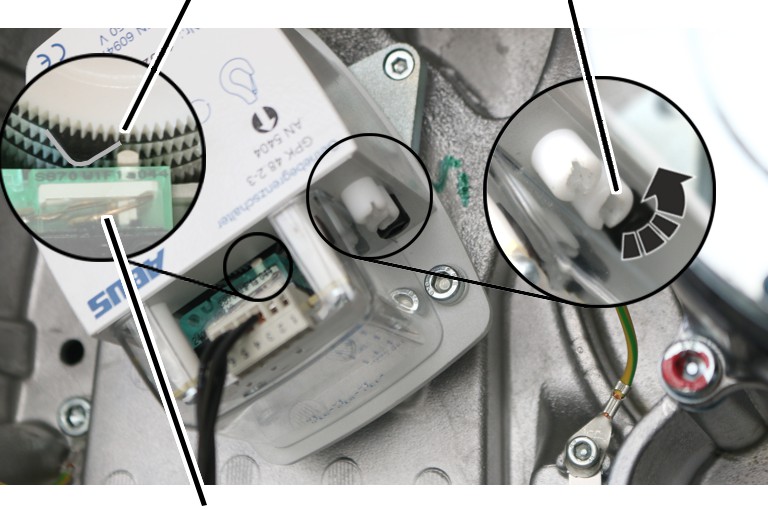
Checking the setting
|
|---|
Setting the lower switching point
This would trigger the friction clutch and then damage it in regular movement.
Control camOuter 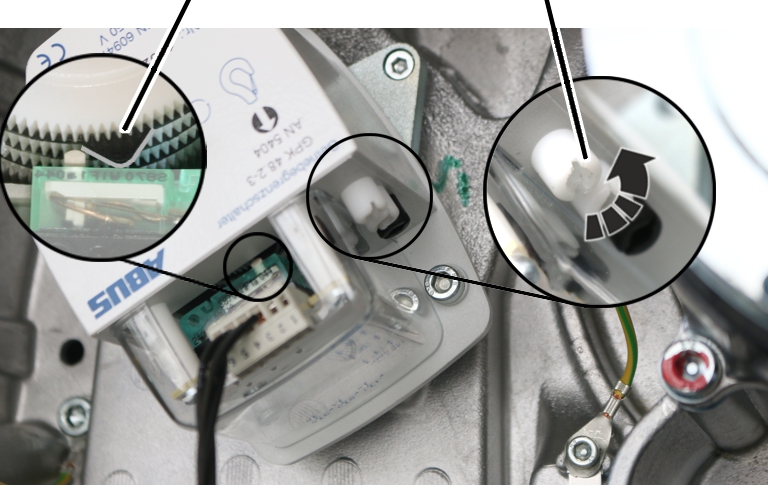
|
|---|
Checking the setting
|
Only with a mechanical hoist limit switch
Shifting both switching points together (block adjustment)
If both switching points are moved equally, both switching points can be set at the same time.
Control camBlack
adjusting screw
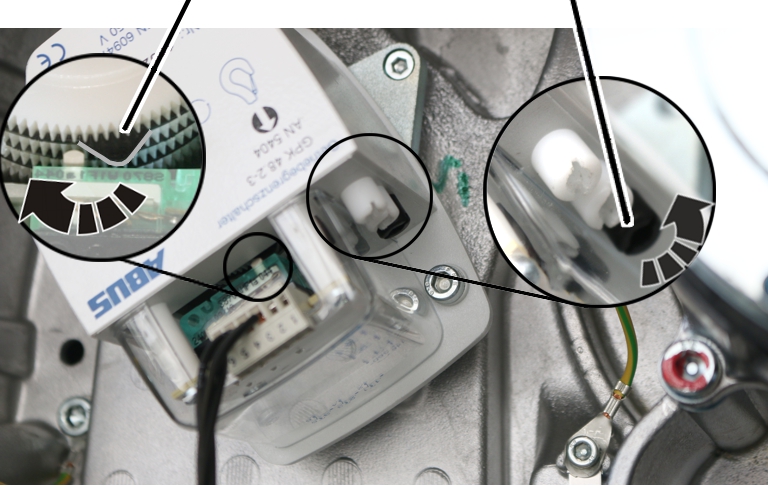
- Turn the black adjusting screw to the left or right to set both switching points at the same time.
- Turn the adjusting screw to the right (the control cam turns clockwise) to move the switching point upwards.
- Turn the adjusting screw to the left (the control cam turns anticlockwise) to move the switching point downwards.
Closing the chain hoist
Long fillister-head screwsShort fillister-head screw
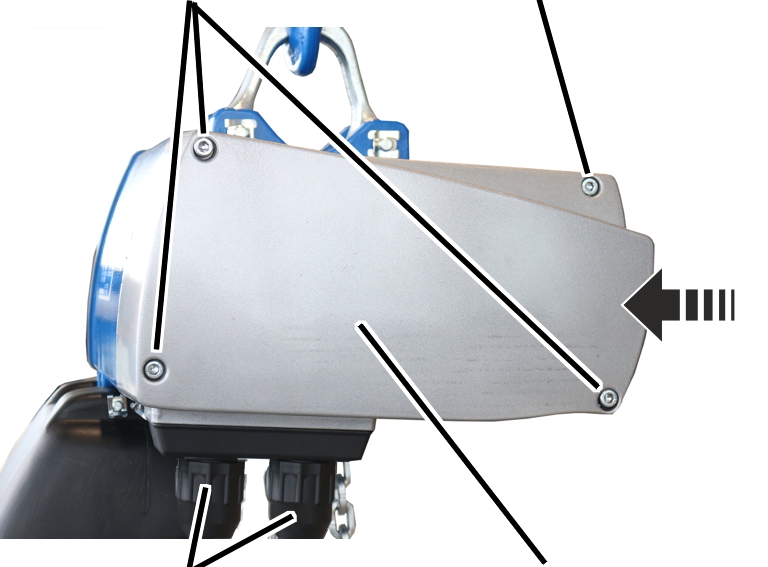
- Hold the motor cover on the housing.
- Note the different screw lengths and screw in the fillister-head screws.
Size |
Size and length |
Number |
Tightening torque |
|---|---|---|---|
GM2 |
M5x65 |
3x |
4 Nm |
GM2 |
M5x45 |
1x |
4 Nm |
GM4 |
M5x60 |
3x |
4 Nm |
GM4 |
M5x50 |
1x |
4 Nm |
GM6 |
M8x110 |
3x |
15 Nm |
GM6 |
M8x60 |
1x |
15 Nm |
GM8 |
M10x95 |
3x |
20 Nm |
GM8 |
M10x50 |
1x |
20 Nm |
Setting the switching points of an electronic hoist limit switch
Only with an electronic hoist limit switch
The switching points of the electronic hoist limit switch can be set without opening the chain hoist. This requires the supplied teach-in module or a pendant control with teach-in button, or an ABURemote AC receiver with teach-in.
The switching points do not need to be reset if the chain and chain sprocket are replaced. If the chain and chain sprocket are replaced, only the reference point needs to be reset. See “Exchanging the chain and chain sprocket”.
Overrunning the previous switching point
If the new upper or lower switching point is in an area that cannot be approached due to the previous switching point, the previous switching point must first be overrun.
To overrun a switching point:
- Move to the previous switching point until the load hook stops.
- Only with teach-in module: Remove the pendant control, plug in the teach-in module, wait 5 seconds, then remove the teach-in module and insert the pendant control.
Only with pendant control with teach-in button: Press teach-in button for 5 seconds.
Only with ABURemote AC with teach-in: Press “teach-in” direct access button (T with arrow) for 5 seconds.
- Raise or lower the load hook over the previous switching point.
- The previous switching point has been overrun.
Setting the upper switching point
Overview of setting the upper switching point: (Described in detail below)
Only with pendant control with teach-in button: Press teach-in button for 5 seconds. Only with ABURemote AC with teach-in: Press “teach-in” direct access button (T with arrow) for 5 seconds. |
|---|
Moving to the upper switching point:
- Raise the load hook to the desired switching point.
- Bottom block or hook assembly must not come into contact with the housing.
- The friction clutch must not be triggered.
- The new switching point must not be too close (about 10 cm) to a previous switching point. If it is too close, the following sequence is interpreted as the “Overrun previous switching point” function.
If a new switching point is to be set within this range, a switching point further away must first be temporarily set and only then the switching point at the desired hook position set.
- The switching point cannot be above the reference point because the load hook cannot be moved up beyond the reference point.
Normally, this situation should not occur because the reference point is usually programmed to be at the highest hook position (bottom block or hook assembly just below the housing) and therefore the load hook cannot move any higher.
- Finally, briefly press the “Lift” button.
Before teach-in, the “Lift” button must be pressed last if the upper switching point is to be set.
Inserting the teach-in module
Control cableBayonet nut
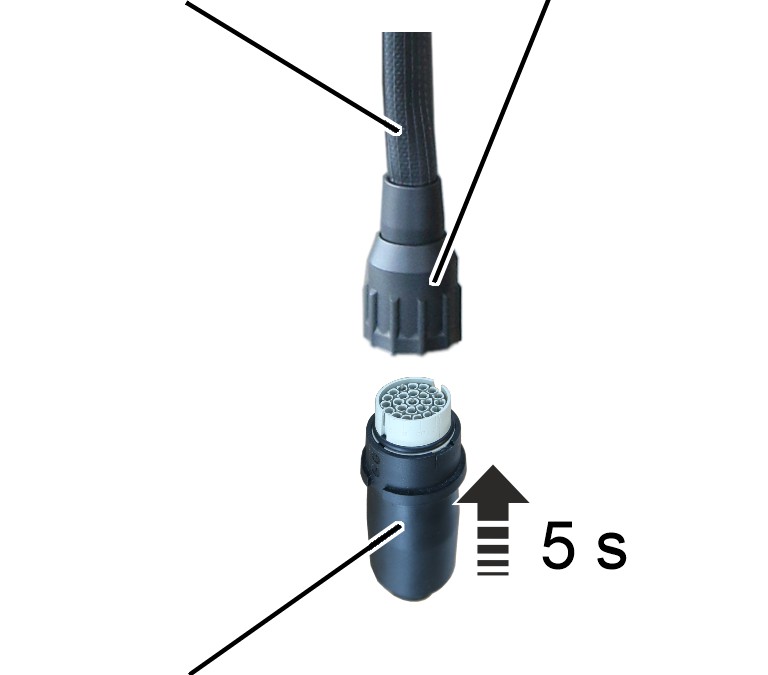
- Remove the pendant control.
- Insert the teach-in module.
- Wait at least 5 s.
- Remove the teach-in module.
- Only with pendant control with teach-in button: Instead of inserting the teach-in module, press and hold the teach-in button for 5 seconds.
- Only with ABURemote AC with teach-in: Instead of inserting the teach-in module, press and hold the “teach-in” direct access button (T with arrow) for 5 seconds.
Inserting the pendant control
Control cableBayonet coupling
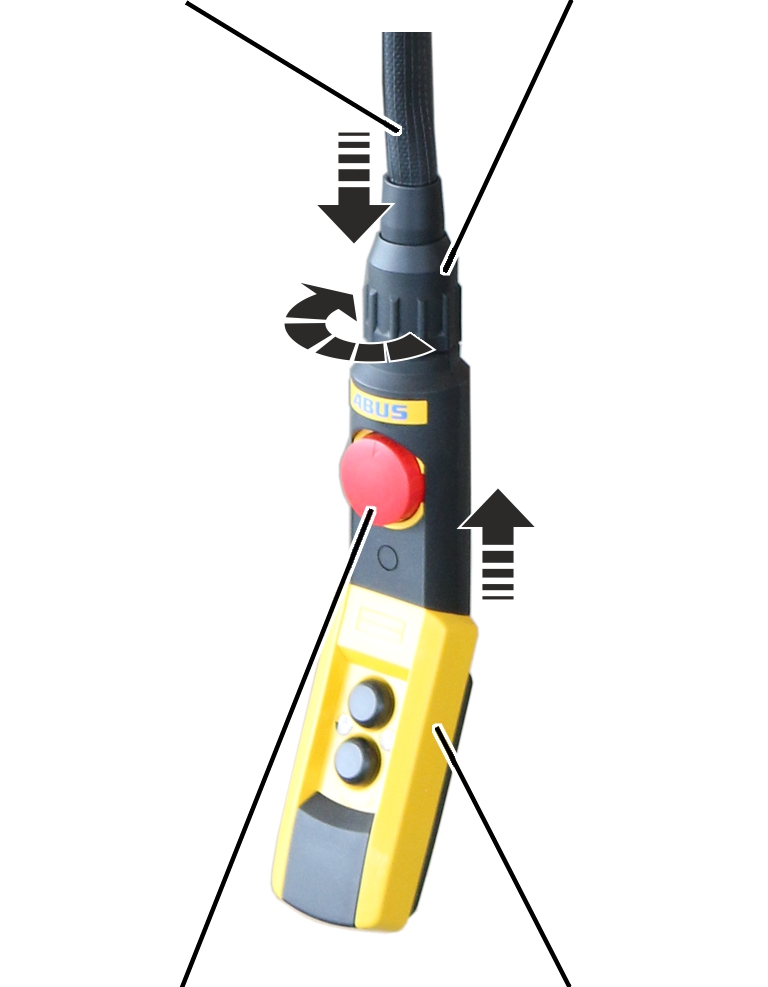
- Only with teach-in module: Insert pendant control.
- Only with teach-in module: Unlock emergency stop button.
- The upper switching point is saved.
Setting the lower switching point
Overview of setting the lower switching point: (Described in detail below)
Only with pendant control with teach-in button: Press teach-in button for 5 seconds. Only with ABURemote AC with teach-in: Press “teach-in” direct access button (T with arrow) for 5 seconds. |
|---|
Moving to the lower switching point:
- Lower the load hook to the desired switching point.
- The load hook must not come into contact with the floor of building.
- The chain must not be slack.
- The C-link in the chain box must not come into contact with the housing.
This would trigger the friction clutch and then damage it in regular movement.
- The hook path (distance between the highest hook position and the lowest hook position) must not be greater than specified on the type plate.
- The new switching point must not be too close (about 10 cm) to a previous switching point. If it is too close, the following sequence is interpreted as the “Overrun previous switching point” function.
If a new switching point is to be set within this range, a switching point further away must first be temporarily set and only then the switching point at the desired hook position set.
- Finally, briefly press the “Lower” button.
- Before teach-in, the “Lower” button must be pressed last if the lower switching point is to be set.
Inserting the teach-in module
Control cableBayonet nut
- Remove the pendant control.
- Insert the teach-in module.
- Wait at least 5 s.
- Remove the teach-in module.
- Only with pendant control with teach-in button: Instead of inserting the teach-in module, press and hold the teach-in button for 5 seconds.
- Only with ABURemote AC with teach-in: Instead of inserting the teach-in module, press and hold the “teach-in” direct access button (T with arrow) for 5 seconds.
Inserting the pendant control
Control cableBayonet coupling
- Only with teach-in module: Insert pendant control.
- Only with teach-in module: Unlock emergency stop button.
- The lower switching point is saved.
Setting the intermediate switching point of an electronic hoist limit switch
Only for electronic hoist limit switches with an intermediate switching point
This section only applies to a chain hoist with an electronic hoist limit switch combined with a pendant control with an “intermediate switching point” rotary switch or a radio remote control with an “intermediate switching point” function.
With the intermediate switching point function, any hook position between the upper and lower switching point can be moved to during normal operation.
The intermediate switching point of the electronic hoist limit switch can be set without opening the chain hoist. This requires the supplied teach-in module or a pendant control with teach-in button, or an ABURemote AC receiver with teach-in.
The intermediate switching point does not need to be reset if the chain and chain sprocket are replaced. If the chain and chain sprocket are replaced, only the reference point needs to be reset. See “Exchanging the chain and chain sprocket”.
Setting the intermediate switching point:
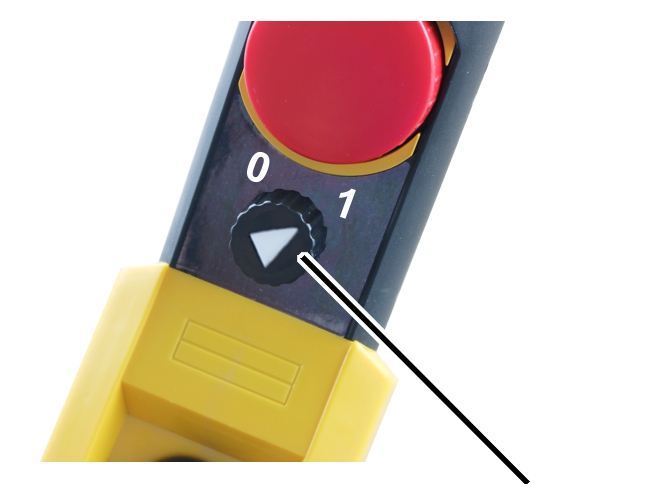
- Set the rotary switch on the pendant control to “1”.
- The “Set intermediate switching point” function is activated.
- Set the intermediate switching point in the same way as with the upper or lower switching point. See “Setting the switching points of an electronic hoist limit switch”.
- Move to the intermediate switching point.
- The last move command before teach-in is irrelevant.
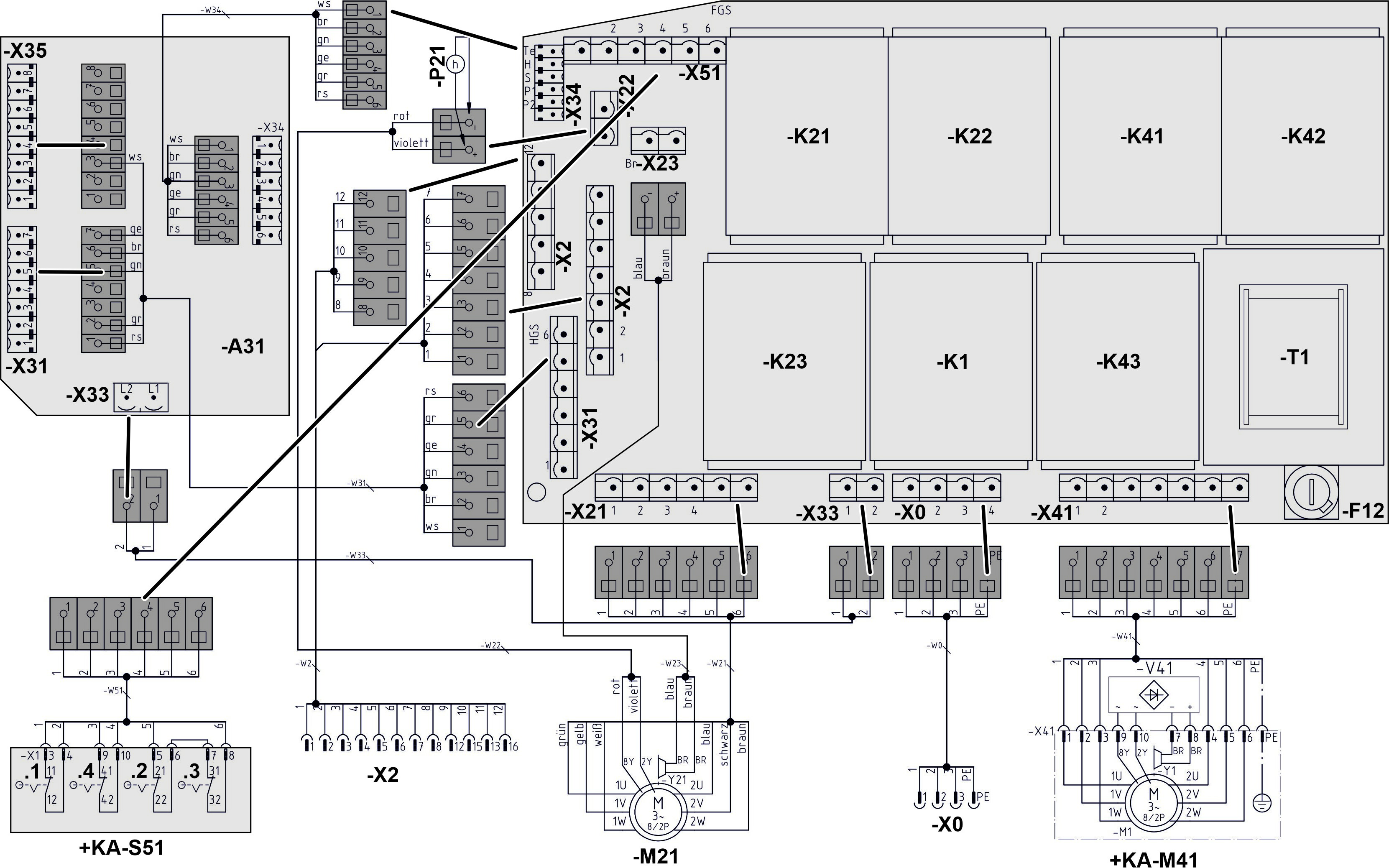
- Only with teach-in module: Remove the pendant control, plug in the teach-in module, wait 5 seconds, then remove the teach-in module and insert the pendant control.
Only with pendant control with teach-in button: Press teach-in button for 5 seconds.
Only with ABURemote AC with teach-in: Press “teach-in” direct access button (T with arrow) for 5 seconds.
Deleting the intermediate switching point:
To prevent the load hook from stopping at the intermediate switching point, there are two options:
- Delete all switching points. See “Deleting all switching points on the electronic hoist limit switch”. This will also delete the saved intermediate switching point.
- Reprogramme the intermediate switching point to set a hook position that is outside the switching points, for example, below the lower switching point. To do this, the saved upper or lower switching point must be overrun when making the setting. See “Setting the switching points of an electronic hoist limit switch”.
Moving to the intermediate switching point:
The rotary switch is only required to set the intermediate switching point.
In normal operation, the chain hoist brakes as soon as the load hook approaches the intermediate switching point and halts there. The intermediate switching point can then be overrun by releasing the button for lifting/lowering and pressing it again (stop-and-go).
Inspection
This section applies to anyone who inspects and accepts the crane in accordance with occupational health and safety requirements
The chain hoist must be regularly inspected in order to guarantee safe operation. The end user is responsible for this regular inspection.
At the start
Test intervals
The regular inspection is performed at least once annually.
Under certain conditions, more frequent regular inspections may be necessary. Reasons include:
- Frequent operation at the load capacity
- Working in multiple shifts
- Frequent use
- Dusty or chemically aggressive environment
The end user is responsible for checking the requirements and determining the test intervals. ABUS will gladly assist you if questions arise.
Requirements for the examiner
The end user of the crane is responsible for the proper qualifications of the examiner.
Examples of qualified persons:
- Persons with comprehensive knowledge from specialist training in engineering and in the electrical systems of cranes.
- Persons with sufficient experience in the operation, installation and maintenance of cranes.
- Persons with comprehensive knowledge regarding the relevant technical rules, directives and safety regulations applicable in the respective country.
- Persons receiving regular training from ABUS.
Scope of the test
The qualified person inspecting the chain hoist is responsible for the type and scope of the test.
Overview: Testing the chain hoist
In addition to the points described here, all points outlined in the other supplied product manuals must also be checked.
The decision regarding the technically faultless condition of the chain hoist lies solely with the examiner. Any inadequacies, if found, must be eliminated. The examiner will decide if the chain hoist then requires additional testing.
If locally applicable regulations specify further tests, these are likewise to be carried out.
Additionally, at least the following points must be checked:
- Check the load hook. See “Checking the load hook”.
- Check the suspension bracket. See “Checking the suspension bracket”.
- Check the condition of the chain. See “Checking the condition of the chain” and “Checking the wear on the chain”.
- Check the friction clutch. See “Checking the friction clutch”.
- Check the air gap and brake lining thickness. See “Checking the brake on the chain hoist”.
- Check the lubrication of the chain. The chain may not be dry; lubricant must be visible on its surface. If it is not, lubricate the chain. See “Lubricating the chain”.
- Check the installation of the chain. It may not be installed twisted. If it is, remove the chain and reinstall it so that it is free of any twisting.
- Check the C-link. It must be present and attached to the penultimate or third-last chain link in such a way that the opening, when installed, points in the direction of the inner fall (the fall under load). Otherwise, reinstall the C-link.
- Check the chain anchor point. The bolt must be inserted and secured. If it is not, push the bolt in and secure it with the SL safety clip.
- Test the deep groove ball thrust bearing on the load hook. It must turn easily and exhibit no damage. Otherwise, replace the deep groove ball thrust bearing.
Document the test:
- If the chain hoist is part of a crane installation: Document the results of the test in the test log book of the crane installation.
- If the chain hoist is operated independently: Document the results of the test in the test log book. See “Test log book”.
Checking the load hook
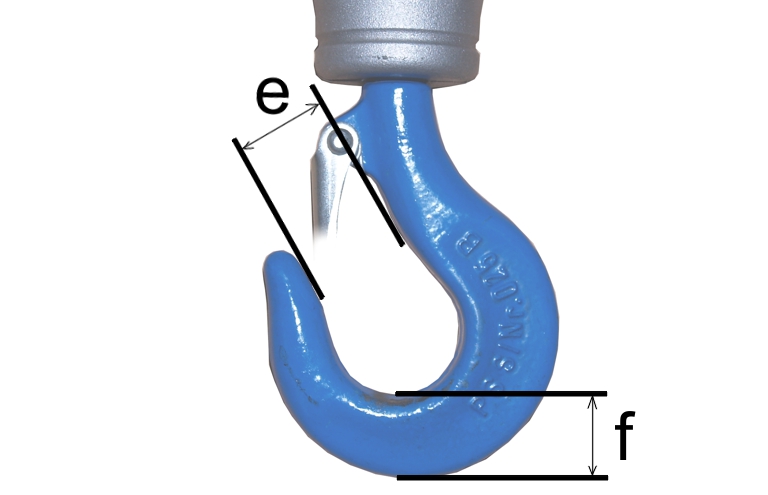
- Measure the opening width 'e' of the load hook.
- Measure the base height 'f' of the load hook.
- The measured values should neither exceed nor fall short of the values in the table.
Size of load hook |
Type of load hook |
Max. opening width 'e' [mm] |
Min. base height 'f' [mm] |
Material |
|---|---|---|---|---|
012 |
single |
26.4 |
18.1 |
STE 355 |
025 |
single |
30.8 |
22.8 |
STE 355 |
05 |
single |
37.4 |
29.9 |
34 CrMo 4 |
1 |
single |
44.0 |
38.0 |
34 CrMo 4 |
1.6 |
single |
49.6 |
45.6 |
34 CrMo 4 |
- If the load hook has been widened to a greater degree than is allowed or if the base height is below the permissible limit, replace the load hook.
- If the load hook is deformed (even if within the measurements given above): Inspect the surface for cracks.
Checking the suspension bracket
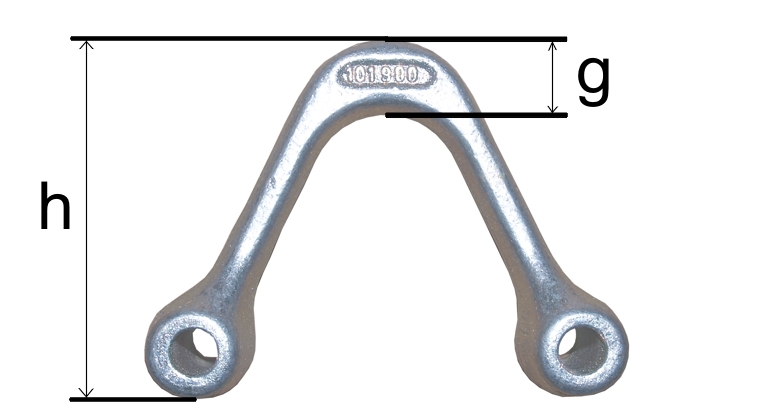
- Remove the suspension bracket. See “Installing the chain hoist”.
- Measure the bracket height ‘h’ of the suspension bracket.
- Depending on the bracket height ‘h’, select the appropriate row in the table.
- Measure the bracket thickness ‘g’ of the suspension bracket.
- The measured value ‘g’ must not be below the value ‘g’ in the table.
Bracket height ‘h’ |
Min. bracket thickness ‘g’ |
Size |
|---|---|---|
87 mm |
18 mm |
GM2 |
97 mm |
18 mm |
GM4 |
90 mm |
22.8 mm |
GM6 |
132 mm |
22.8 mm |
GM6 |
138 mm |
26.6 mm |
GM8 |
173 mm |
31.3 mm |
GM8 |
- If the bracket thickness is thinner than is allowed, replace the suspension bracket.
Checking the suspension hook or safety load hook
Only with a suspension hook or safety load hook
This step only applies if a suspension hook is used instead of a suspension bracket or if a safety load hook is used instead of a normal load hook.
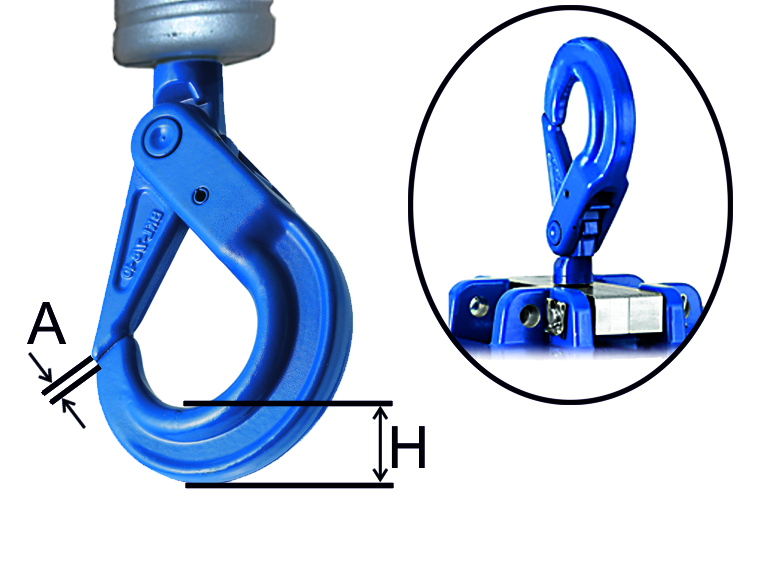
Safety load hooks (left) and suspension hooks (right) are tested according to the same procedure.
- Measure the base height ‘H’ of the suspension hook or safety load hook.
- Measure the gap ‘A’ between the hook safety latch and the hook body.
- Measure the lateral displacement ‘B’ between the hook safety latch and the hook body.
- The measured values should neither exceed nor fall short of the values in the table.
Size of load hook |
Maximum gap ‘A’ [mm] |
Maximum lateral displacement ‘B’ [mm] |
Minimum base height ‘H’ [mm] |
|---|---|---|---|
BKT 6-10 |
2.2 |
3.5 |
17.1 |
BKT 7-10/8 |
2.7 |
4.5 |
20.7 |
BKT 10-10 |
3 |
6 |
26.1 |
BKT 13-10 |
3.3 |
7 |
34.2 |
- If the load hook has been widened to a greater degree than is allowed or if the base height is below the permissible limit, replace the load hook.
Checking the condition of the chain
- Check the lubrication of the chain.
- The chain must be lubricated over its entirety.
- Pay particular attention to the area of the joints.
- Check for chain corrosion.
There must be no visible corrosion.
- Check for surface damage on the chain links and between the joints.
There should be no visible damage such as undercuts, constrictions or abrasion.
- Inspect the entire chain for damage. The damage shown here or any similar damage should not be detectable on the chain.
Examples of damage:
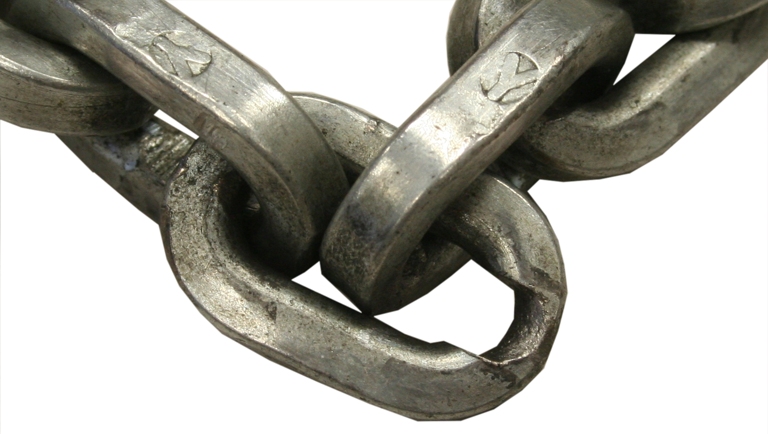
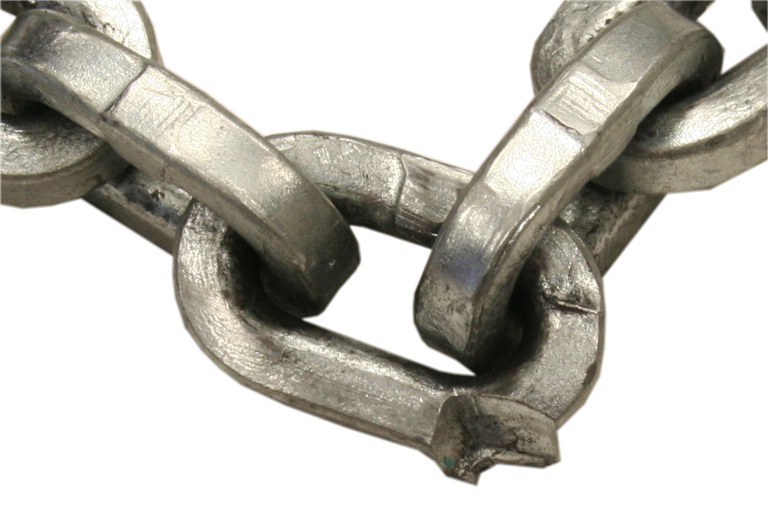
- If there are signs of damage or corrosion on the chain, replace the chain and chain sprocket. See “Exchanging the chain and chain sprocket”.
Checking the wear on the chain
To check the wear, the length of eleven chain links is measured. Depending on the calliper used and the chain hoist, this can be measured directly or in three stages.
- Raise a lightweight load slightly to tension the chain.
Measuring directly:
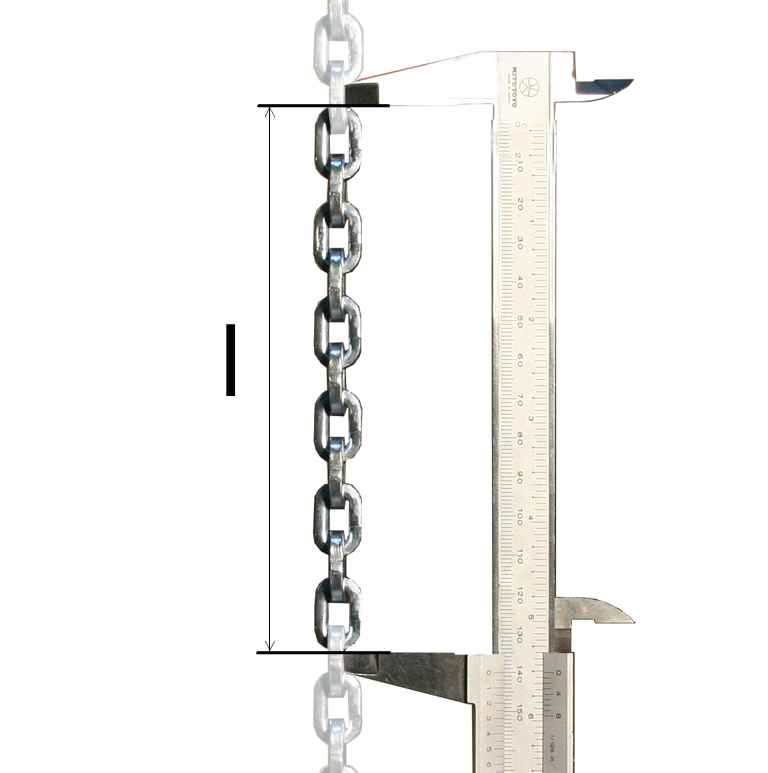
- Measure the length ‘l’ over 11 chain links of the chain (from outer edge to outer edge).
- Compare the measured value with the table (see “Checking the wear on the chain”). The measured value should not exceed the maximum ‘l’.
- Measure again at several points and compare them.
- If the length exceeds the specified value, the chain has been stretched too much through operation. Exchange the chain and chain sprocket. See “Exchanging the chain and chain sprocket”.
Measure in steps:
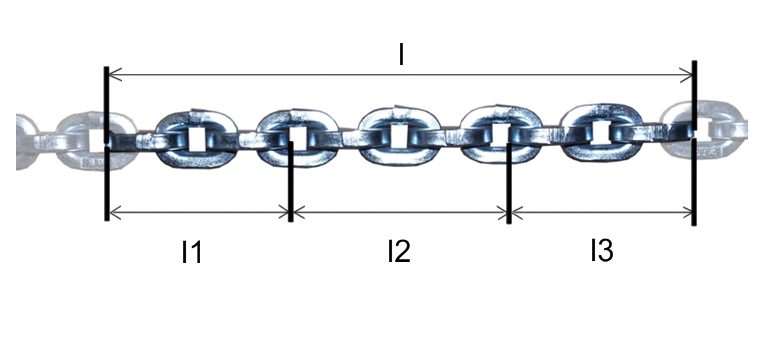
3 chain links5 chain links
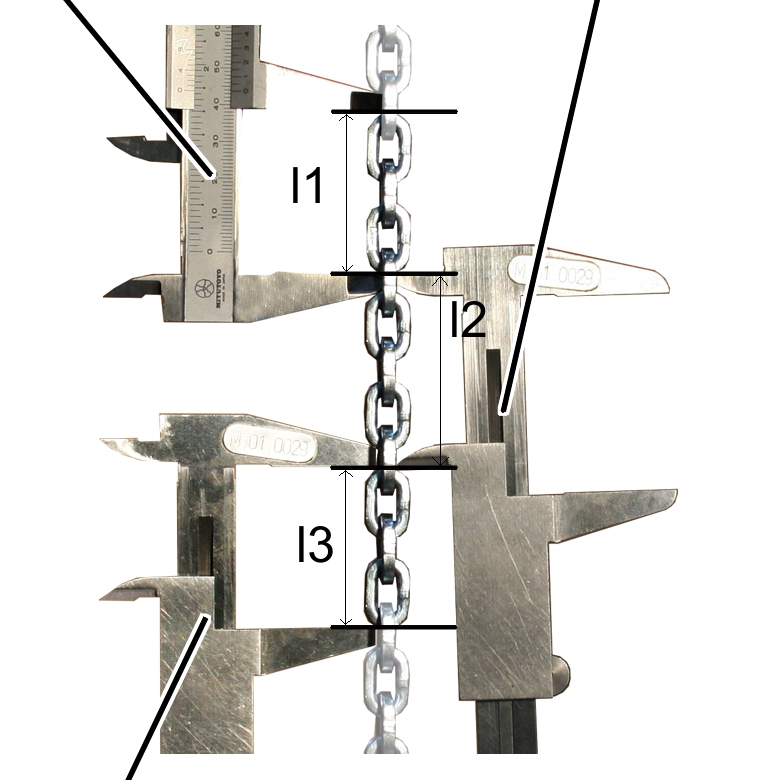
- Measure 3 chain links from outside to outside ‘l1’.
- Measure 5 chain links from inside to inside ‘l2’. When doing so, do not measure the five chain links completely from inside to inside, but only place the calliper on the respectively next chain link.
- Measure 3 chain links from outside to outside ‘l3’.
- Add the measured values together.
- Compare the measured value with the table. The measured value should not exceed the maximum ‘l’.
- Measure again at several points and compare them.
- If the length exceeds the specified value, the chain has been stretched too much through operation. Exchange the chain and chain sprocket. See “Exchanging the chain and chain sprocket”.
Size |
GM2 |
GM4 |
GM6 |
GM8 |
|---|---|---|---|---|
Standard designation of chain |
HEP – 3.7 x 12 DATC |
HEP – 5 x 14.3 DATC |
HEP – 7 x 21 DATC |
HEP – 9.6 x 30 DATC |
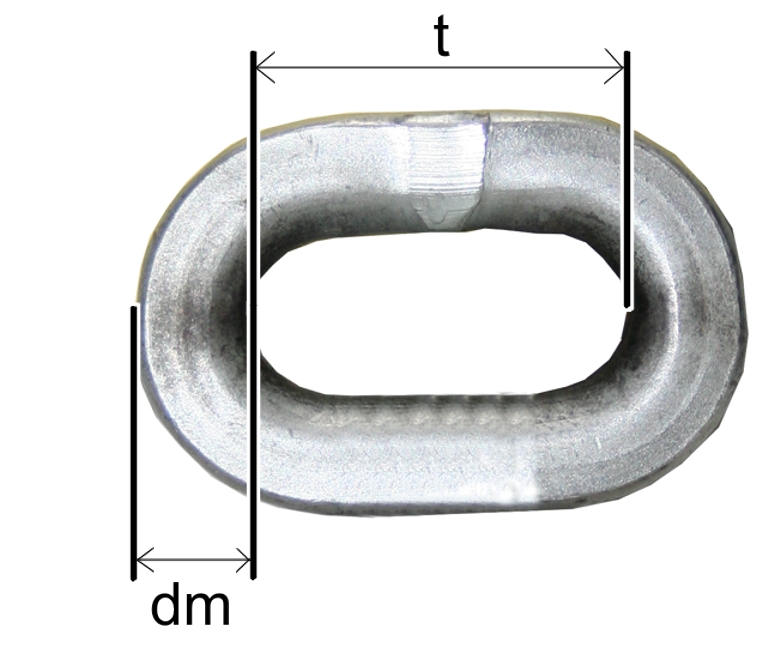
Thickness in the joint, setting ‘dm’ |
3.7 mm |
5 mm |
7 mm |
9.6 mm |
Thickness in the joint, min. ‘dm’ |
3.3 mm |
4.5 mm |
6.3 mm |
8.6 mm |
Individual spacing, inside, setting ‘t’ |
12 |
14.3 |
21 |
30 |
Individual spacing, inside, max. ‘t’ |
12.5 |
14.9 |
21.8 |
31.2 |
Length over 11 chain links, max. ‘l’ |
142.2 |
170.7 |
249.9 |
356.2 |
Surface |
galvanised |
|||
Material |
special chain steel |
|||
Max. load capacity per fall |
320 kg |
630 kg |
1250 kg |
2000 kg |
Min. manufacturing test force |
12.5 kN |
22.3 kN |
43.5 kN |
82.5 kN |
Min. breaking strength |
20 kN |
35.7 kN |
70 kN |
132 kN |
Min. elongation at fracture |
10 % |
|||
Weight per metre |
0.34 kg/m |
0.65 kg/m |
1.24 kg/m |
2.27 kg/m |
Stamp |
H 16 |
|||
Checking the friction clutch
To test the friction clutch, the slip force test unit must be available. Be sure to observe the product manual of the slip force test unit.
- Hang the slip force test unit in the chain about 20 cm beneath the chain hoist.
- Lift at a slow lifting speed until the slip force test unit is run under the chain hoist and the friction clutch responds.
- Read off the measured value on the slip force test unit.
- If the displayed value deviates from the range of 1.3 to 1.4 times the maximum load capacity: Adjust the friction clutch; see “Adjusting the friction clutch”.
- Hook up a test load with the maximum load capacity of the chain hoist and raise it.
Checking the brake on the chain hoist
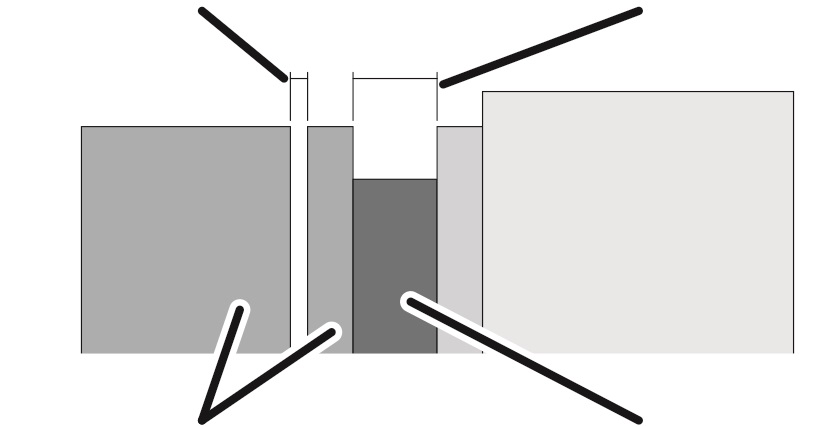
To check the brake, a measurement is made of the air gap between magnet body and anchor plate, as well as the brake lining thickness.
Overview:
Air gap (between magnet body and anchor plate)Brake lining thickness
Size |
Air gap target value |
Maximum air gap |
Minimum air gap |
|---|---|---|---|
GM2 |
0.25 mm |
0.6 mm |
0.2 mm |
GM4 |
0.3 mm |
0.6 mm |
0.2 mm |
GM6 |
0.35 mm |
0.6 mm |
0.3 mm |
GM8 |
0.35 mm |
0.6 mm |
0.3 mm |
Due to the wear of the brake lining as the motor is braked, the brake rotor gradually becomes thinner. The anchor plate is thereby pressed ever further toward the brake rotor during braking and the air gap thus becomes wider. If the air gap has reached its maximum width, a gap limiter prevents the anchor plate from being pressed any further, thus ensuring that the anchor plate is reliably ventilated. When the gap limiter is employed, the braking effectiveness gradually lessens.
This is the point at which the air gap must be readjusted at the latest. If the minimum lining thickness has been reached, the brake rotor must be replaced.
If the width of the air gap is within the permitted range but usage behaviour leads to the expectation that the air gap will be wider than permitted before the next regular inspection, the air gap must be readjusted now.
Opening the chain hoist
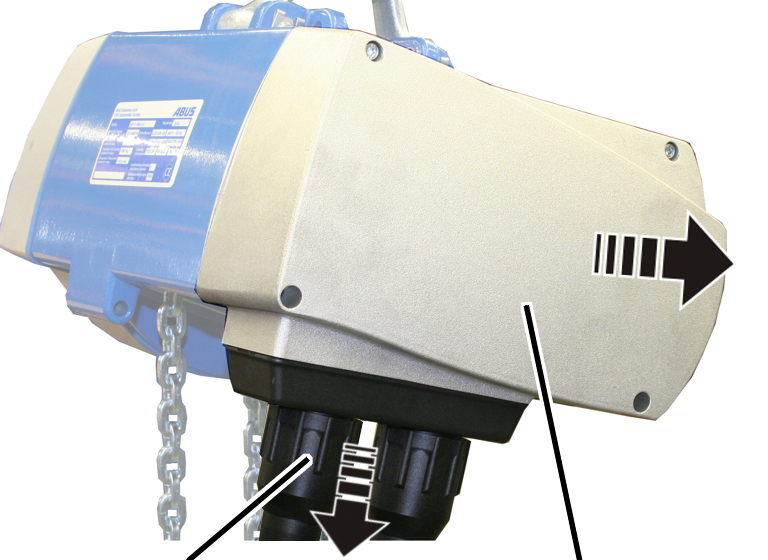
- Release the bayonet nuts.
- Detach the connection cable and control cable.
- Unscrew the motor cover from the housing.
- The fillister-head screws are secured by O-rings and thus do not fall out of the motor cover.
- Detach the couplings of the hoist motor and brake from the control in the motor cover.
Uncovering the brake
Dust guard ring
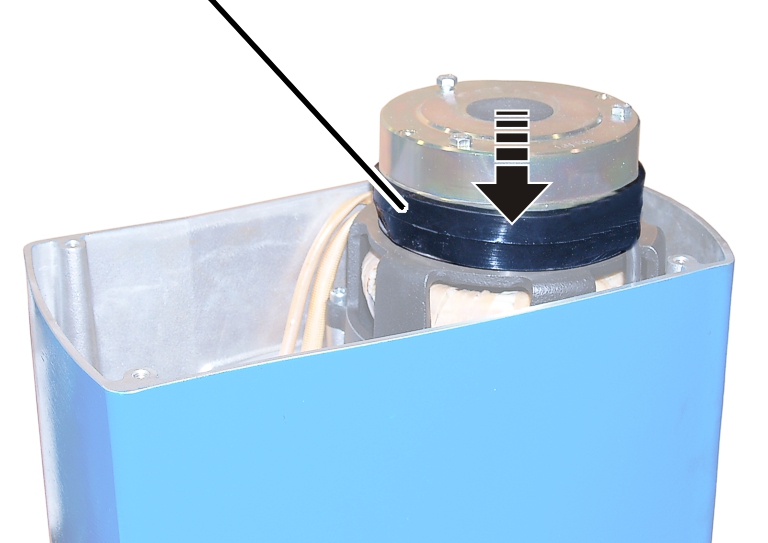
- Pull off the dust guard ring.
Measuring the air gap
Hexagon head screwMagnet body
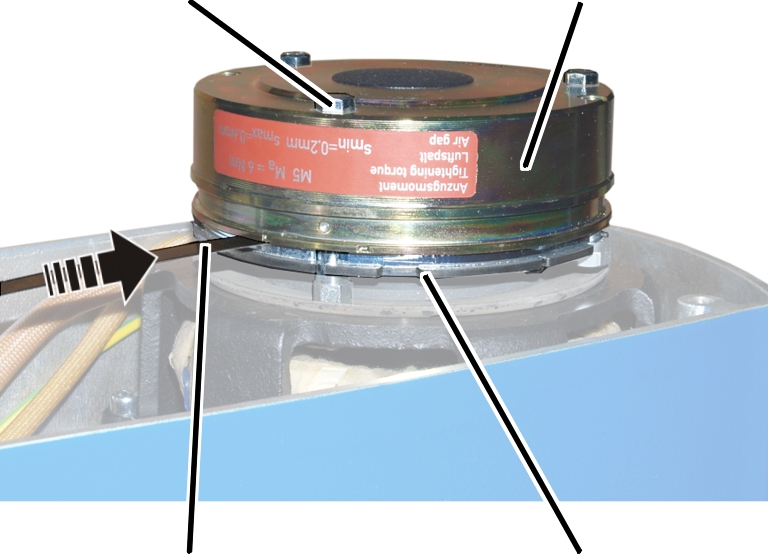
- Insert the feeler gauge next to one of the hexagon head screws in the air gap between magnet body and anchor plate and measure the distance.
If the air gap has reached the maximum width of the operating range, adjust the brake. See “Setting the air gap on the brake”.
Size |
Air gap target value |
Maximum air gap |
Minimum air gap |
|---|---|---|---|
GM2 |
0.25 mm |
0.6 mm |
0.2 mm |
GM4 |
0.3 mm |
0.6 mm |
0.2 mm |
GM6 |
0.35 mm |
0.6 mm |
0.3 mm |
GM8 |
0.35 mm |
0.6 mm |
0.3 mm |
If the width of the air gap is within the permitted range but usage behaviour leads to the expectation that the air gap will be wider than permitted before the next regular inspection, the air gap must be readjusted now.
- Repeat the steps for all hexagon head screws (3x).
- Clean the entire brake with compressed air.
Measuring brake lining thickness
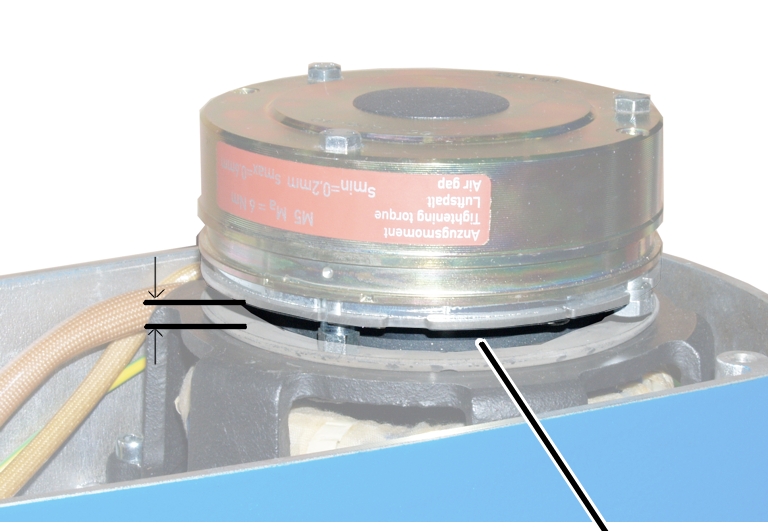
- Check the thickness of the brake lining with a calliper.
Size |
Brake lining thickness, new |
Brake lining thickness, minimum |
|---|---|---|
GM2 |
7.5 mm |
4.5 mm |
GM4 |
8.5 mm |
5.5 mm |
GM6 |
10.5 mm |
7.5 mm |
GM8 |
10.5 mm |
7.5 mm |
- If the brake rotor is thinner than permitted, replace the brake rotor. See “Replacing the brake rotor ”.
Covering the brake
Dust guard ring
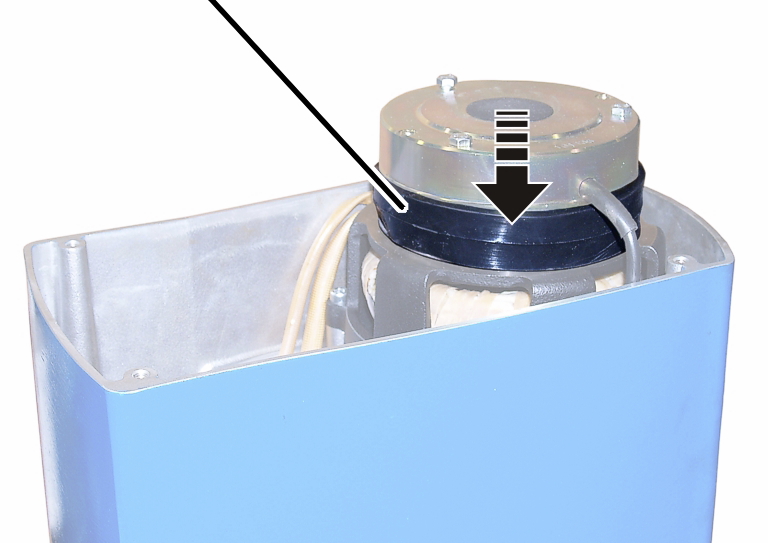
- Pull the dust guard ring over the brake.
Connecting the chain hoist
- Attach the couplings of the hoist motor and brake to the pin multipoint connectors of the control in the motor cover.
Only connect couplings and pin multipoint connectors of identical colour (orange and grey).
For the assignment, see “Wiring diagrams”.
- With electronic hoist limit switch: Insert the connector on the hoist limit switch PCB.
Closing the chain hoist
Long fillister-head screwsShort fillister-head screw
- Hold the motor cover on the housing.
- Note the different screw lengths and screw in the fillister-head screws.
Size |
Size and length |
Number |
Tightening torque |
|---|---|---|---|
GM2 |
M5x65 |
3x |
4 Nm |
GM2 |
M5x45 |
1x |
4 Nm |
GM4 |
M5x60 |
3x |
4 Nm |
GM4 |
M5x50 |
1x |
4 Nm |
GM6 |
M8x110 |
3x |
15 Nm |
GM6 |
M8x60 |
1x |
15 Nm |
GM8 |
M10x95 |
3x |
20 Nm |
GM8 |
M10x50 |
1x |
20 Nm |
- Insert the bayonet coupling of the connection cable and the bayonet connector of the control cable. Due to a notch, the plug-in connections will only fit together in one position.
- Slide on and tighten the bayonet nuts.
Maintenance
This section applies to anyone who maintains, repairs or modifies the crane.
The end user of the crane is responsible for the selection and proper qualifications of the maintenance personnel.
Examples of qualified persons:
- Persons with comprehensive knowledge from specialist training in engineering and in the electrical systems of cranes.
- Persons with sufficient experience in the operation, installation and maintenance of cranes.
- Persons with comprehensive knowledge regarding the relevant technical rules, directives and safety regulations applicable in the respective country.
- Persons receiving regular training from ABUS.
ABUS assumes no liability for damage due to incorrectly performed maintenance work done by unqualified personnel.
ABUS recommends having the maintenance work performed by ABUS Service.
Use only original ABUS replacement parts. Otherwise, all warranty claims will be rendered invalid.
Instructions regarding safety when performing maintenance work
Observe the following safety instructions for any maintenance work on the chain hoist:
- Switch off the mains switch. Secure the switch to ensure it cannot be turned back on accidentally.
- Unplug the mains disconnector plug from the socket on the crane panel. Secure the socket with a padlock to ensure it is not plugged back in accidentally.
- Use suitable lifting platforms and fall protection equipment.
- Adequately cordon off the operating range around the lifting platform.
- Switch off any other cranes using the same crane track or cranes working above or below the crane undergoing maintenance. Secure the switches to ensure they cannot be turned back on accidentally. Otherwise, other cranes could overturn the hoisting platform or crash into the crane undergoing maintenance.
- Notify personnel in the area that maintenance work will be performed.
- Only trained electricians should work on the crane electrical system!
- Even after pressing the emergency stop button, life-threatening high voltages are still present in the chain hoist.
Changing the fuses
Only for GM2, GM4 and GM6 with direct control
Opening the chain hoist
- Release the bayonet nuts.
- Detach the connection cable and control cable.
- Unscrew the motor cover from the housing.
- The fillister-head screws are secured by O-rings and thus do not fall out of the motor cover.
- Detach the couplings of the hoist motor and brake from the control in the motor cover.
Replacing the fuses
Cover
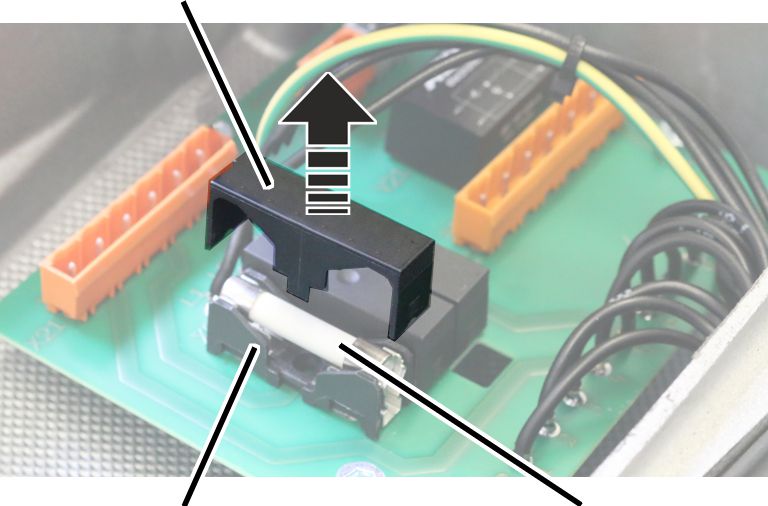
- Pull the cover upwards and off the fuse holder.
- Replace the fuse.
Use 3x ceramic tube fuse 32x6.3, 10A, slow-blow.
- Fit the cover onto the fuse holder and lock in place.
Connecting the chain hoist
- Attach the couplings of the hoist motor and brake to the pin multipoint connectors of the control in the motor cover.
Only connect couplings and pin multipoint connectors of identical colour (orange and grey).
For the assignment, see “Wiring diagrams”.
- With electronic hoist limit switch: Insert the connector on the hoist limit switch PCB.
Closing the chain hoist
Long fillister-head screwsShort fillister-head screw
- Hold the motor cover on the housing.
- Note the different screw lengths and screw in the fillister-head screws.
Size |
Size and length |
Number |
Tightening torque |
|---|---|---|---|
GM2 |
M5x65 |
3x |
4 Nm |
GM2 |
M5x45 |
1x |
4 Nm |
GM4 |
M5x60 |
3x |
4 Nm |
GM4 |
M5x50 |
1x |
4 Nm |
GM6 |
M8x110 |
3x |
15 Nm |
GM6 |
M8x60 |
1x |
15 Nm |
GM8 |
M10x95 |
3x |
20 Nm |
GM8 |
M10x50 |
1x |
20 Nm |
- Insert the bayonet coupling of the connection cable and the bayonet connector of the control cable. Due to a notch, the plug-in connections will only fit together in one position.
- Slide on and tighten the bayonet nuts.
Exchanging the chain and chain sprocket
If the chain exhibits signs of wear or is too stretched from operation (see “Checking the condition of the chain”), it must be exchanged.
Chain, chain sprocket and chain guide are wearing parts that are subjected to great strain from the load. During operation they wear against each other. The chain, chain sprocket and chain guide should therefore always be replaced together.
Because of the modular construction of the chain hoist, the gear unit does not need to be disassembled in order to exchange the chain guide and chain sprocket. Instead, the gear unit is pulled off and the chain sprocket is then exposed.
Removing the chain box
Bolt
- Release the SL safety clip(s) (1x or 2x) from the bolt.
- Hold the chain box firmly and pull out the bolt(s) (1x or 2x).
- Remove the chain box.
Only for GM2, GM4 and GM8
C-link
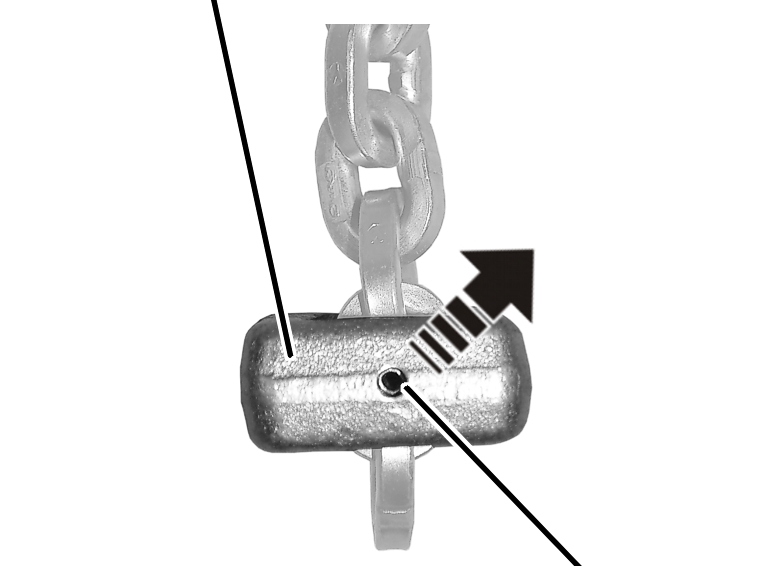
- Hammer the tensioner sleeve out of the C-link.
Only for GM6
Fillister-head screw M6x30C-link
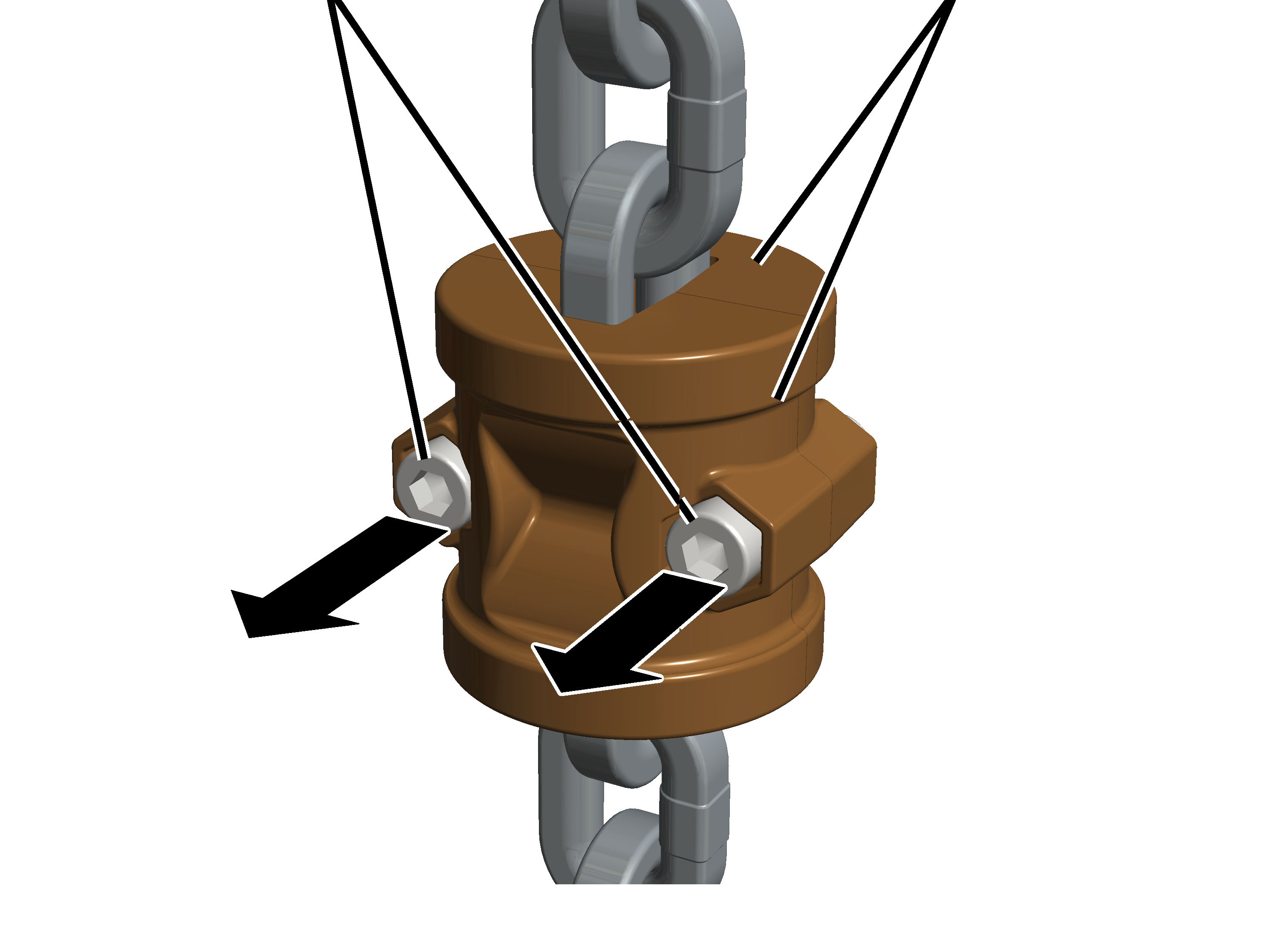
- Unscrew the fillister-head screw M6x30 (2x).
- Remove the halves of the C-link from the chain.
Opening the chain hoist
- Release the bayonet nuts.
- Detach the connection cable and control cable.
- Unscrew the motor cover from the housing.
- The fillister-head screws are secured by O-rings and thus do not fall out of the motor cover.
- Detach the couplings of the hoist motor and brake from the control in the motor cover.
Only with an electronic hoist limit switch
This work step is only applicable if the hoist limit switch PCB is visible in the housing:
Housing
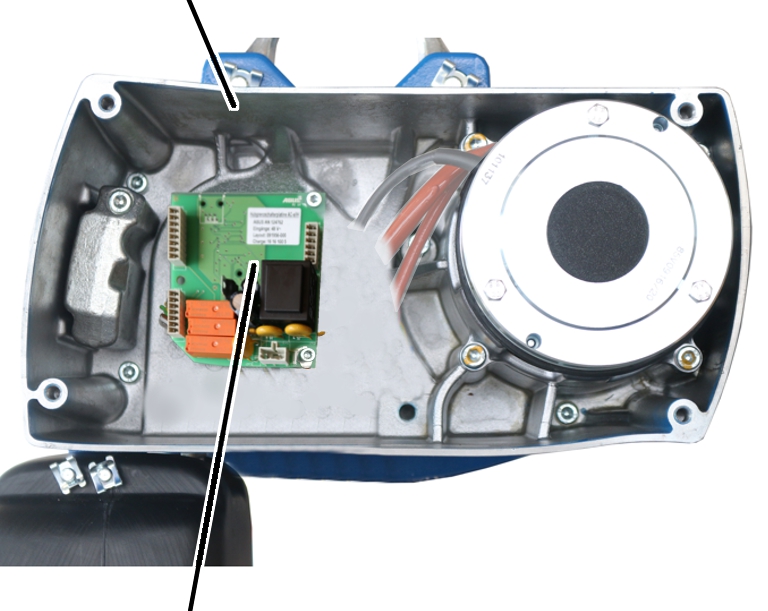
Removing the hoist limit switch
Hoist limit switch PCB
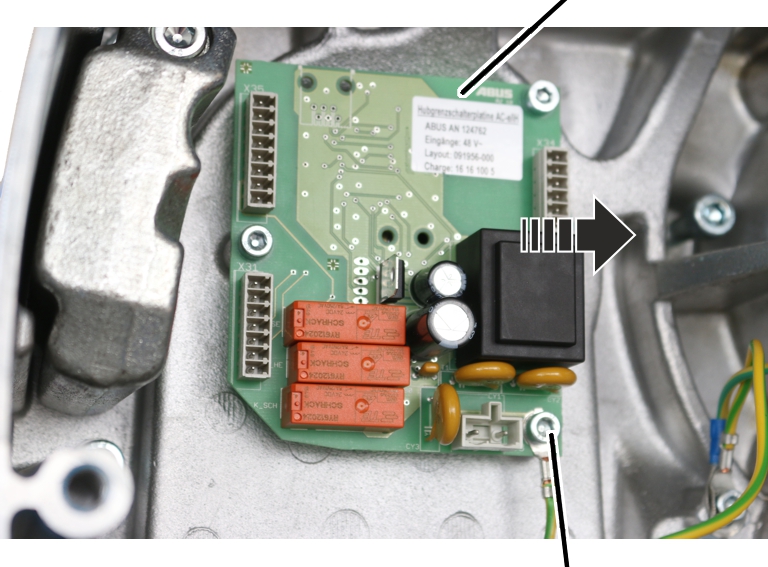
- Pull the connector off the hoist limit switch PCB.
- Unscrew the fillister-head screws with ribs M5x10 (3x).
- Take the hoist limit switch PCB out of the chain hoist.
The magnet carrier of the hoist limit switch is firmly screwed to the output shaft of the gear unit. It must be unscrewed as otherwise it would damage components when the gear unit is pulled off.
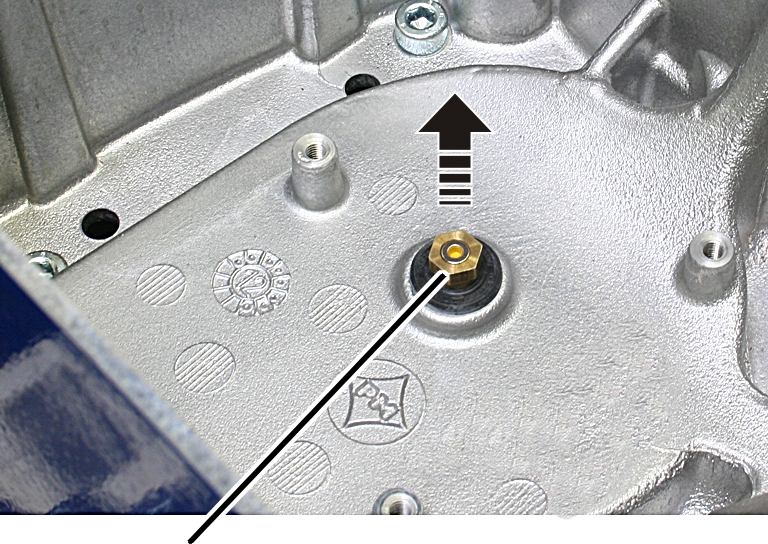
- Unscrew the magnet carrier.
Taking out the chain guide
Only for GM2
Locking screw
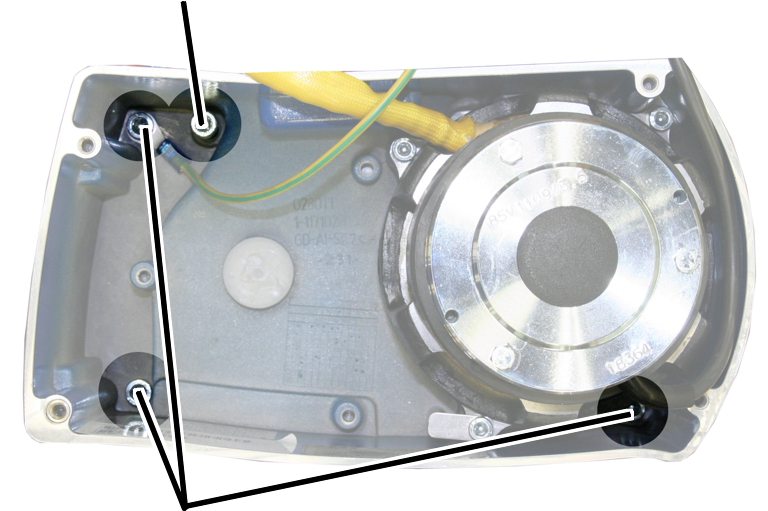
- Unscrew the fillister-head screws (3x).
- Leave the locking screw tightened.
It later ensures that the gear unit cannot not fall down.
Only for GM4
Locking screw
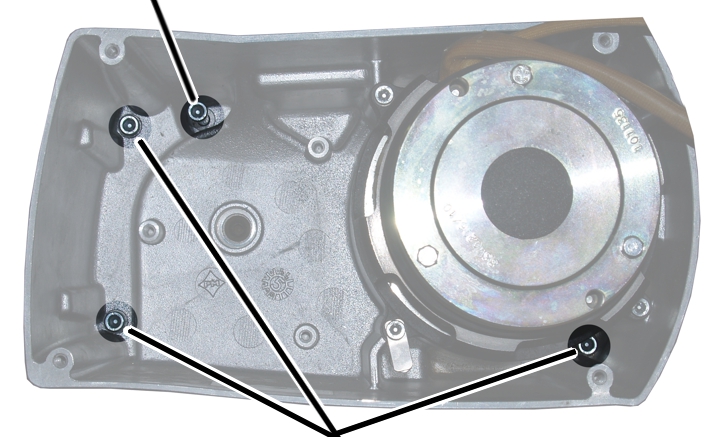
- Unscrew the fillister-head screws (3x).
- Leave the locking screw tightened.
It later ensures that the gear unit cannot not fall down.
Only for GM6
Locking screw
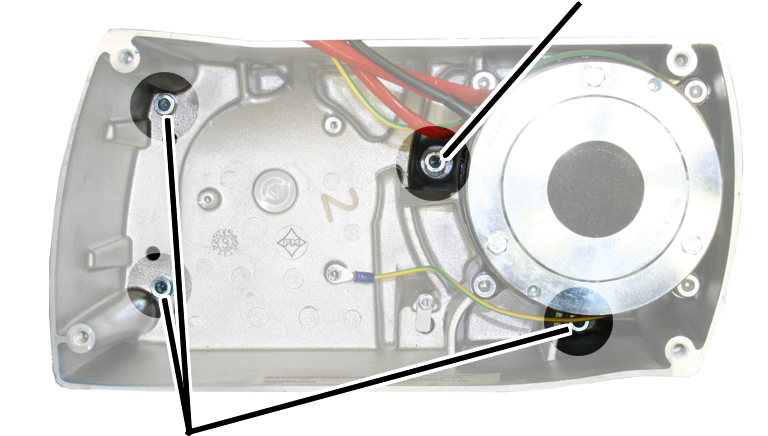
- Unscrew the fillister-head screws (3x).
- Leave the locking screw tightened.
It later ensures that the gear unit cannot not fall down.
Only for GM8
Tip:
The chain guide, chain and gear unit of the chain hoist are very heavy. Therefore unhook the chain hoist and remove the chain guide lying flat.
Fillister-head screws
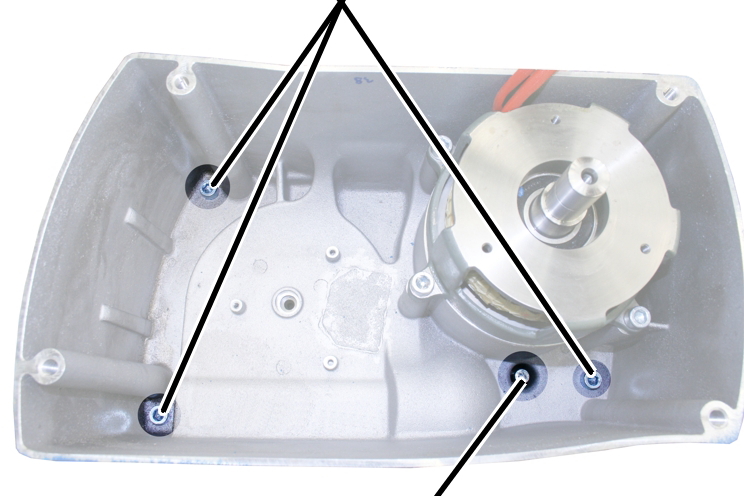
- Unscrew the fillister-head screws (3x).
- Leave the locking screw tightened.
It later ensures that the gear unit cannot not fall down.
Gear unitHousing
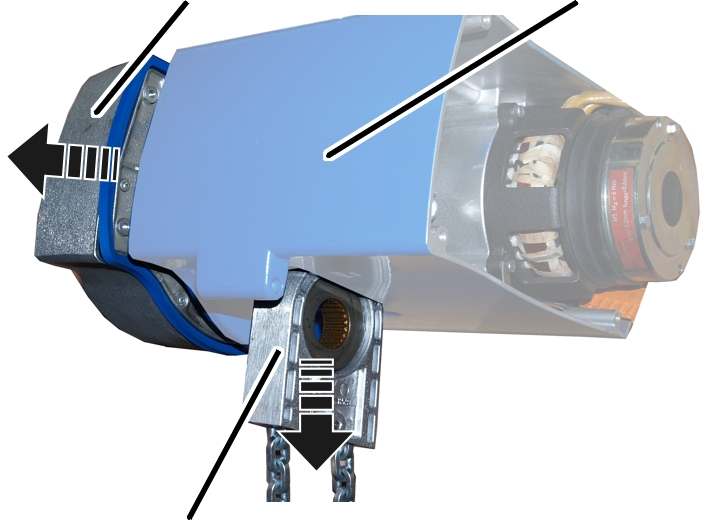
- Hold the chain guide firmly.
- Pull the gear unit from the housing.
The locking screw secures the gear unit so that it need not be completely removed.
- The chain guide is now released.
- Pull the entire chain guide downward out of the housing.
Only for single-fall chain hoists
Disassembling the load hook
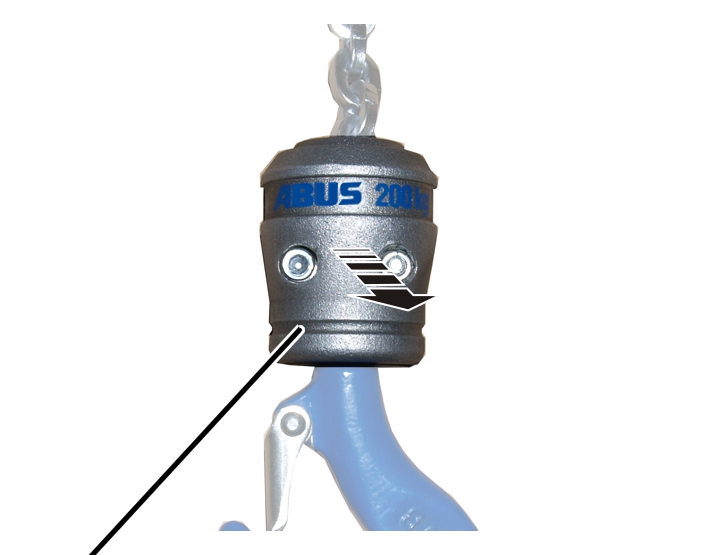
- Screw the hook assembly apart.
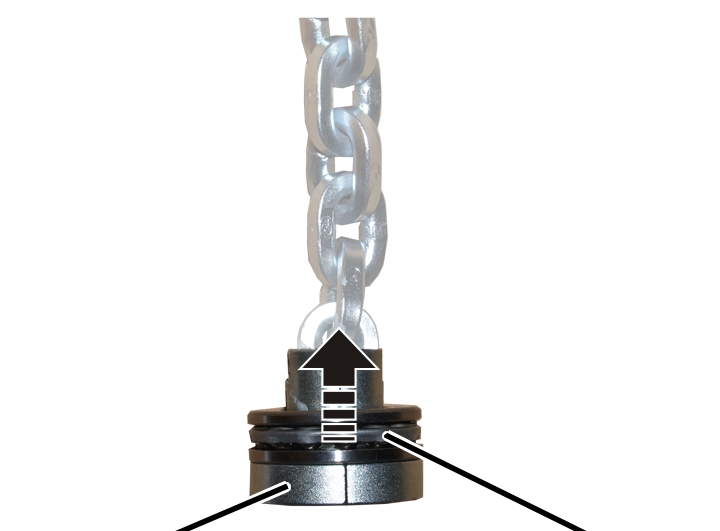
- Push the three-piece deep groove ball thrust bearing upward.
- Remove both chain fastening element halves from the chain.
- Note the layout position of the deep groove ball thrust bearing and remove it from the chain.
Only for twin-fall chain hoists GM2 and GM4
Disassembling the bottom block and chain anchor point
BoltBrake bearing shield
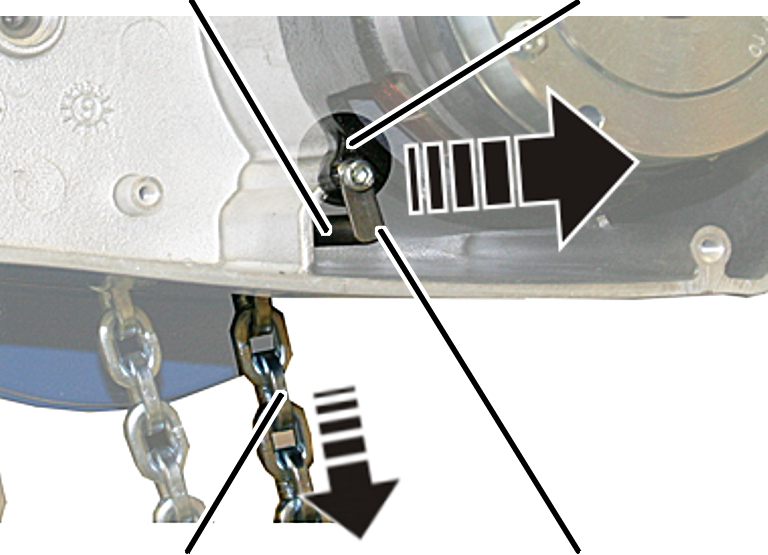
- Unscrew the tab washer on the brake bearing shield.
- Hold the second fall while pulling out the bolt.
- The chain is now released.
- Pull the chain out of the bottom block on the load hook.
Only for twin-fall chain hoist GM6
Disassembling the bottom block and chain anchor point
Tab washer
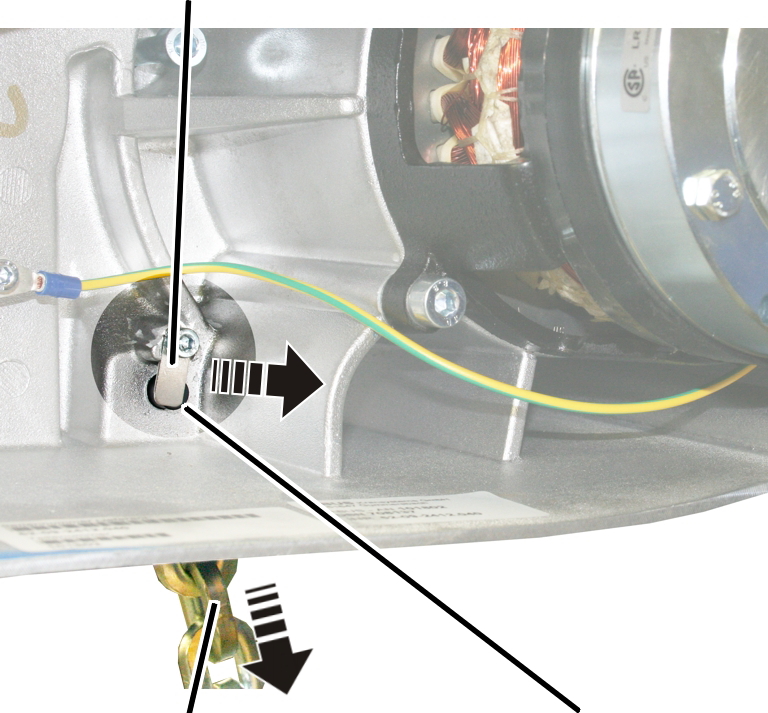
- Unscrew the tab washer.
- Hold the second fall while pulling out the bolt.
- The chain is now released.
- Pull the chain out of the bottom block on the load hook.
Only for twin-fall chain hoist GM8
Disassembling the bottom block and chain anchor point
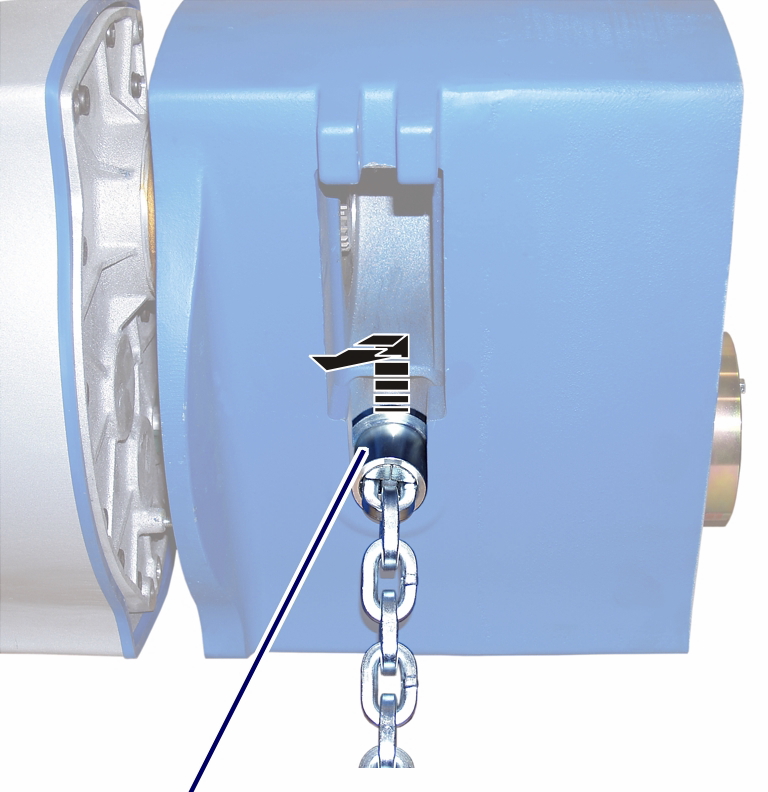
- Take the flange sleeve out of the housing.
Chain fastening element halves
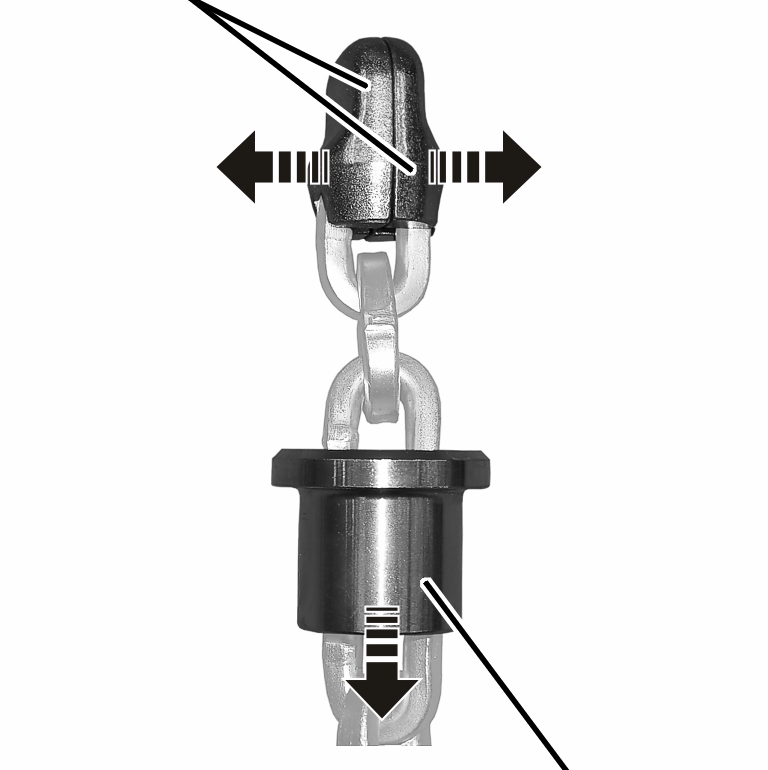
- Slide the flange sleeve downward.
- Remove both chain fastening element halves from the chain.
- Pull the chain out of the bottom block on the load hook.
Assembling a new chain guide
Chain sprocketCylindrical pins
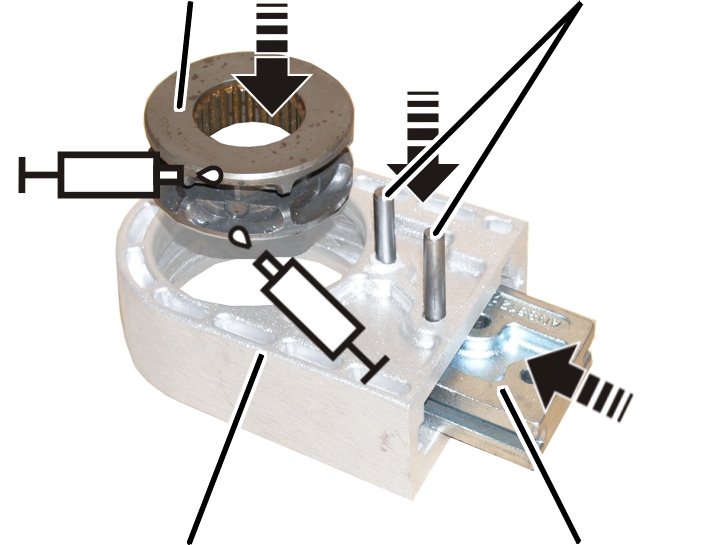
- Lubricate the new chain sprocket as shown in the figure.
Lubricant: “High-Lub LT1 EP”. For details, see “Lubricants”.
- Place the chain sprocket in the new chain guide.
- Push the stripper from below into the chain guide.
- Hammer in the cylindrical pin(s) (1x or 2x).
Drawing in the new chain
Use exclusively ABUS genuine replacement chains. For technical data on the chain, see “Checking the wear on the chain”.
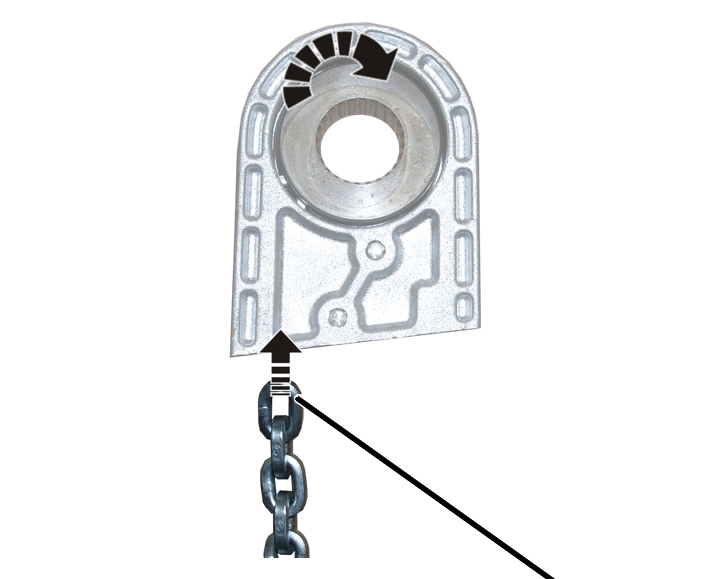
- Turn the chain as shown in the figure. The first chain link should be pulled into the chain guide upright (on edge).
The position of the weld seam to the chain link (toward the inside or the outside) does not need to be taken into account.
- Pull the chain into the chain guide.
Tip: Affix cable ties or wire to the end of the chain and use that to pull the chain through the chain guide. |
|---|
Tip: Depending on the hook path, the new chain may be very heavy. For easier installation: Old chain 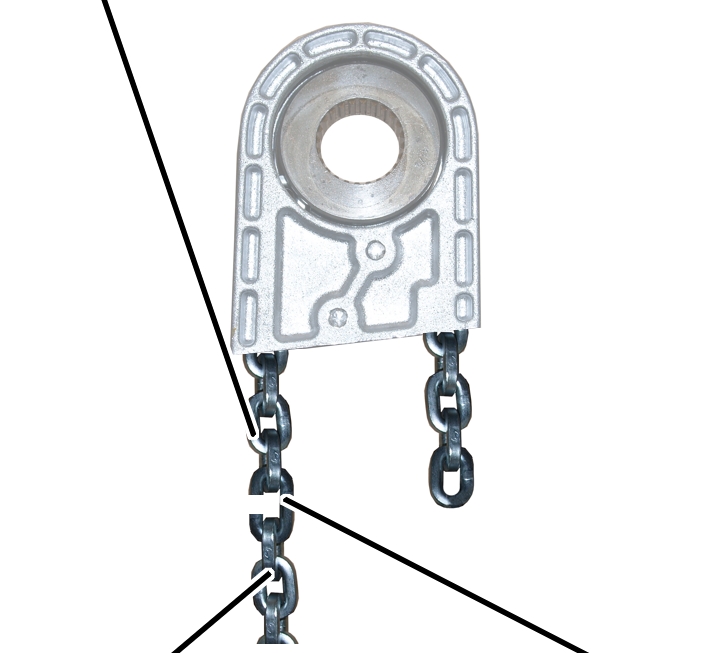
|
|---|
Only for twin-fall chain hoists
Installing the bottom block
Second fall
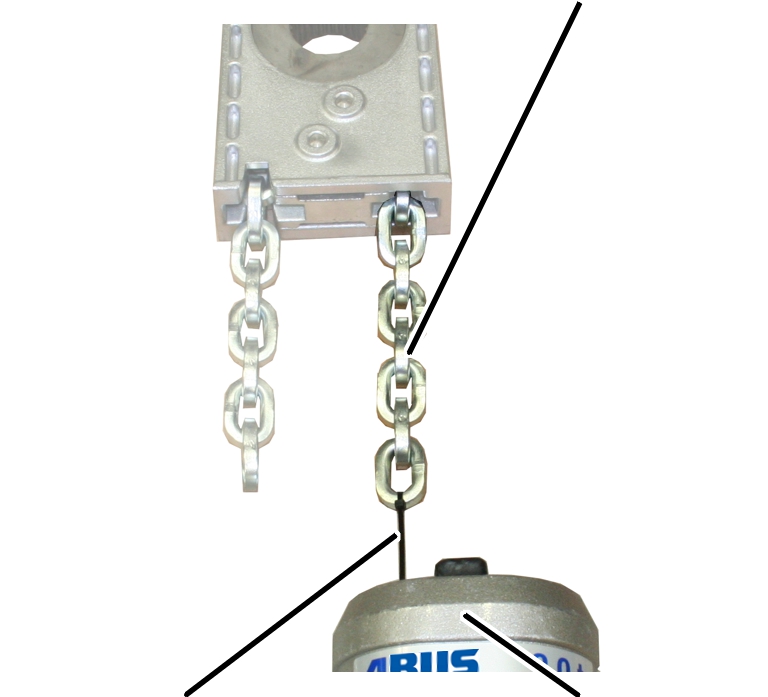
- Fasten cable ties to the end of the second fall.
- Turn the second fall so that it is straight and pull the chain through the bottom block with the cable ties.
The second fall should not be allowed to twist as it is pulled through the bottom block.
Only for twin-fall chain hoists GM2 and GM4
Installing the chain anchor point
Chain anchor point
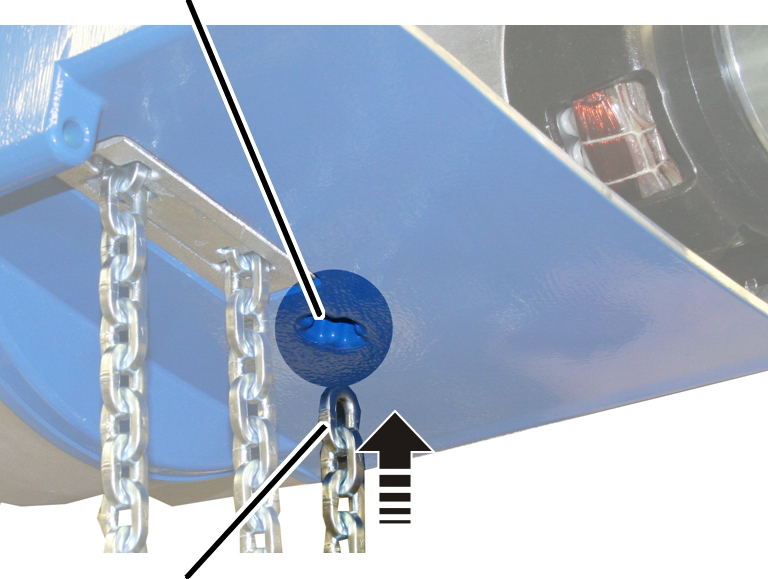
- Turn the chain so that it is straight and push the second fall from below into the chain anchor point.
The chain should not be allowed to twist as it is pushed into the chain anchor point.
- If necessary: Remove a single chain link so that the second fall can be inserted straight.
BoltBrake bearing shield
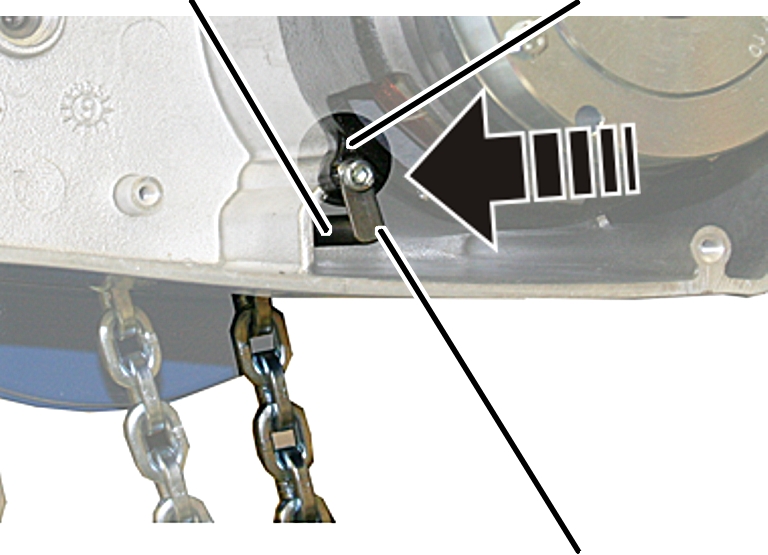
- Insert the bolt.
- The second fall is now held by the bolt.
- Bolt the tab washer with fillister-head screw onto the brake bearing shield.
Size |
Type and length |
Tightening torque |
|---|---|---|
GM2 |
M5x20 |
4 Nm |
GM4 |
M5x20 |
4 Nm |
Only for twin-fall chain hoist GM6
Installing the chain anchor point
Chain anchor point
- Turn the chain so that it is straight and push the second fall from below into the chain anchor point.
The chain should not be allowed to twist as it is pushed into the chain anchor point.
- If necessary: Remove a single chain link so that the second fall can be inserted straight.
Tab washer
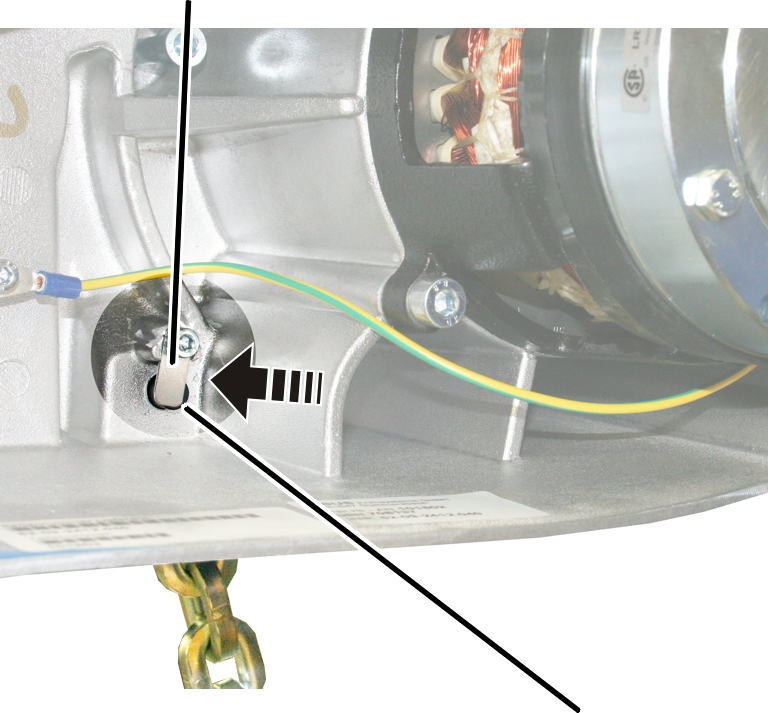
- Insert the bolt.
- The second fall is now held by the bolt.
- Bolt on the tab washer with the M5x10 fillister-head screw. 3 Nm.
Only for twin-fall chain hoist GM8
Installing the chain anchor point
Chain fastening element halves
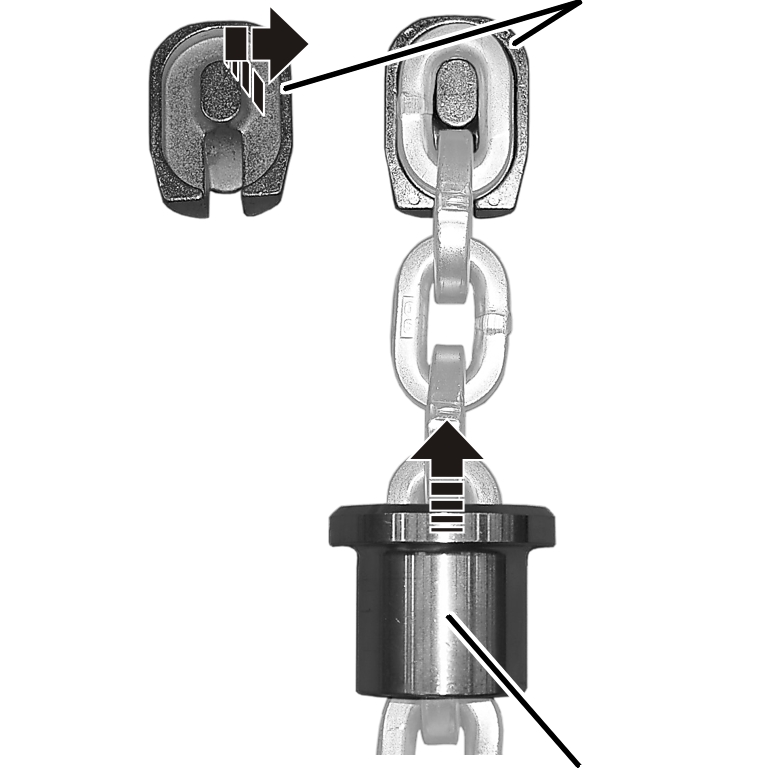
- Push the flange sleeve onto the second fall of the chain.
- Place the chain fastening element halves from both sides on the last chain link and slide a flange sleeve over it.
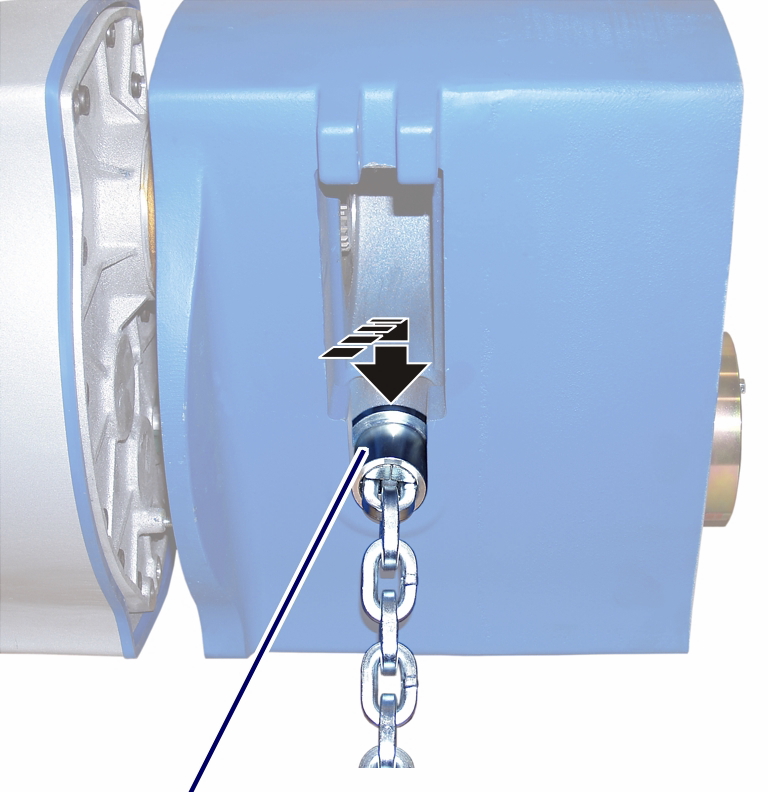
- Push the flange sleeve into the housing.
Installing the chain guide
Gear rim
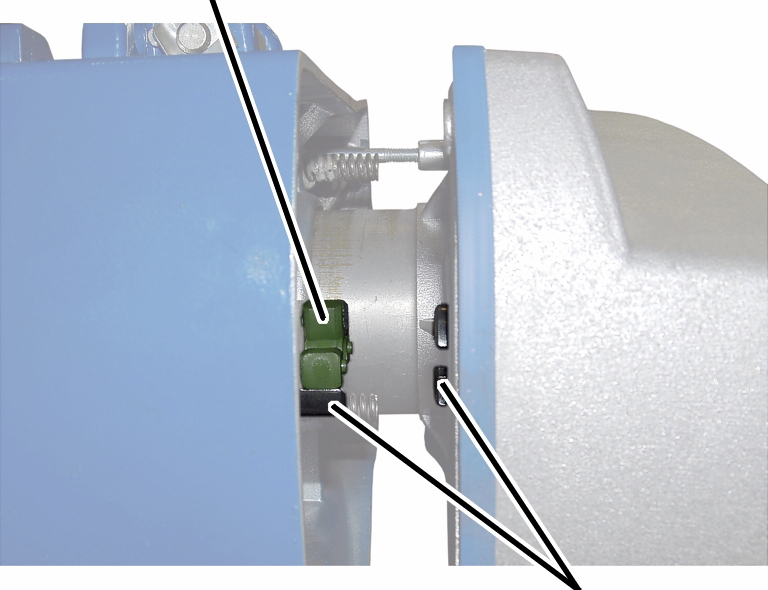
- Check the position of the coupling halves. The claws must be situated so that they grip precisely in the gear rim.
If necessary:
- Turn the coupling halves on the gear unit until the claws are in the correct position.
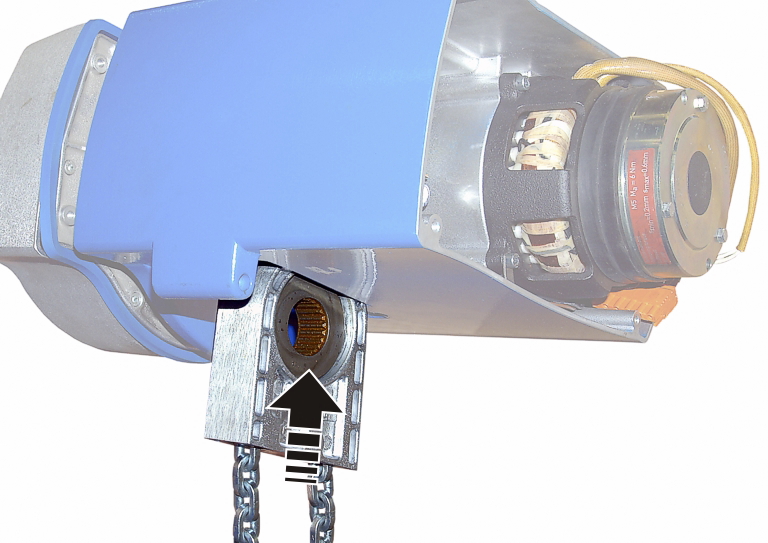
- Push the chain guide from below into the housing and hold it firmly.
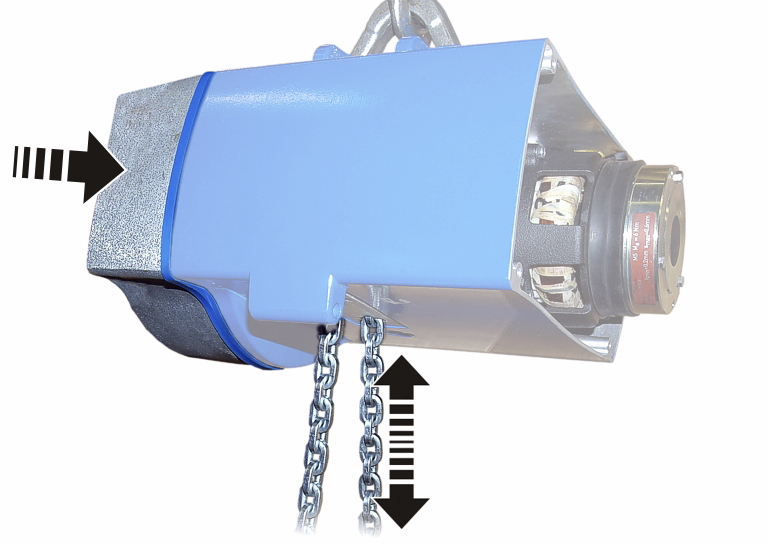
- Push the gear unit into the housing. Pull the chain slightly until the output shaft of the gear unit meshes with the chain sprocket.
- Tighten the fillister-head screws (3x) in the housing.
Size |
Size and length |
Tightening torque |
|---|---|---|
GM2 |
M6x85 |
7 Nm |
GM4 |
M6x105 |
7 Nm |
GM6 |
M8x110 |
18 Nm |
GM8 |
M10x140 |
25 Nm |
Only for single-fall chain hoists
Installing the hook assembly
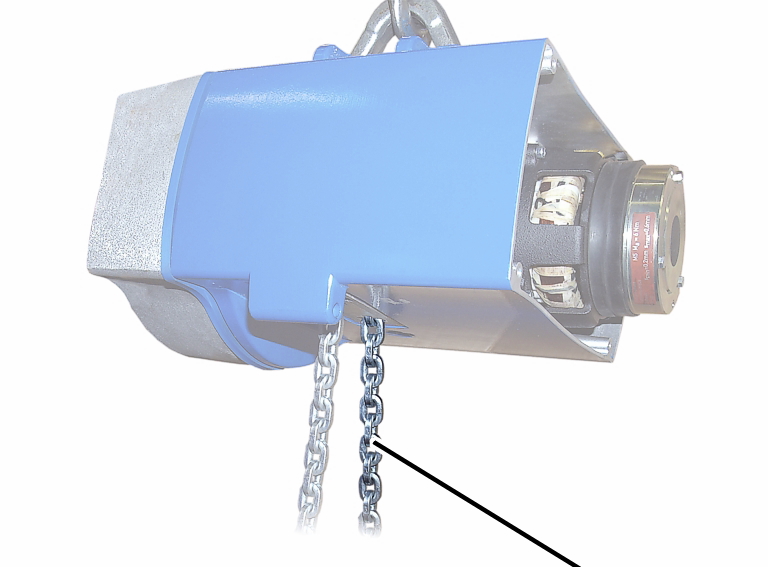
- Use the inside end of the chain to install the load hook.
Ball bearing race (large inner diameter)Ball bearing cage
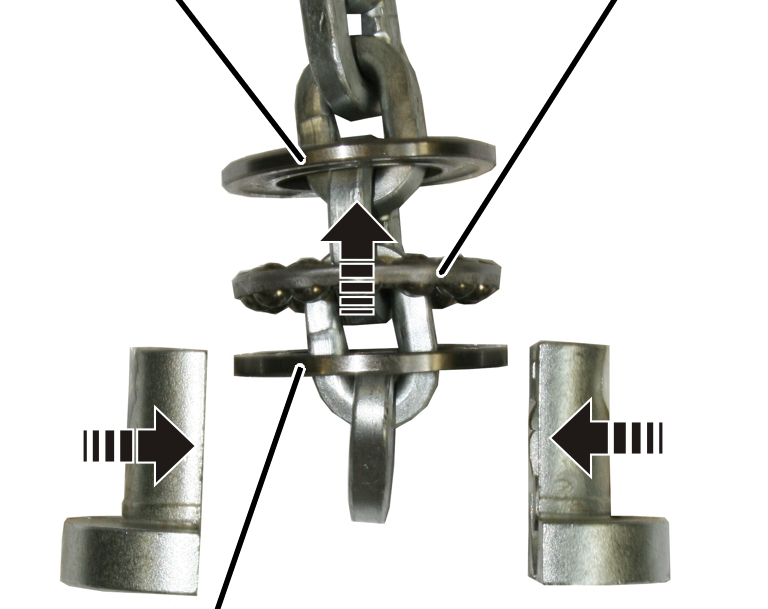
- Push the deep groove ball thrust bearing onto the chain facing the right direction: First push on the ball bearing race with the larger inner diameter (smoothed), then the ball bearing cage, then the ball bearing race with the smaller inner diameter (not smoothed).
- Place the chain fastening element halves on the chain from both sides.
Deep groove
ball thrust bearing
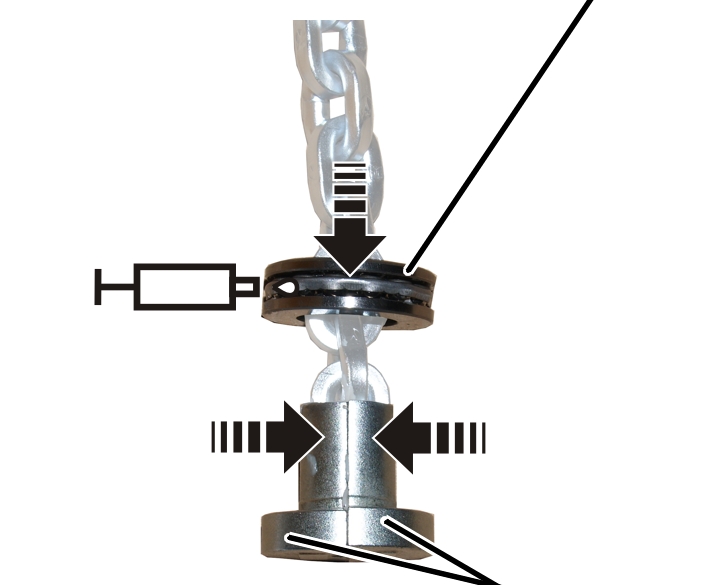
- Push the deep groove ball thrust bearing over the chain fastening element halves.
- Lubricate the deep groove ball thrust bearing.
Lubricant: “High-Lub LT1 EP”. For details, see “Lubricants”.
Deep groove ball thrust bearing with chain fastening element halves
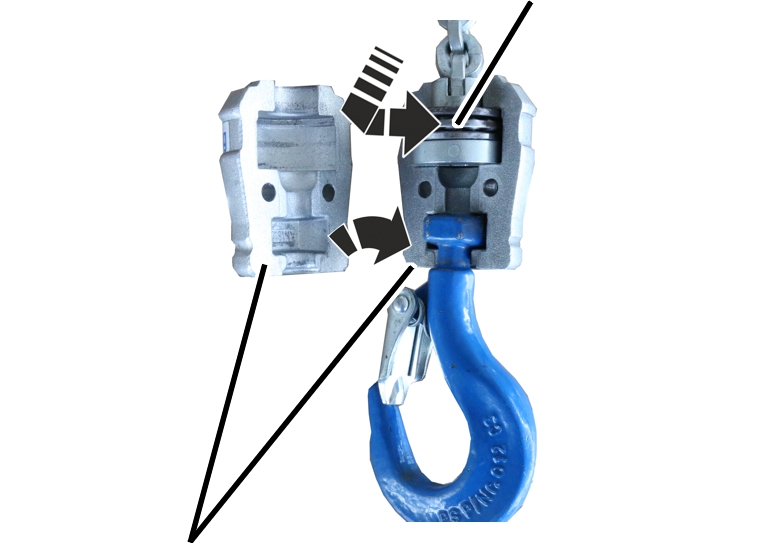
- Insert the deep groove ball thrust bearing with chain fastening element halves into one half of the hook assembly.
- Assemble the hook assembly.
- Bolt the hook assembly with the fillister-head screw and self-locking nut (2x).
Size |
Size and length |
Tightening torque |
|---|---|---|
GM2 |
M6x25 |
10 Nm |
GM4 |
M6x25 |
10 Nm |
GM6 |
M6x45 |
12 Nm |
GM8 |
M8x50 |
30 Nm |
Only with an electronic hoist limit switch
Installing the magnet carrier
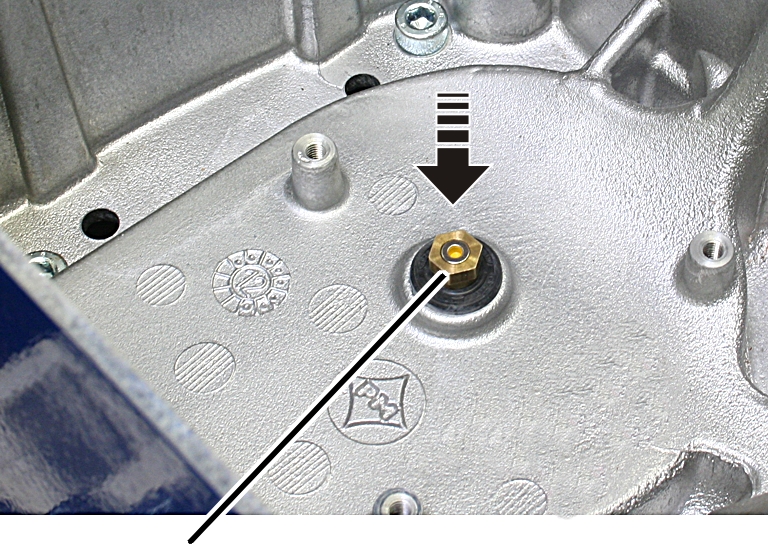
- Apply threadlocker (lightly) to the thread of the magnet carrier.
- Screw the magnet carrier in place. 6 Nm.
Installing the hoist limit switch PCB
Fillister-head screws with ribs M5x10Hoist limit switch PCB
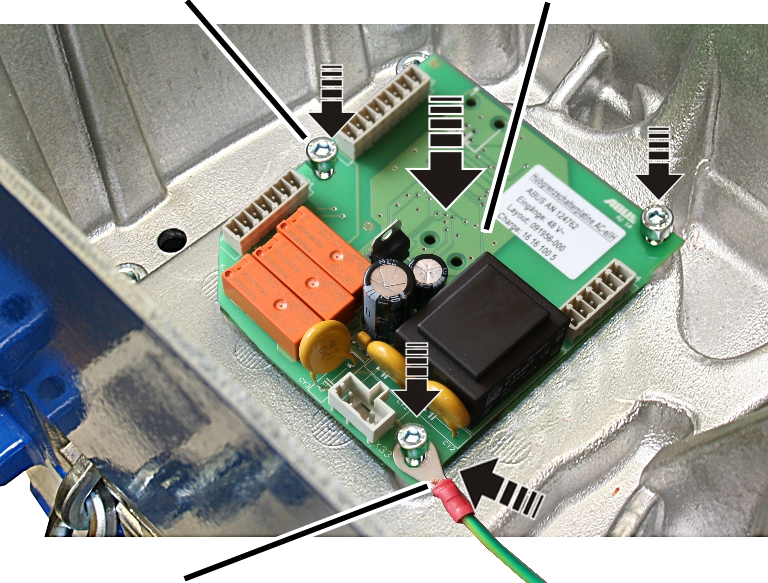
- Attach the protective conductor to the fillister-head screw at the bottom right.
- Place the hoist limit switch PCB over the magnet carrier.
- Use the fillister-head screws with ribs M5x10 (3x) to screw the hoist limit switch PCB tight. 3 Nm.
Connecting the chain hoist
- Attach the couplings of the hoist motor and brake to the pin multipoint connectors of the control in the motor cover.
Only connect couplings and pin multipoint connectors of identical colour (orange and grey).
For the assignment, see “Wiring diagrams”.
- With electronic hoist limit switch: Insert the connector on the hoist limit switch PCB.
Closing the chain hoist
Long fillister-head screwsShort fillister-head screw
- Hold the motor cover on the housing.
- Note the different screw lengths and screw in the fillister-head screws.
Size |
Size and length |
Number |
Tightening torque |
|---|---|---|---|
GM2 |
M5x65 |
3x |
4 Nm |
GM2 |
M5x45 |
1x |
4 Nm |
GM4 |
M5x60 |
3x |
4 Nm |
GM4 |
M5x50 |
1x |
4 Nm |
GM6 |
M8x110 |
3x |
15 Nm |
GM6 |
M8x60 |
1x |
15 Nm |
GM8 |
M10x95 |
3x |
20 Nm |
GM8 |
M10x50 |
1x |
20 Nm |
- Insert the bayonet coupling of the connection cable and the bayonet connector of the control cable. Due to a notch, the plug-in connections will only fit together in one position.
- Slide on and tighten the bayonet nuts.
Installing the C-link
Only for GM2, GM4 and GM8
C-link
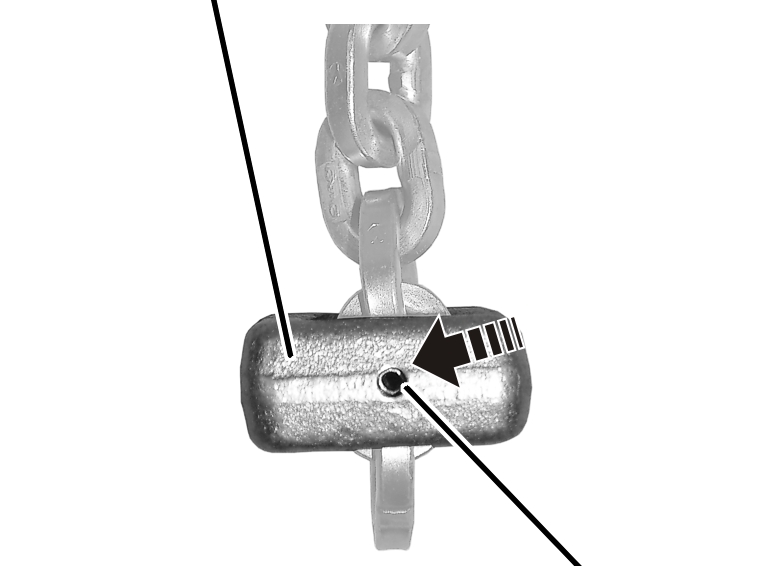
- Use the outside end of the chain to install the C-link.
- Turn the C-link so that the opening, when installed, points in the direction of the inner fall (the fall under load).
- Push the C-link onto the second-last or third-last chain link (depending on the orientation from the previous step).
- Hammer the tensioner sleeve into the C-link.
- Place the chain in the chain box.
- Check whether the chain completely fits in the chain box. If the chain box is too small, contact ABUS Service. See “ABUS Service”.
Only for GM6
C-link
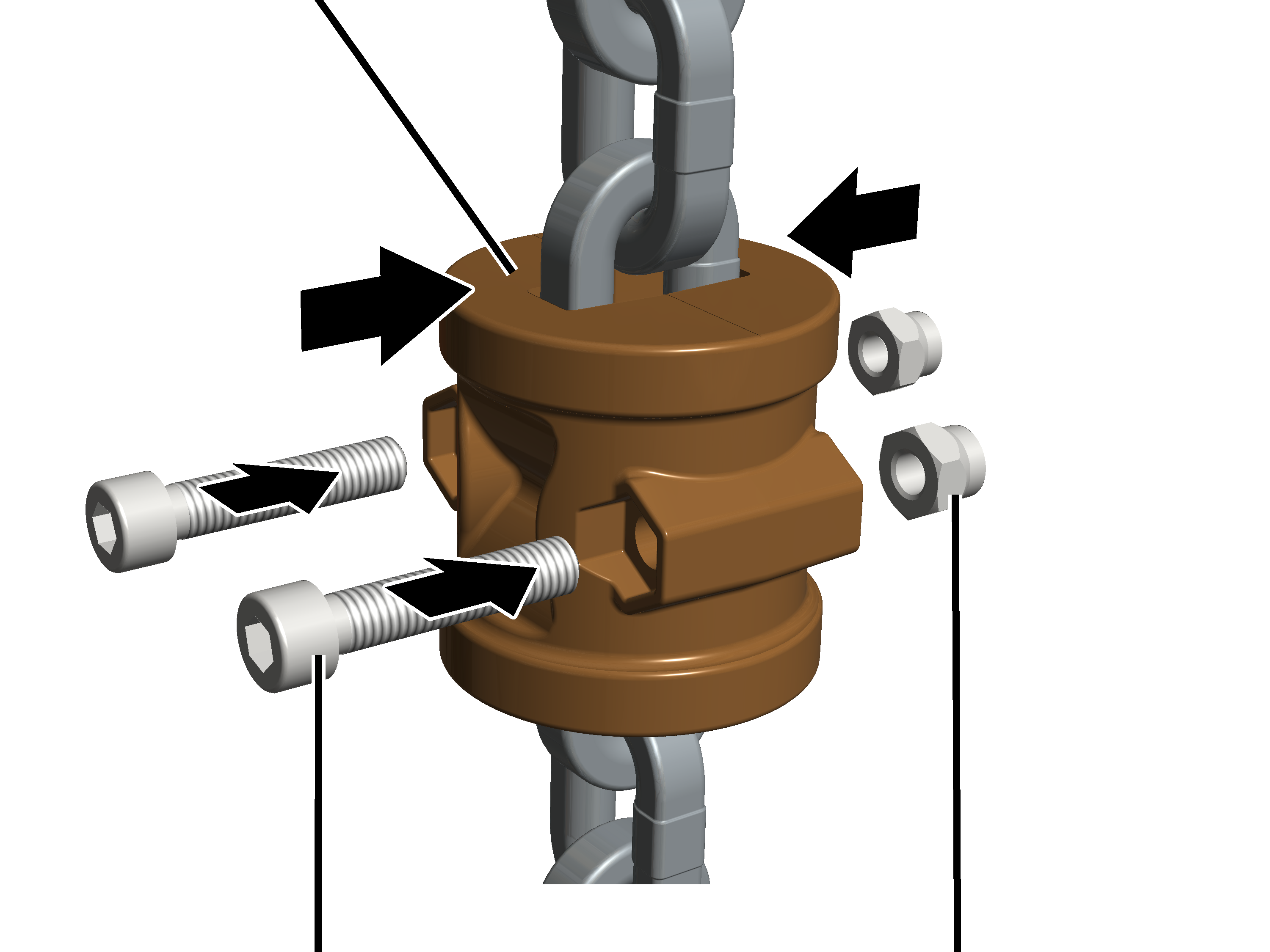
- Use the outside end of the chain to install the C-link.
- Turn the C-link so that the heads of the fillister-head screws point in the direction of the inner fall (the fall under load) when installed.
- Place the halves of the C-link on the second-last or third-last chain link (depending on the orientation from the previous step).
- Tighten the C-link with the fillister-head screws M6x30 (2x) and self-locking nuts M6 (2x). 10 Nm.
- Place the chain in the chain box.
- Check whether the chain completely fits in the chain box. If the chain box is too small, contact ABUS Service. See “ABUS Service”.
Lubricating the chain
A well-lubricated chain wears much slower and can be used considerably longer. The chain must be lubricated before operation.
- Press the LIFT button and allow the chain to run into the chain box. Lubricate the chain during its movement.
Lubricant: “Chainlife S”. For details, see “Lubricants”.
- Apply additional lubricant to the unstressed chain in the chain box so that it flows into the joints of the chain links.
Only for GM2, GM4 and GM6 (GM6 with plastic chain box)
The illustrations show a chain box being installed on the GM6 chain hoist. Installation on a GM2 or GM4 chain hoist is very similar.
Installing the chain box
BoltSL safety clip
- Place the chain in the chain box.
- Turn the chain box as shown in the figure (slanted side facing outward).
- Use the bolts to install the chain box on the chain hoist.
- For GM2: Use a bolt to fix the chain box to the chain hoist.
- For GM4 and chain box with one hole: Use a bolt to fix the chain box to the chain hoist.
- For GM4 and chain box with two holes: Use a bolt to fix the chain box to the chain hoist. Use the inner holes of the chain box. The outer holes remain free.
- For GM6 and plastic chain box: Use two bolts to fix the chain box to the chain hoist.
- Secure the bolts with the SL safety clips (1x or 2x).
Only for GM8
Attach buffer
Suspension straps
- Turn the buffer as shown in the figure (rounded side facing inward).
- Push the buffer between the suspension straps on the chain hoist.
- Push the short bolt through the outer holes of the suspension straps and the buffer.
Only for GM6 (GM6 with chain box with metal frame) and GM8
The illustrations show a chain box being installed on the GM8 chain hoist. Installation on a GM6 chain hoist is very similar.
Installing the chain box
Inner holeBolt
- Place the chain in the chain box.
- Turn the chain box as shown in the figure (bar facing outward).
- Use the bolts to install the chain box on the chain hoist.
- For GM6 and chain box with metal frame: Use a bolt to fix the chain box to the chain hoist. Use the inner holes of the suspension strap. The outer holes of the suspension strap remain free.
- For GM8: Use a bolt to fix the chain box to the chain hoist. Use the inner holes of the suspension strap. The buffer is fixed to the outer holes of the suspension straps.
- Secure the bolts with the SL safety clips (2x).
Only for GM8
Turn second fall straight
- Check the chain anchor point: The second fall should extend straight to the bottom block and not be twisted.
If necessary:
- Turn the chain anchor point.
Only with an electronic hoist limit switch
Referencing the electronic hoist limit switch
- The electronic hoist limit switch needs to be referenced again. See “Referencing the electronic hoist limit switch”.
- Check the switching points (upper and lower) and correct if necessary.
- The saved switching points are retained after referencing and therefore do not need to be reset.
- If the switching points are moved equally, all the switching points can be corrected at the same time by changing the reference point accordingly.
Referencing the electronic hoist limit switch
Only with an electronic hoist limit switch
Referencing the hoist limit switch is a basic operation and has nothing to do with setting the upper and lower switching points, but is the reference point for all switching points.
The reference point is set at the factory. It must be reset if the chain and chain sprocket are replaced.
The saved switching points do not need to be reset after referencing.
The saved switching points are derived from the reference point that is set in this section. Consequently, the reference point should always be saved in the same place (bottom block or hook assembly just below the housing).
Since all the switching points are derived from the reference point, all the switching points can be corrected at the same time by changing the reference point accordingly.
Overview of referencing the hoist limit switch: (Described in detail below)
Only with pendant control with teach-in button: Press teach-in button for 5 seconds. Only with ABURemote AC with teach-in: Press “teach-in” direct access button (T with arrow) for 5 seconds.
Only with pendant control with teach-in button: Press teach-in button for 5 seconds. Only with ABURemote AC with teach-in: Press “teach-in” direct access button (T with arrow) for 5 seconds. |
|---|
Switching the chain hoist off and on
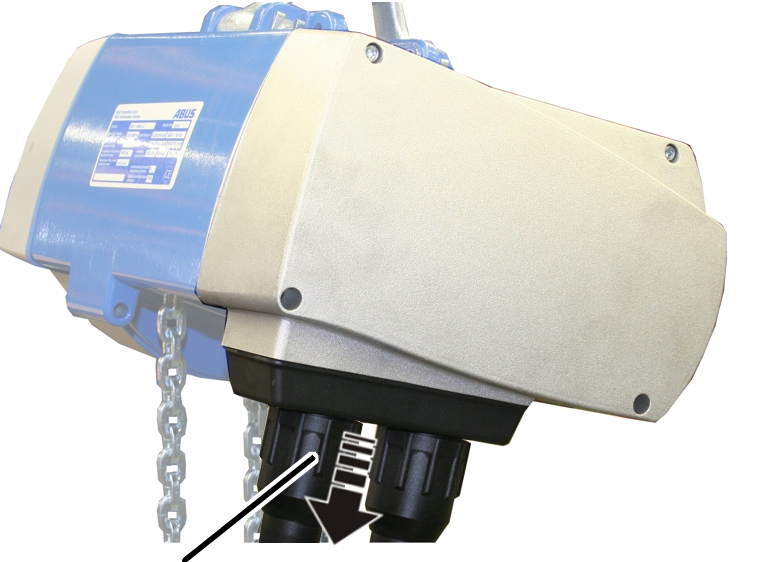
- Loosen the bayonet nut and unplug the connection cable.
Or:
Switch off the chain hoist at the mains switch.
- Wait at least 30 s.
- Plug in the connection cable.
Or
Switch on the chain hoist at the mains switch.
Performing teach-in
Control cableBayonet nut
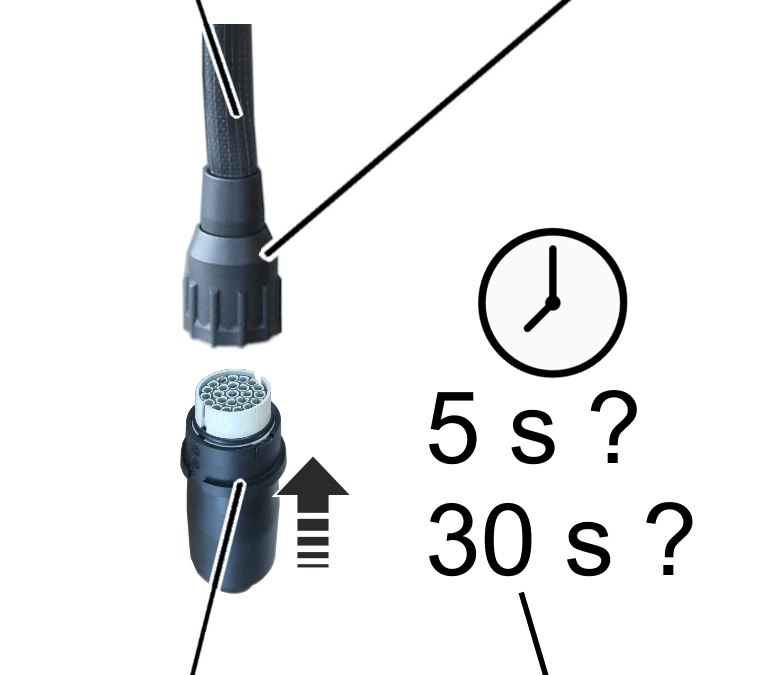
- Only with teach-in module: Loosen the bayonet nut and remove the pendant control.
- Plug the teach-in module into the control cable, press and hold the teach-in button on the pendant control, or press and hold the “teach-in” direct access button (T with arrow).
- Wait at least 5 s or more than 30 s:
- If the waiting time is 5 s to 29 s, the hoist limit switch is referenced and the saved switching points are retained.
- If the waiting time exceeds 30 s, the hoist limit switch is referenced. In addition, all saved switching points are deleted.
- Remove the teach-in module or release the teach-in button or "teach-in" direct access button (T with arrow).
- Referencing (with or without deleting the switching points) has started. Continue with the next steps.
Inserting the pendant control
Control cableBayonet coupling
- Only with teach-in module: Insert pendant control.
- Only with teach-in module: Unlock emergency stop button.
Moving to the reference point
Hook assembly or bottom block
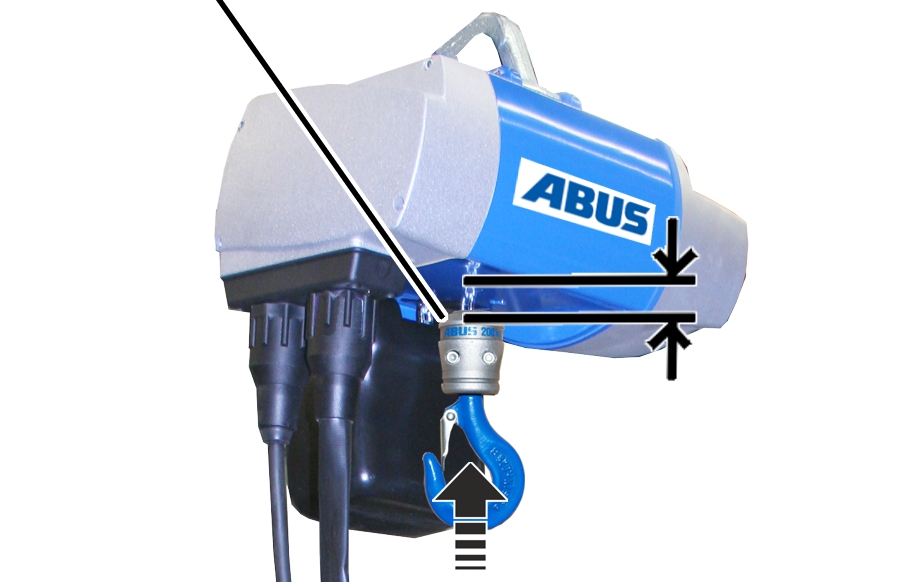
- For the reference point, move up as far as possible without the hook block or hook assembly coming into contact with the housing.
- Finally, briefly press the “Lift” button.
Before teach-in, the “Lift” button must be pressed last if the reference point is to be set.
Inserting the teach-in module
Control cableBayonet nut
- Remove the pendant control.
- Insert the teach-in module.
- Wait at least 5 s.
- Remove the teach-in module.
- Only with pendant control with teach-in button: Instead of inserting the teach-in module, press and hold the teach-in button for 5 seconds.
- Only with ABURemote AC with teach-in: Instead of inserting the teach-in module, press and hold the “teach-in” direct access button (T with arrow) for 5 seconds.
Inserting the pendant control
Control cableBayonet coupling
- Only with teach-in module: Insert pendant control.
- Only with teach-in module: Unlock emergency stop button.
- The reference point is saved.
- Check the switching points (upper and lower) and correct if necessary.
- The saved switching points are retained after referencing and therefore do not need to be reset.
- If the switching points are moved equally, all the switching points can be corrected at the same time by changing the reference point accordingly.
Deleting all switching points on the electronic hoist limit switch
Only with an electronic hoist limit switch
If necessary, all the set switching points can be deleted.
For this, the electronic hoist limit switch must be referenced again. During referencing, the switching points can be deleted as well.
Overview of referencing the hoist limit switch and deleting the switch points:
Only with pendant control with teach-in button: Press teach-in button for 30 seconds. Only with ABURemote AC with teach-in: Press “teach-in” direct access button (T with arrow) for 30 seconds.
Only with pendant control with teach-in button: Press teach-in button for 5 seconds. Only with ABURemote AC with teach-in: Press “teach-in” direct access button (T with arrow) for 5 seconds.
|
|---|
For a detailed description of the process, see “Referencing the electronic hoist limit switch”.
Overrunning the switching points of the electronic hoist limit switch
Only with an electronic hoist limit switch
In some situations, it may be necessary to overrun a set switching point (upper or lower).
Approach the switching point
- Move to the switching point to be overrun until the load hook stops.
If the load hook is within about 10 cm of the switching point, the following sequence overruns the set switching point. Beyond this range, this sequence is used to set a switching point.
Inserting the teach-in module
Control cableBayonet nut
- Remove the pendant control.
- Insert the teach-in module.
- Wait at least 5 s.
- Remove the teach-in module.
- Only with pendant control with teach-in button: Instead of inserting the teach-in module, press and hold the teach-in button for 5 seconds.
- Only with ABURemote AC with teach-in: Instead of inserting the teach-in module, press and hold the “teach-in” direct access button (T with arrow) for 5 seconds.
Inserting the pendant control
Control cableBayonet coupling
- Only with teach-in module: Insert pendant control.
- Only with teach-in module: Unlock emergency stop button.
Overrunning a switching point
- Move the chain up or down over the set switching point.
- The set switching point has been overrun.
Lubricating the chain
If the chain is dry and no lubricant can be seen on its surface, it must be lubricated.
For very dusty or dirty operations:
The lubricant enables dirt to adhere to the chain, making it stiff and susceptible to greater wear in the chain hoist. Under these conditions, the chain may require more frequent replacement instead of lubrication. Shorten the test intervals.
Lubricating the chain
A well-lubricated chain wears much slower and can be used considerably longer. The chain must be lubricated before operation.
- Press the LIFT button and allow the chain to run into the chain box. Lubricate the chain during its movement.
Lubricant: “Chainlife S”. For details, see “Lubricants”.
- Apply additional lubricant to the unstressed chain in the chain box so that it flows into the joints of the chain links.
Disassembling the bottom block
Only for twin-fall chain hoists
For repairs or replacing, it may be necessary to disassemble the bottom block.
Bottom block
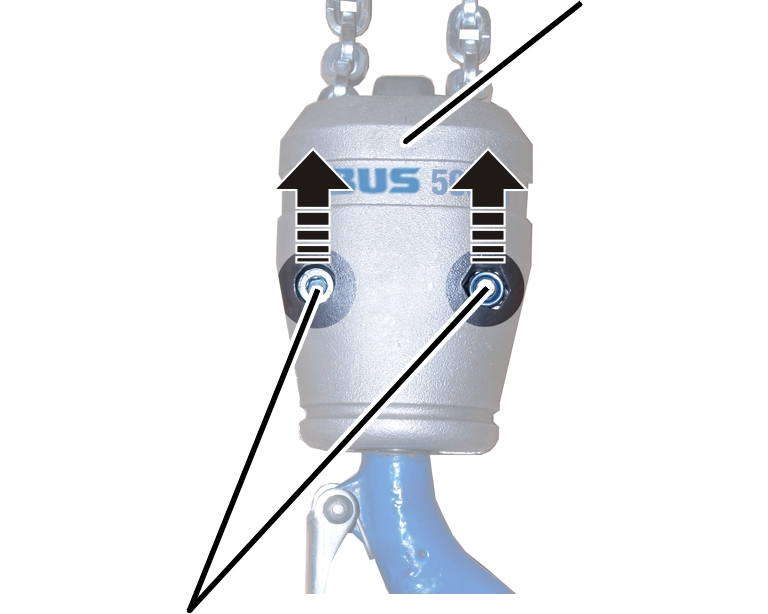
- Unscrew the fillister-head screws (2x).
- Dismantle the bottom block.
Installing the bottom block
Only for twin-fall chain hoists
Assembling the bottom block
BoltBuffer
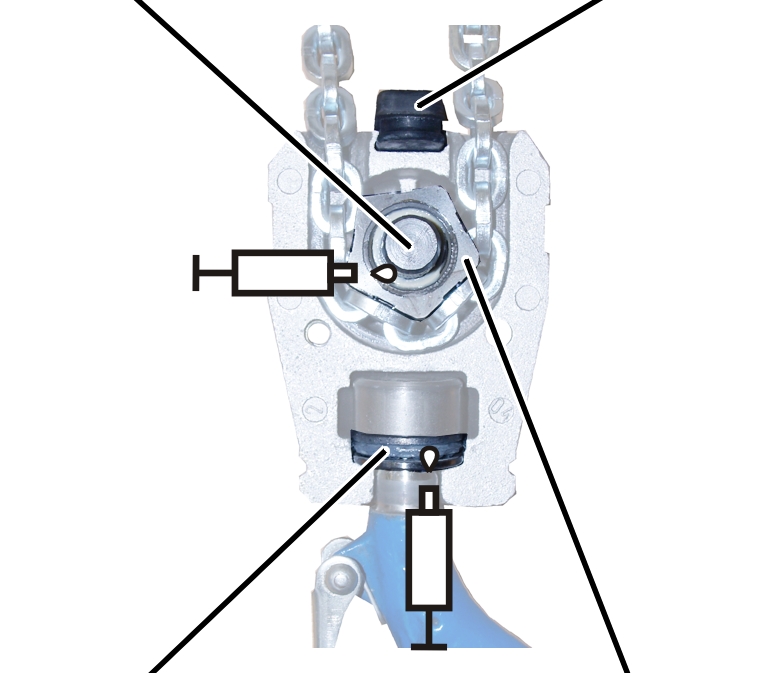
- Insert the load hook in the bottom block.
- Lubricate the deep groove ball thrust bearing on the load hook.
Lubricant: “High-Lub LT1 EP”. For details, see “Lubricants”.
- Insert the buffer.
- Twist the chain straight and place it around the deflection roller. The chain must not be allowed to twist when it is placed on the deflection roller.
- Insert the deflection roller and bolt in the bottom block.
- Lubricate the needle bush on the deflection roller.
Lubricant: "Kluber Staburags NBU 12 Alltemp". For details, see "Lubricants"
Assembling the bottom block
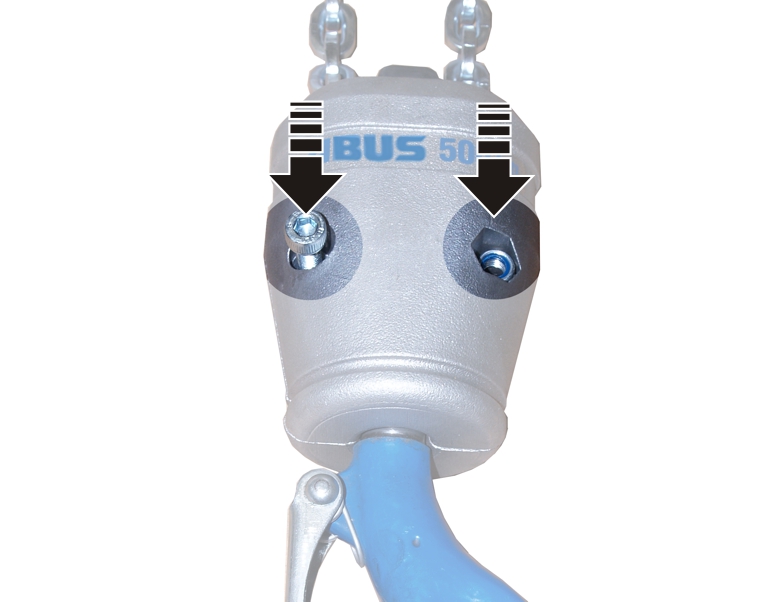
- Lay the bottom block halves flush against one another.
- Tighten the fillister-head screws (2x) with self-locking nuts.
Size |
Size and length |
Tightening torque |
|---|---|---|
GM2 |
M6x30 |
10 Nm |
GM4 |
M8x35 |
25 Nm |
GM6 |
M10x45 |
36 Nm |
GM8 |
M12x75 |
49 Nm |
Setting the air gap on the brake
If the air gap is wider than permitted, it must be readjusted.
Overview:
Size |
Air gap target value |
Maximum air gap |
Minimum air gap |
|---|---|---|---|
GM2 |
0.25 mm |
0.6 mm |
0.2 mm |
GM4 |
0.3 mm |
0.6 mm |
0.2 mm |
GM6 |
0.35 mm |
0.6 mm |
0.3 mm |
GM8 |
0.35 mm |
0.6 mm |
0.3 mm |
Air gap (between magnet body and anchor plate)Brake lining thickness
As soon as the chain hoist stops running, the anchor plate presses against the brake rotor by spring force, braking the motor. An air gap is created between the magnet body and the anchor plate. When the chain hoist starts up, the magnetic body pulls the anchor plate away from the brake rotor and the motor can rotate freely again.
If the brake lining is worn, the air gap will be larger. See “Checking the brake on the chain hoist”. If the air gap is larger than the maximum permitted, the brake must be readjusted. If the brake lining on the brake rotor is worn too thin, it must be replaced. See “Replacing the brake rotor ”.
Removing the chain box
Bolt
- Release the SL safety clip(s) (1x or 2x) from the bolt.
- Hold the chain box firmly and pull out the bolt(s) (1x or 2x).
- Remove the chain box.
Opening the chain hoist
- Release the bayonet nuts.
- Detach the connection cable and control cable.
- Unscrew the motor cover from the housing.
- The fillister-head screws are secured by O-rings and thus do not fall out of the motor cover.
- Detach the couplings of the hoist motor and brake from the control in the motor cover.
Uncovering the brake
Dust guard ring
- Pull off the dust guard ring.
Setting the air gap
Hexagon head screws
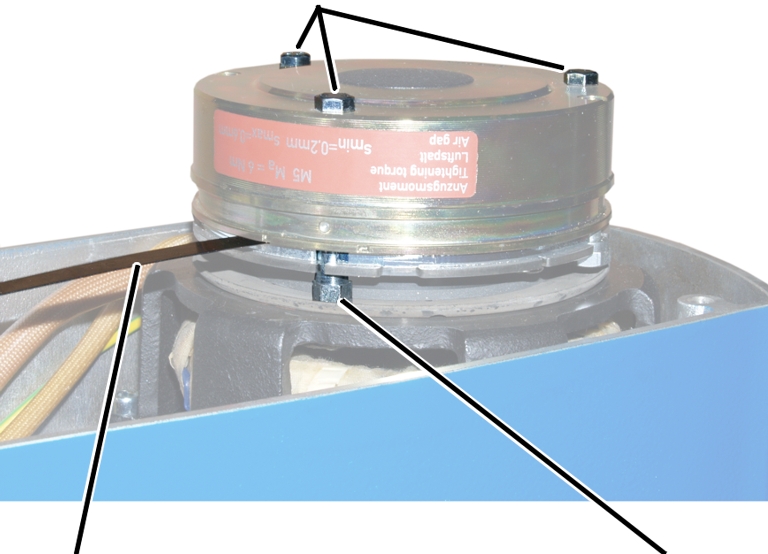
- Unscrew the hexagon head screws (3x) by a half turn.
- Screw in the banjo bolts (3x) by a half turn in the direction of the magnet body.
- Read off the set width of the air gap from the table.
Size |
Air gap target value |
Maximum air gap |
Minimum air gap |
|---|---|---|---|
GM2 |
0.25 mm |
0.6 mm |
0.2 mm |
GM4 |
0.3 mm |
0.6 mm |
0.2 mm |
GM6 |
0.35 mm |
0.6 mm |
0.3 mm |
GM8 |
0.35 mm |
0.6 mm |
0.3 mm |
- Insert the appropriate feeler gauge directly next to one of the hexagon head screws in the air gap between magnet body and anchor plate.
- Tighten the hexagon head screws so that the feeler gauge can still be pulled from the air gap.
- The air gap on this hexagon head screw is now adjusted to the set width.
- Repeat the steps for all hexagon head screws (3x).
Concluding the setting of the air gap
- Screw in the banjo bolts (3x) in the direction of the travel motor until hand-tight.
- Tighten the hexagon head screws (3x).
Size |
Size and length |
Tightening torque |
|---|---|---|
GM2 |
M4x45 |
3 Nm |
GM4 |
M5x55 |
6 Nm |
GM6 |
M6x65 |
10 Nm |
GM8 |
M6x65 |
10 Nm |
- The brake is fixed with screws.
- Check the air gap next to all three hexagon head screws. If different than the set width, repeat the adjustment.
Covering the brake
Dust guard ring
- Pull the dust guard ring over the brake.
Connecting the chain hoist
- Attach the couplings of the hoist motor and brake to the pin multipoint connectors of the control in the motor cover.
Only connect couplings and pin multipoint connectors of identical colour (orange and grey).
For the assignment, see “Wiring diagrams”.
- With electronic hoist limit switch: Insert the connector on the hoist limit switch PCB.
Closing the chain hoist
Long fillister-head screwsShort fillister-head screw
- Hold the motor cover on the housing.
- Note the different screw lengths and screw in the fillister-head screws.
Size |
Size and length |
Number |
Tightening torque |
|---|---|---|---|
GM2 |
M5x65 |
3x |
4 Nm |
GM2 |
M5x45 |
1x |
4 Nm |
GM4 |
M5x60 |
3x |
4 Nm |
GM4 |
M5x50 |
1x |
4 Nm |
GM6 |
M8x110 |
3x |
15 Nm |
GM6 |
M8x60 |
1x |
15 Nm |
GM8 |
M10x95 |
3x |
20 Nm |
GM8 |
M10x50 |
1x |
20 Nm |
- Insert the bayonet coupling of the connection cable and the bayonet connector of the control cable. Due to a notch, the plug-in connections will only fit together in one position.
- Slide on and tighten the bayonet nuts.
Only for GM2, GM4 and GM6 (GM6 with plastic chain box)
The illustrations show a chain box being installed on the GM6 chain hoist. Installation on a GM2 or GM4 chain hoist is very similar.
Installing the chain box
BoltSL safety clip
- Place the chain in the chain box.
- Turn the chain box as shown in the figure (slanted side facing outward).
- Use the bolts to install the chain box on the chain hoist.
- For GM2: Use a bolt to fix the chain box to the chain hoist.
- For GM4 and chain box with one hole: Use a bolt to fix the chain box to the chain hoist.
- For GM4 and chain box with two holes: Use a bolt to fix the chain box to the chain hoist. Use the inner holes of the chain box. The outer holes remain free.
- For GM6 and plastic chain box: Use two bolts to fix the chain box to the chain hoist.
- Secure the bolts with the SL safety clips (1x or 2x).
Only for GM8
Attach buffer
Suspension straps
- Turn the buffer as shown in the figure (rounded side facing inward).
- Push the buffer between the suspension straps on the chain hoist.
- Push the short bolt through the outer holes of the suspension straps and the buffer.
Only for GM6 (GM6 with chain box with metal frame) and GM8
The illustrations show a chain box being installed on the GM8 chain hoist. Installation on a GM6 chain hoist is very similar.
Installing the chain box
Inner holeBolt
- Place the chain in the chain box.
- Turn the chain box as shown in the figure (bar facing outward).
- Use the bolts to install the chain box on the chain hoist.
- For GM6 and chain box with metal frame: Use a bolt to fix the chain box to the chain hoist. Use the inner holes of the suspension strap. The outer holes of the suspension strap remain free.
- For GM8: Use a bolt to fix the chain box to the chain hoist. Use the inner holes of the suspension strap. The buffer is fixed to the outer holes of the suspension straps.
- Secure the bolts with the SL safety clips (2x).
Replacing the brake rotor
If the brake rotor on the chain hoist is thinner than permitted, the brake rotor must be replaced.
Removing the chain box
Bolt
- Release the SL safety clip(s) (1x or 2x) from the bolt.
- Hold the chain box firmly and pull out the bolt(s) (1x or 2x).
- Remove the chain box.
Opening the chain hoist
- Release the bayonet nuts.
- Detach the connection cable and control cable.
- Unscrew the motor cover from the housing.
- The fillister-head screws are secured by O-rings and thus do not fall out of the motor cover.
- Detach the couplings of the hoist motor and brake from the control in the motor cover.
Uncovering the brake
Dust guard ring
- Pull off the dust guard ring.
Disassembling the magnet body
Hexagon head screws
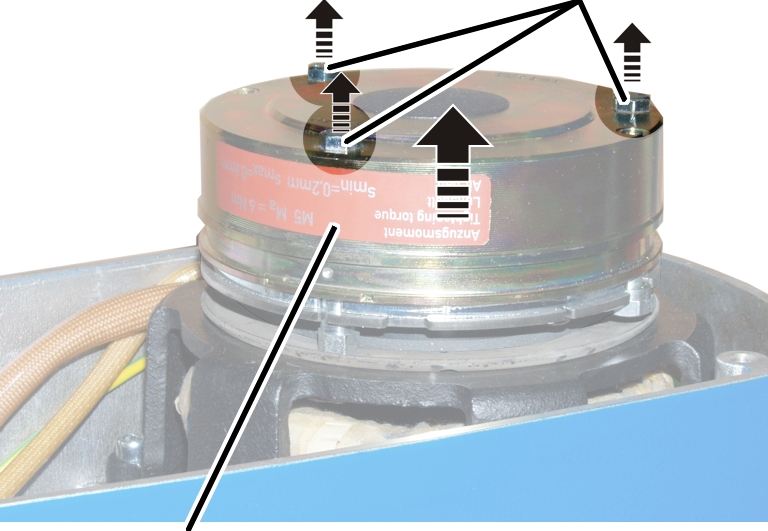
- Disconnect the power supply of the magnet body.
- Release the hexagon head screws M6x70 (3x).
- Pull the magnet body from the motor shaft.
Removing the old brake rotor
Brake rotorHub
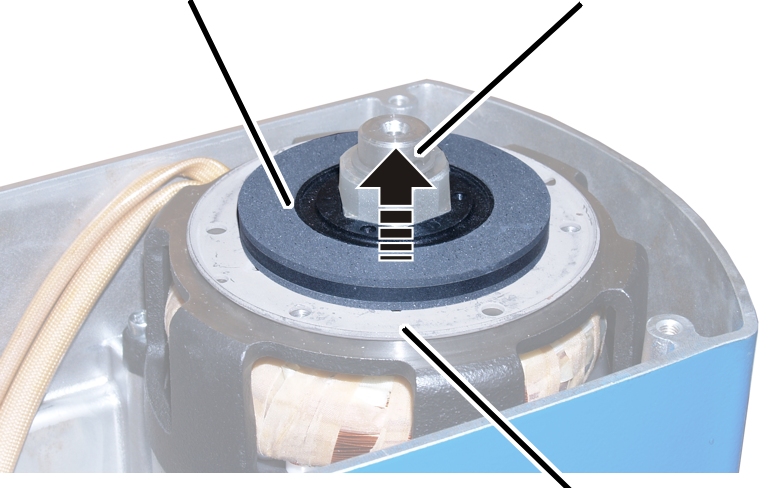
- Pull the brake rotor from the hub.
- The friction disc lies loosely against the brake bearing shield.
- Do not remove the friction disc.
Installing the new brake rotor
HubBrake rotor
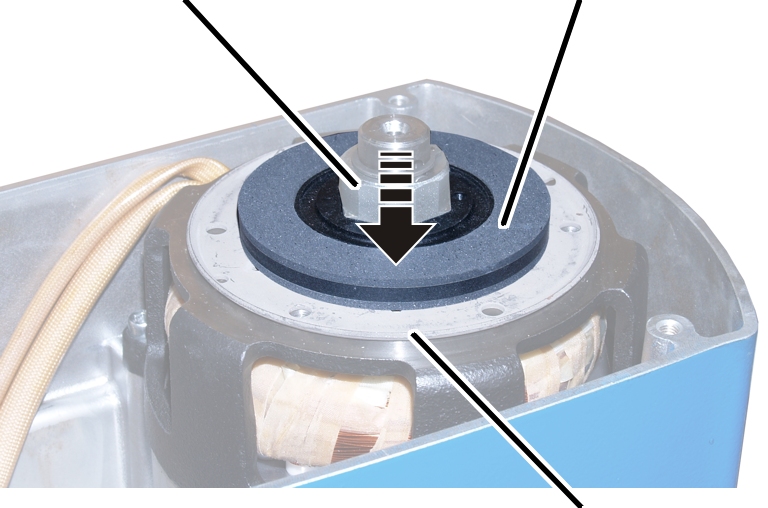
- Check whether the friction disc is still lying on the brake bearing shield.
- Push the new brake rotor onto the hub.
Mounting the magnet body
- Slide the magnet body onto the motor shaft.
- Screw on the hexagon head screws (3x). 7 Nm.
- Then the air gap must be readjusted. See “Setting the air gap on the brake”.
- Connect the power supply of the magnet body.
Covering the brake
Dust guard ring
- Pull the dust guard ring over the brake.
Connecting the chain hoist
- Attach the couplings of the hoist motor and brake to the pin multipoint connectors of the control in the motor cover.
Only connect couplings and pin multipoint connectors of identical colour (orange and grey).
For the assignment, see “Wiring diagrams”.
- With electronic hoist limit switch: Insert the connector on the hoist limit switch PCB.
Closing the chain hoist
Long fillister-head screwsShort fillister-head screw
- Hold the motor cover on the housing.
- Note the different screw lengths and screw in the fillister-head screws.
Size |
Size and length |
Number |
Tightening torque |
|---|---|---|---|
GM2 |
M5x65 |
3x |
4 Nm |
GM2 |
M5x45 |
1x |
4 Nm |
GM4 |
M5x60 |
3x |
4 Nm |
GM4 |
M5x50 |
1x |
4 Nm |
GM6 |
M8x110 |
3x |
15 Nm |
GM6 |
M8x60 |
1x |
15 Nm |
GM8 |
M10x95 |
3x |
20 Nm |
GM8 |
M10x50 |
1x |
20 Nm |
- Insert the bayonet coupling of the connection cable and the bayonet connector of the control cable. Due to a notch, the plug-in connections will only fit together in one position.
- Slide on and tighten the bayonet nuts.
Only for GM2, GM4 and GM6 (GM6 with plastic chain box)
The illustrations show a chain box being installed on the GM6 chain hoist. Installation on a GM2 or GM4 chain hoist is very similar.
Installing the chain box
BoltSL safety clip
- Place the chain in the chain box.
- Turn the chain box as shown in the figure (slanted side facing outward).
- Use the bolts to install the chain box on the chain hoist.
- For GM2: Use a bolt to fix the chain box to the chain hoist.
- For GM4 and chain box with one hole: Use a bolt to fix the chain box to the chain hoist.
- For GM4 and chain box with two holes: Use a bolt to fix the chain box to the chain hoist. Use the inner holes of the chain box. The outer holes remain free.
- For GM6 and plastic chain box: Use two bolts to fix the chain box to the chain hoist.
- Secure the bolts with the SL safety clips (1x or 2x).
Only for GM8
Attach buffer
Suspension straps
- Turn the buffer as shown in the figure (rounded side facing inward).
- Push the buffer between the suspension straps on the chain hoist.
- Push the short bolt through the outer holes of the suspension straps and the buffer.
Only for GM6 (GM6 with chain box with metal frame) and GM8
The illustrations show a chain box being installed on the GM8 chain hoist. Installation on a GM6 chain hoist is very similar.
Installing the chain box
Inner holeBolt
- Place the chain in the chain box.
- Turn the chain box as shown in the figure (bar facing outward).
- Use the bolts to install the chain box on the chain hoist.
- For GM6 and chain box with metal frame: Use a bolt to fix the chain box to the chain hoist. Use the inner holes of the suspension strap. The outer holes of the suspension strap remain free.
- For GM8: Use a bolt to fix the chain box to the chain hoist. Use the inner holes of the suspension strap. The buffer is fixed to the outer holes of the suspension straps.
- Secure the bolts with the SL safety clips (2x).
Adjusting the friction clutch
If the chain hoist does not lift the test load or if the measured value deviates from the maximum load capacity, the friction clutch must be readjusted.
Preparing the chain hoist
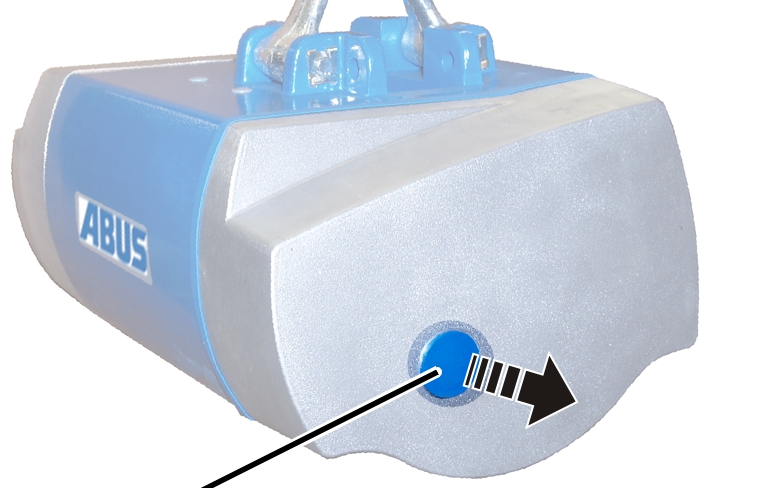
- Remove the sealing plugs. A slight amount of oil may thereby run out.
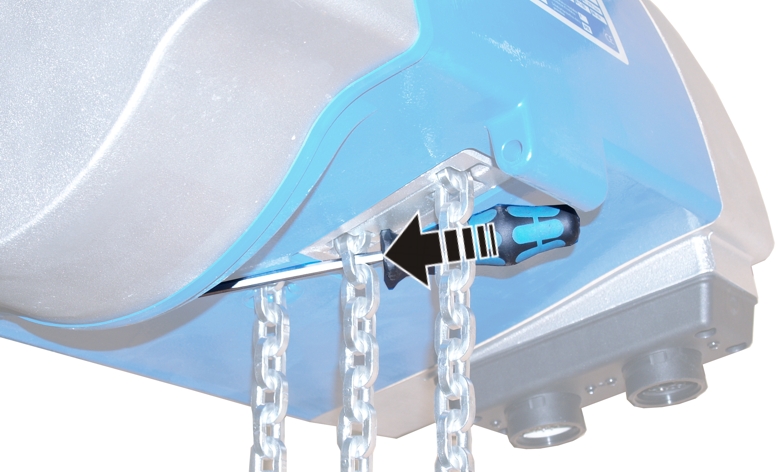
- Hoist motor, gear unit and chain may not move when adjusting the friction clutch. Block the chain in the chain guide or use the slip force test unit to block the chain.
Adjusting the friction clutch
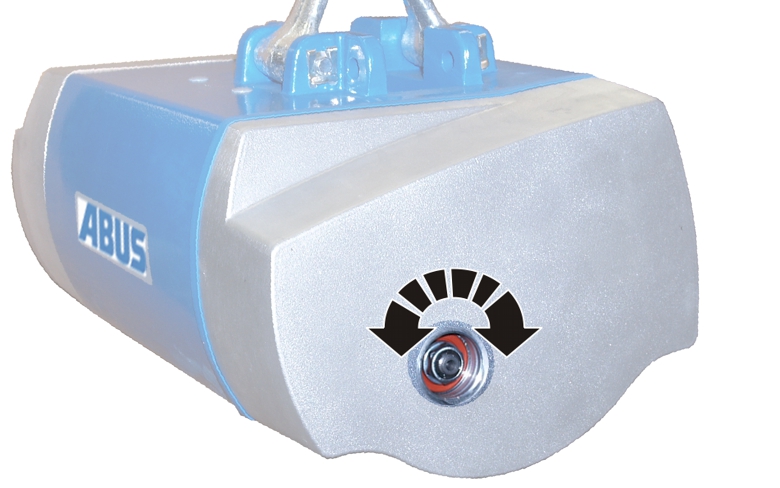
- Set the friction clutch to 1.3 to 1.4 times the maximum load capacity. Turning to the right causes the friction clutch to engage at higher loads, turning to the left causes it to engage at lower loads.
- Check the friction clutch; see “Checking the friction clutch”.
If the friction clutch can no longer be readjusted, it must be exchanged. For this, contact ABUS Service. See “ABUS Service”.
Disassembling the gear unit
For repairs or replacing, it may be necessary to disassemble the gear unit.
Removing the chain box
Bolt
- Release the SL safety clip(s) (1x or 2x) from the bolt.
- Hold the chain box firmly and pull out the bolt(s) (1x or 2x).
- Remove the chain box.
Opening the chain hoist
- Release the bayonet nuts.
- Detach the connection cable and control cable.
- Unscrew the motor cover from the housing.
- The fillister-head screws are secured by O-rings and thus do not fall out of the motor cover.
- Detach the couplings of the hoist motor and brake from the control in the motor cover.
Only with an electronic hoist limit switch
This work step is only applicable if the hoist limit switch PCB is visible in the housing:
Housing
Removing the hoist limit switch
Hoist limit switch PCB
- Pull the connector off the hoist limit switch PCB.
- Unscrew the fillister-head screws with ribs M5x10 (3x).
- Take the hoist limit switch PCB out of the chain hoist.
The magnet carrier of the hoist limit switch is firmly screwed to the output shaft of the gear unit. It must be unscrewed as otherwise it would damage components when the gear unit is pulled off.
- Unscrew the magnet carrier.
Taking out the chain guide
Only for GM2
Locking screw
- Unscrew the fillister-head screws (3x).
- Leave the locking screw tightened.
- It later ensures that the gear unit cannot not fall down.
Only for GM4
Locking screw
- Unscrew the fillister-head screws (3x).
- Leave the locking screw tightened.
- It later ensures that the gear unit cannot not fall down.
Only for GM6
Locking screw
- Unscrew the fillister-head screws (3x).
- Leave the locking screw tightened.
- It later ensures that the gear unit cannot not fall down.
Only for GM8
Tip:
The chain guide, chain and gear unit of the chain hoist are very heavy. Therefore unhook the chain hoist and remove the chain guide lying flat.
Fillister-head screws
- Unscrew the fillister-head screws (3x).
- Leave the locking screw tightened.
- It later ensures that the gear unit cannot not fall down.
Gear unitHousing
- Hold the chain guide firmly.
- Pull the gear unit from the housing.
- The locking screw secures the gear unit so that it need not be completely removed.
- The chain guide is now released.
- Pull the entire chain guide downward out of the housing.
Removing the gear unit
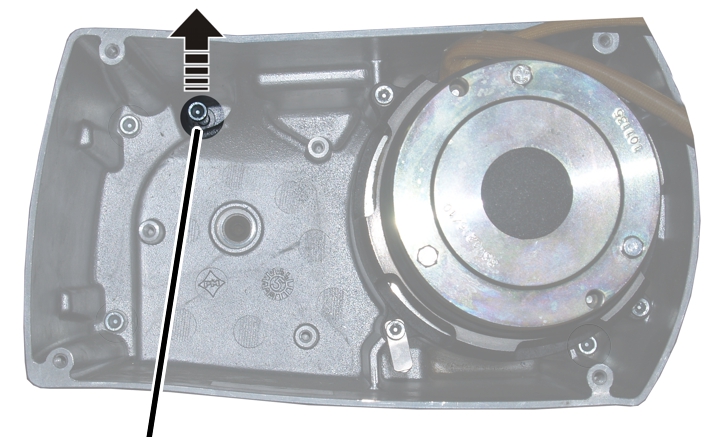
- Unscrew the locking screw.
- The gear unit is now released.
- Remove the gear unit.
Installing the gear unit
Preparing the gear unit
Output shaftGear unit dome
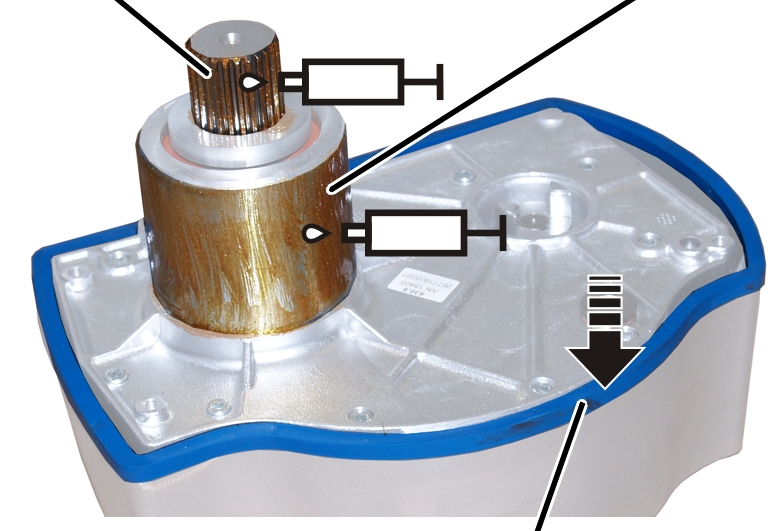
- Lubricate the gear unit dome and output shaft.
Lubricant: “High temperature paste PBC 1574”. For details, see “Lubricants”.
- Press on the seal.
Gear rimCompression springs
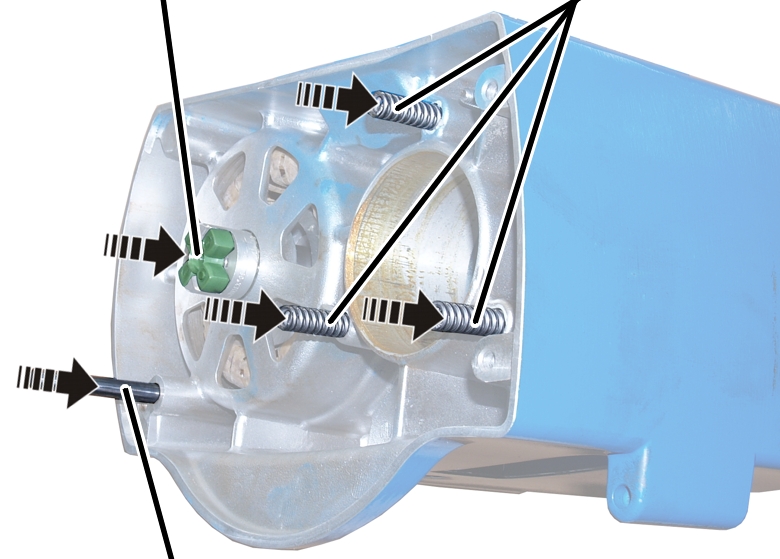
- Insert compression springs (2x, 3x, or 4x). Apply some grease if necessary.
- Set the gear rim on the coupling half.
- Insert the cylindrical pin.
Installing the gear unit
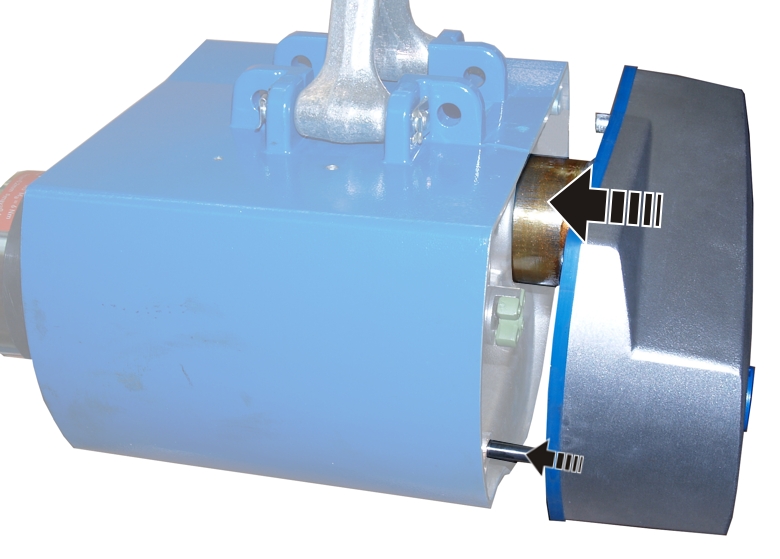
- Push the gear unit into the housing. The correct position of the gear unit is determined through the gear unit dome and cylindrical pin.
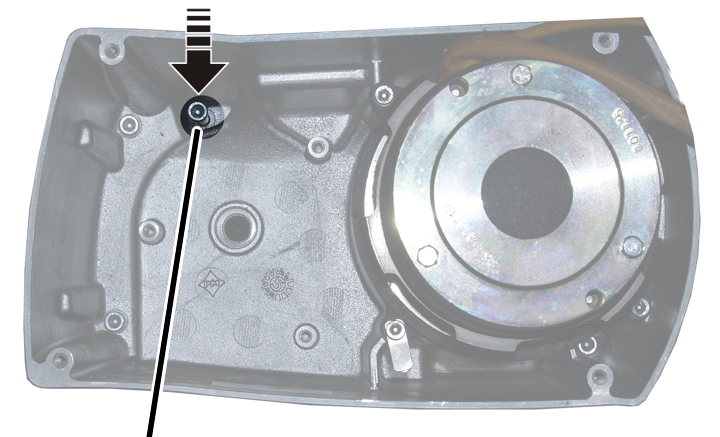
- Screw in the locking screw (fillister-head screw).
Size |
Size and length |
Tightening torque |
|---|---|---|
GM2 |
M6x105 |
7 Nm |
GM4 |
M6x105 |
7 Nm |
GM6 |
M8x110 |
10 Nm |
GM8 |
M10x110 |
10 Nm |
Installing the chain guide
Gear rim
- Check the position of the coupling halves. The claws must be situated so that they grip precisely in the gear rim.
If necessary:
- Turn the coupling halves on the gear unit until the claws are in the correct position.
- Push the chain guide from below into the housing and hold it firmly.
- Push the gear unit into the housing. Pull the chain slightly until the output shaft of the gear unit meshes with the chain sprocket.
- Tighten the fillister-head screws (3x) in the housing.
Size |
Size and length |
Tightening torque |
|---|---|---|
GM2 |
M6x85 |
7 Nm |
GM4 |
M6x105 |
7 Nm |
GM6 |
M8x110 |
18 Nm |
GM8 |
M10x140 |
25 Nm |
Only with an electronic hoist limit switch
Installing the magnet carrier
- Apply threadlocker (lightly) to the thread of the magnet carrier.
- Screw the magnet carrier in place. 6 Nm.
Installing the hoist limit switch PCB
Fillister-head screws with ribs M5x10Hoist limit switch PCB
- Attach the protective conductor to the fillister-head screw at the bottom right.
- Place the hoist limit switch PCB over the magnet carrier.
- Use the fillister-head screws with ribs M5x10 (3x) to screw the hoist limit switch PCB tight. 3 Nm.
Connecting the chain hoist
- Attach the couplings of the hoist motor and brake to the pin multipoint connectors of the control in the motor cover.
Only connect couplings and pin multipoint connectors of identical colour (orange and grey).
For the assignment, see “Wiring diagrams”.
- With electronic hoist limit switch: Insert the connector on the hoist limit switch PCB.
Closing the chain hoist
Long fillister-head screwsShort fillister-head screw
- Hold the motor cover on the housing.
- Note the different screw lengths and screw in the fillister-head screws.
Size |
Size and length |
Number |
Tightening torque |
|---|---|---|---|
GM2 |
M5x65 |
3x |
4 Nm |
GM2 |
M5x45 |
1x |
4 Nm |
GM4 |
M5x60 |
3x |
4 Nm |
GM4 |
M5x50 |
1x |
4 Nm |
GM6 |
M8x110 |
3x |
15 Nm |
GM6 |
M8x60 |
1x |
15 Nm |
GM8 |
M10x95 |
3x |
20 Nm |
GM8 |
M10x50 |
1x |
20 Nm |
- Insert the bayonet coupling of the connection cable and the bayonet connector of the control cable. Due to a notch, the plug-in connections will only fit together in one position.
- Slide on and tighten the bayonet nuts.
Only for GM2, GM4 and GM6 (GM6 with plastic chain box)
The illustrations show a chain box being installed on the GM6 chain hoist. Installation on a GM2 or GM4 chain hoist is very similar.
Installing the chain box
BoltSL safety clip
- Place the chain in the chain box.
- Turn the chain box as shown in the figure (slanted side facing outward).
- Use the bolts to install the chain box on the chain hoist.
- For GM2: Use a bolt to fix the chain box to the chain hoist.
- For GM4 and chain box with one hole: Use a bolt to fix the chain box to the chain hoist.
- For GM4 and chain box with two holes: Use a bolt to fix the chain box to the chain hoist. Use the inner holes of the chain box. The outer holes remain free.
- For GM6 and plastic chain box: Use two bolts to fix the chain box to the chain hoist.
- Secure the bolts with the SL safety clips (1x or 2x).
Only for GM8
Attach buffer
Suspension straps
- Turn the buffer as shown in the figure (rounded side facing inward).
- Push the buffer between the suspension straps on the chain hoist.
- Push the short bolt through the outer holes of the suspension straps and the buffer.
Only for GM6 (GM6 with chain box with metal frame) and GM8
The illustrations show a chain box being installed on the GM8 chain hoist. Installation on a GM6 chain hoist is very similar.
Installing the chain box
Inner holeBolt
- Place the chain in the chain box.
- Turn the chain box as shown in the figure (bar facing outward).
- Use the bolts to install the chain box on the chain hoist.
- For GM6 and chain box with metal frame: Use a bolt to fix the chain box to the chain hoist. Use the inner holes of the suspension strap. The outer holes of the suspension strap remain free.
- For GM8: Use a bolt to fix the chain box to the chain hoist. Use the inner holes of the suspension strap. The buffer is fixed to the outer holes of the suspension straps.
- Secure the bolts with the SL safety clips (2x).
Only with an electronic hoist limit switch
Referencing the electronic hoist limit switch
- The electronic hoist limit switch needs to be referenced again. See “Referencing the electronic hoist limit switch”.
- Check the switching points (upper and lower) and correct if necessary.
- The saved switching points are retained after referencing and therefore do not need to be reset.
- If the switching points are moved equally, all the switching points can be corrected at the same time by changing the reference point accordingly.
Available accessories
Shortening the control cable
The sheath of the control cable serves to protect the wiring while also acting as a strain reliever. Therefore do not simply wind up the control cable and glue the ends together to shorten it. This would eliminate any function as a strain reliever.
Kit for shortening the control cable
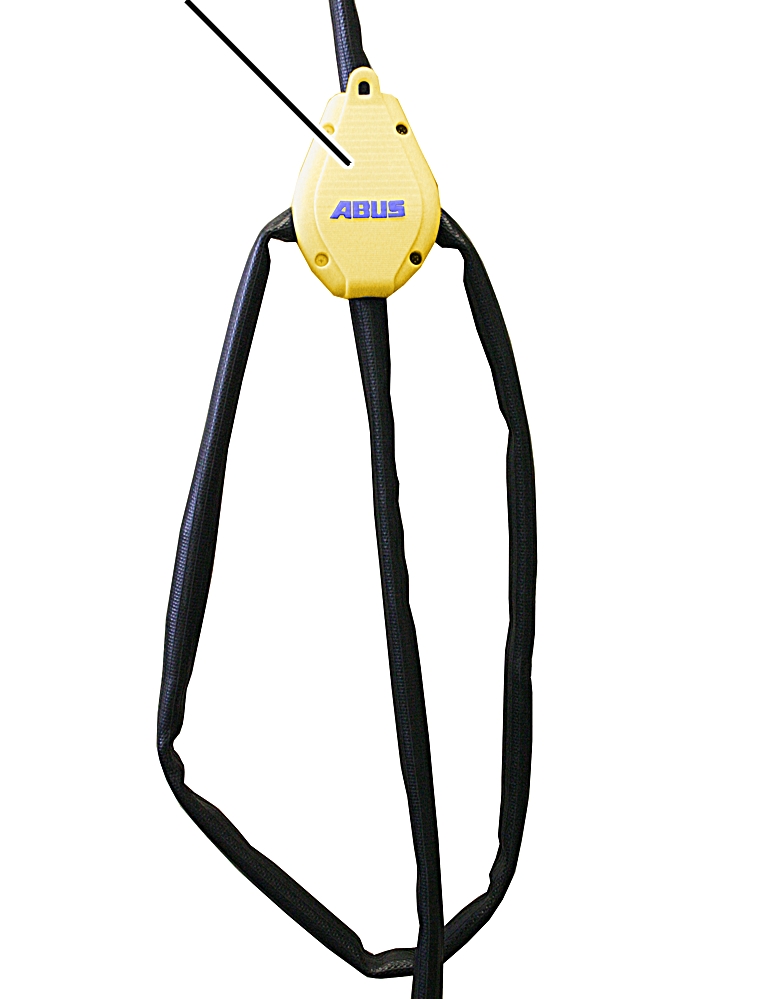
- To shorten the control cable, use the kit for shortening the control cable sheath, AN 308859.
Lengthening the control cable
Existing control cable
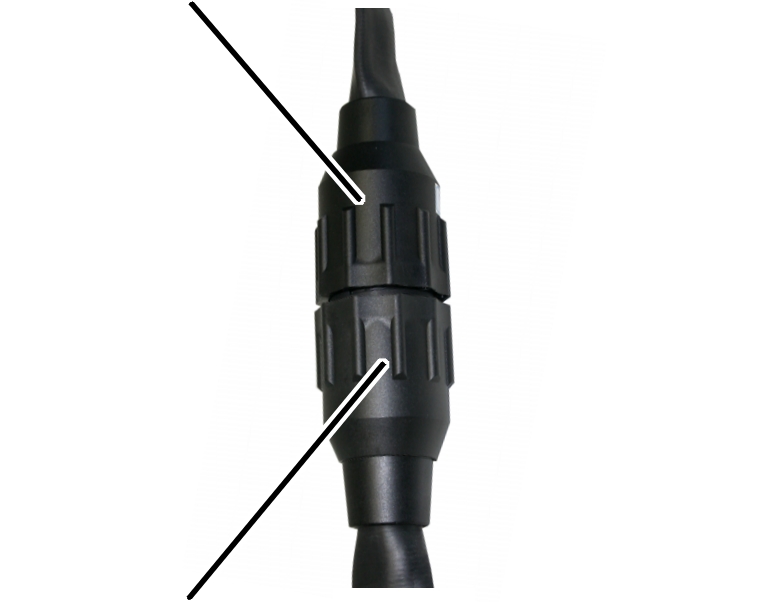
- To lengthen the control cable, use the kit for lengthening the control cable sheath, AN 102282.
Installing additional strain relief
The sheath of the control cable serves to protect the wiring while also acting as a strain reliever. In some cases it can be useful to install an additional strain relief.
Additional strain relief
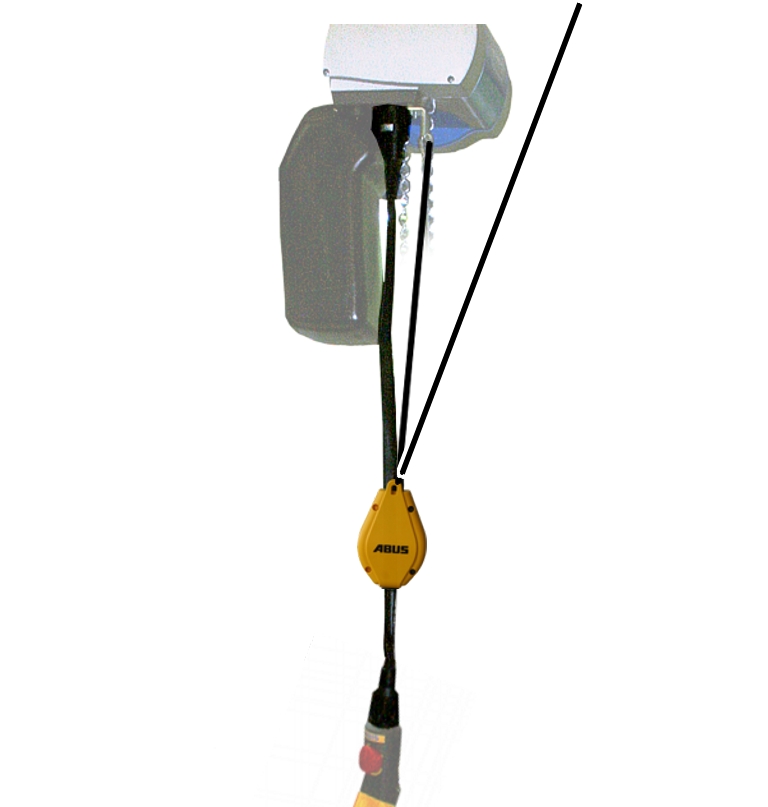
- Use the kit for strain relief, AN 109795 for additional strain relief.
Connecting the chain hoist
CEE connector with phase inverter
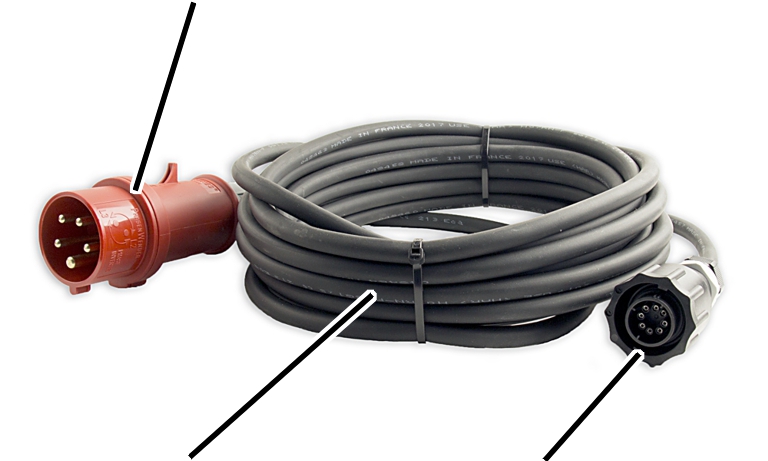
- To connect the chain hoist, for example, use the set “Chain hoist connection cable” AN 316482.
- If necessary, reverse the phases with the phase inverter in the CEE connector. See the subsection “Checking the rotary field” in the main section “Connecting the crane to the mains supply” of the “General Product Manual for ABUS Cranes”.
Lubricants
Note:
Synthetic lubricants may not be mixed with mineral-based lubricants!
Chain
On-site lubrication with “Chainlife S”, ABUS item number 2717
Lubrication ex works with “Chainlife S”, ABUS item number 2718.
Alternatives:
- Castrol “Viscogen KL 23”
- Klüber “Grafloscon CA 901 Ultra Spray”
- Optimol “KL 23”
- Shell “Malleus GL 95”
Lubricate the chain during:
- installation
- Regular inspection
- Exchanging the chain and chain sprocket
For details, see “Lubricating the chain”.
Chain sprocket
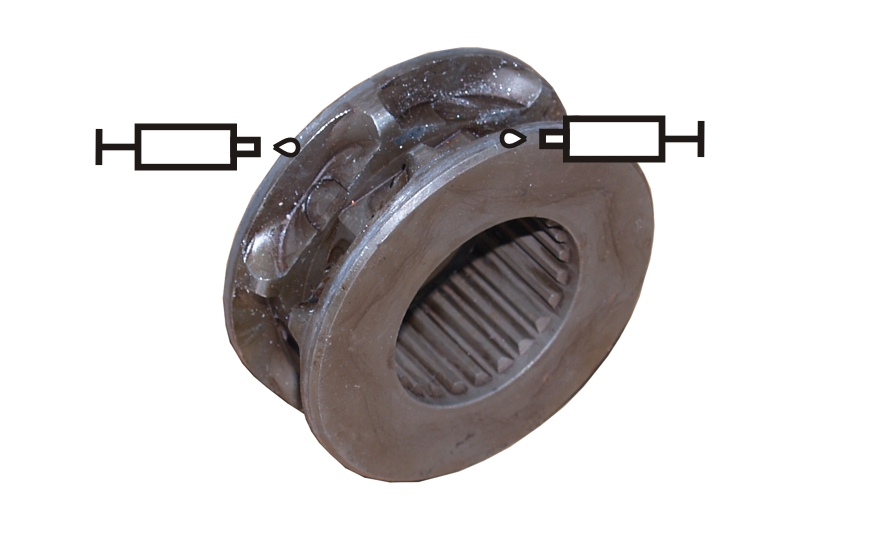
On-site lubrication with “High-Lub LT1 EP”, ABUS item number 318490.
Lubrication ex works with “High-Lub LT1 EP”, ABUS item number 317880.
Lubricate the chain sprocket during:
- Exchanging the chain and chain sprocket
For details, see “Assembling a new chain guide”.
Output shaft on gear unit
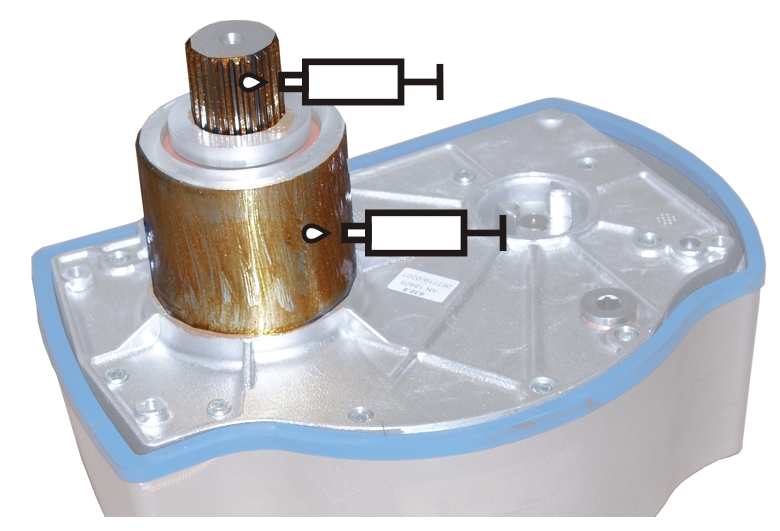
On-site lubrication with “High temperature paste PBC 1574”, ABUS item number 6758.
Lubrication ex works with “High temperature paste PBC 1574”, ABUS item number 1571.
Lubricate the output shaft during:
- Installation of the gear unit
For details, see “Installing the gear unit”.
Gear units GM2 and GM4
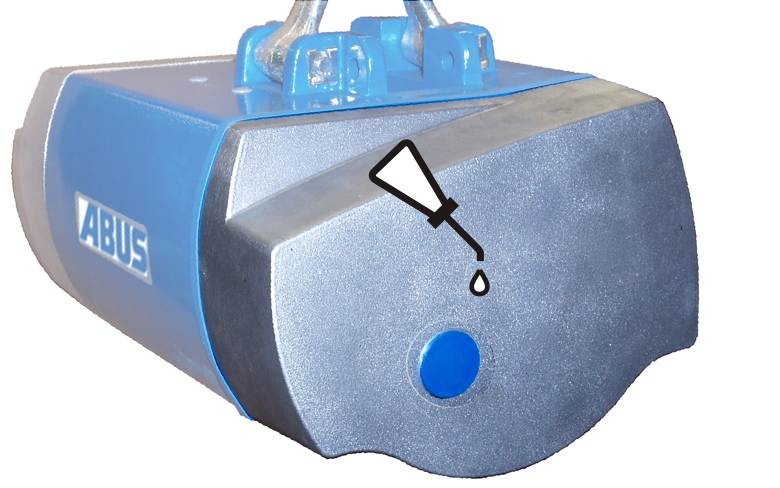
Lubrication ex works using lubricant with the standard designation CLP ISO VG 460 DIN 51502.
Quantity, GM2: 200 cm³
Quantity, GM4: 350 cm³
The gear unit is lubricated for its entire service life.
Gear unit GM6
Lubrication ex works using lubricant with the standard designation CLP ISO VG 680 DIN 51502.
Quantity: 700 cm³
The gear unit is lubricated for its entire service life.
Gear unit GM8
Lubrication ex works using lubricant with the standard designation CLP ISO VG 680 DIN 51502.
Quantity: 1700 cm³
The gear unit is lubricated for its entire service life.
Only for twin-fall chain hoists
Deflection roller on the bottom block
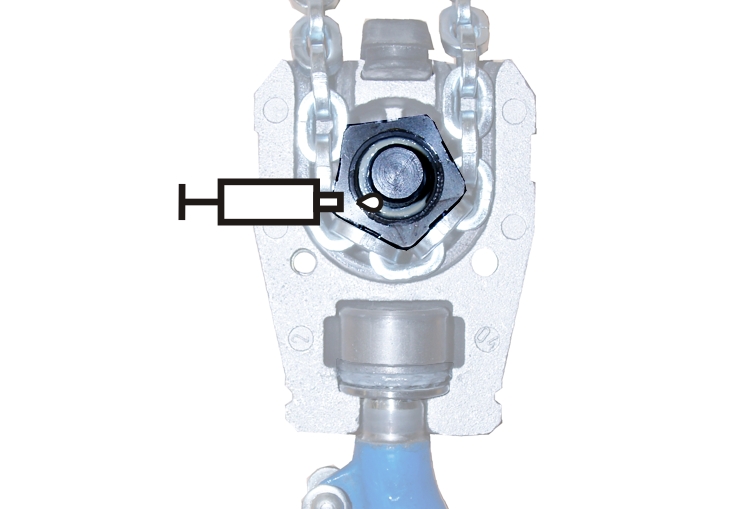
Lubrication on-site/ex works with “Klüber Staburags NBU 12 Alltemp”, ABUS item number 14980.
Lubricate the deflection roller during:
- Installation of the bottom block
For details, see “Installing the bottom block”.
Load hook on the bottom block
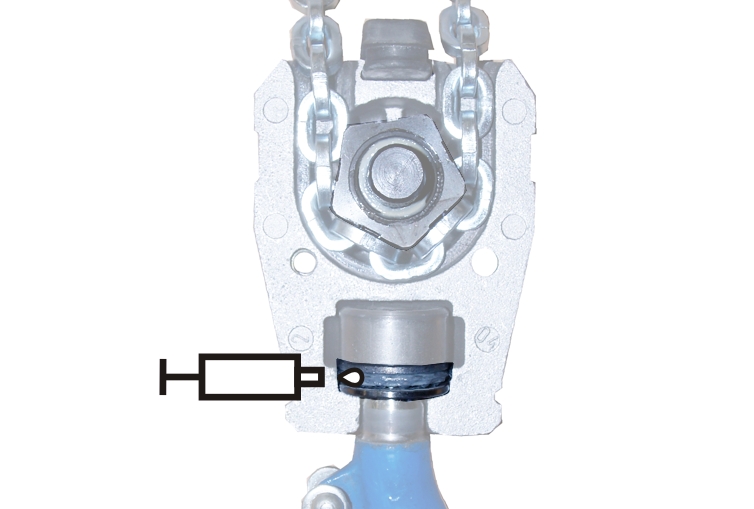
On-site lubrication with “High-Lub LT1 EP”, ABUS item number 318490.
Lubrication ex works with “High-Lub LT1 EP”, ABUS item number 317880.
Lubricate the load hook during:
- Installation of the bottom block
For details, see “Installing the bottom block”.
Only for single-fall chain hoists
Hook assembly
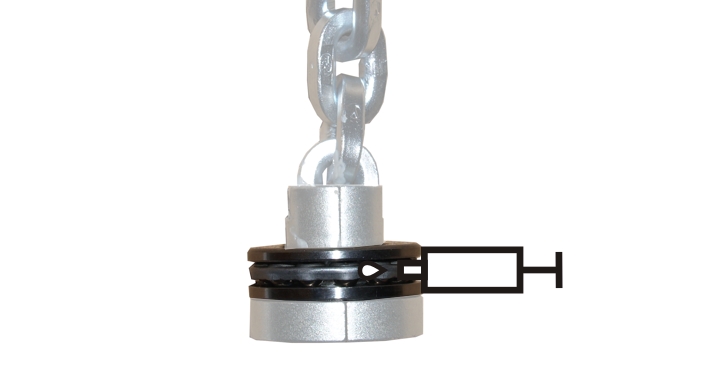
On-site lubrication with “High-Lub LT1 EP”, ABUS item number 318490.
Lubrication ex works with “High-Lub LT1 EP”, ABUS item number 317880.
Lubricate the hook assembly during:
- Exchanging the chain and chain sprocket
For details, see “Installing the hook assembly”.
Overview of screw tightening torques
Motor cover
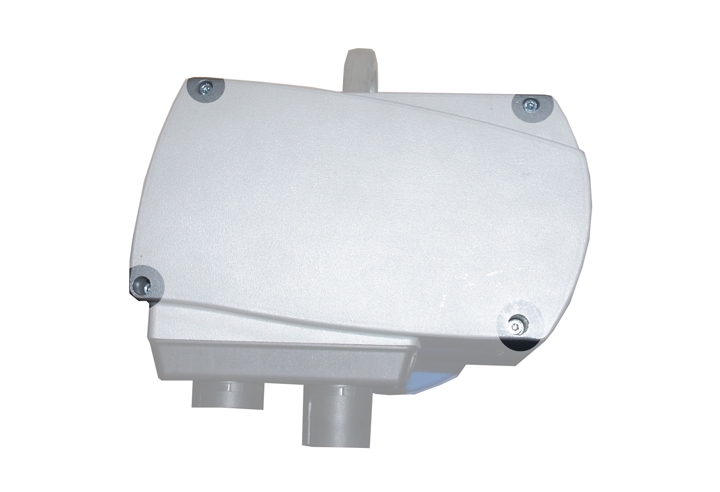
Size |
Type, size and length |
Number |
Tightening torque |
|---|---|---|---|
GM2 |
Fillister-head screw M5x65 |
3x |
4 Nm |
GM2 |
Fillister-head screw M5x45 |
1x |
4 Nm |
GM4 |
Fillister-head screw M5x60 |
3x |
4 Nm |
GM4 |
Fillister-head screw M5x50 |
1x |
4 Nm |
GM6 |
Fillister-head screw M8x110 |
3x |
15 Nm |
GM6 |
Fillister-head screw M8x60 |
1x |
15 Nm |
GM8 |
Fillister-head screw M10x95 |
3x |
20 Nm |
GM8 |
Fillister-head screw M10x50 |
1x |
20 Nm |
Gear unit
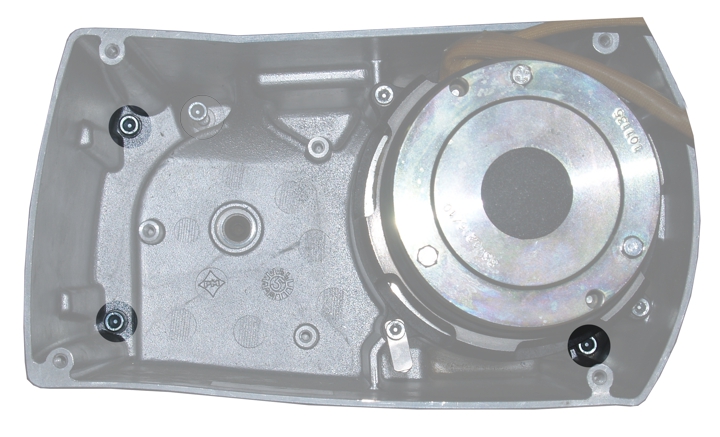
Size |
Type, size and length |
Number |
Tightening torque |
|---|---|---|---|
GM2 |
Fillister-head screw M6x85 |
3x |
7 Nm |
GM4 |
Fillister-head screw M6x105 |
3x |
7 Nm |
GM6 |
Fillister-head screw M8x110 |
3x |
18 Nm |
GM8 |
Fillister-head screw M10x140 |
3x |
25 Nm |
Locking screw
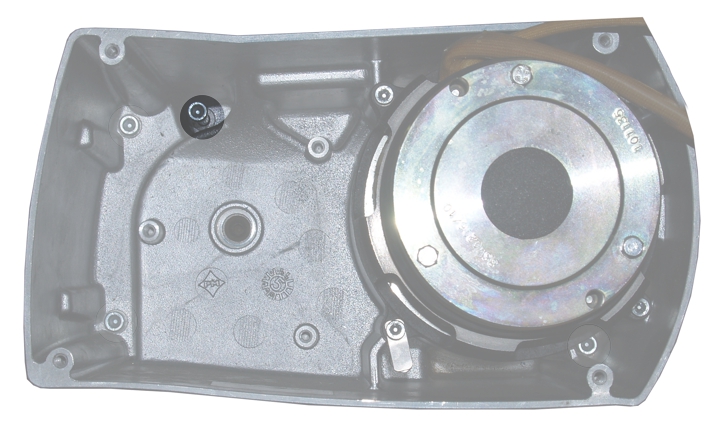
Size |
Type, size and length |
Number |
Tightening torque |
|---|---|---|---|
GM2 |
Fillister-head screw M6x105 |
1x |
7 Nm |
GM4 |
Fillister-head screw M6x105 |
1x |
7 Nm |
GM6 |
Fillister-head screw M8x110 |
1x |
10 Nm |
GM8 |
Fillister-head screw M10x110 |
1x |
10 Nm |
Magnet body
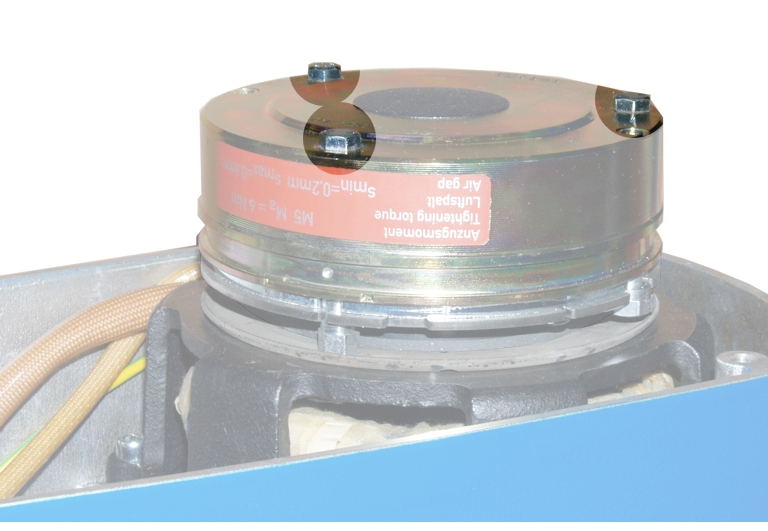
Size |
Type, size and length |
Number |
Tightening torque |
|---|---|---|---|
GM2 |
Hexagon head screw M4x45 |
3x |
3 Nm |
GM4 |
Hexagon head screw M5x55 |
3x |
6 Nm |
GM6 |
Hexagon head screw M6x65 |
3x |
10 Nm |
GM8 |
Hexagon head screw M6x65 |
3x |
10 Nm |
Brake bearing shield
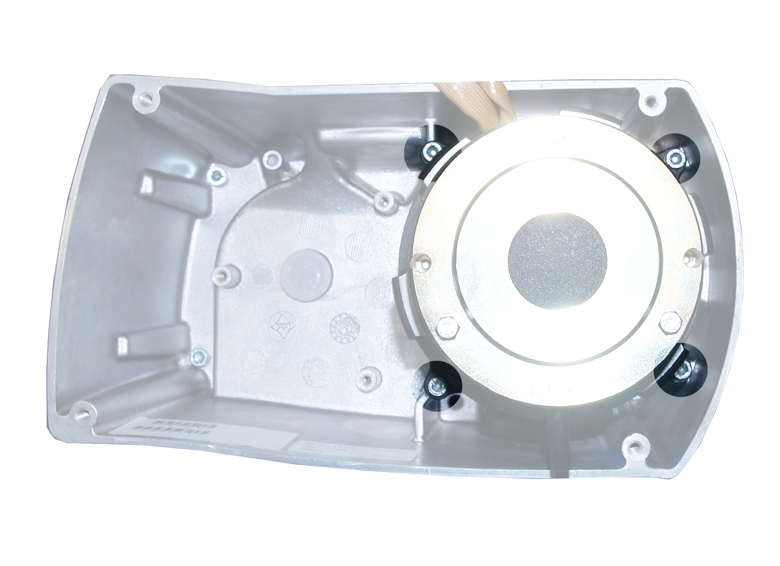
Size |
Type, size and length |
Number |
Tightening torque |
|---|---|---|---|
GM2 |
Fillister-head screw M5x20 |
3x |
4 Nm |
GM4 |
Fillister-head screw M5x20 |
4x |
4 Nm |
GM6 |
Fillister-head screw M8x25 |
4x |
18 Nm |
GM8 |
Fillister-head screw M10x30 |
4x |
25 Nm |
- With the chain hoists GM2 and GM4, the fillister-head screw below on the left is also used to attach the tab washer for the bolt on the chain anchor point.
Only for twin-fall chain hoists
Bottom block
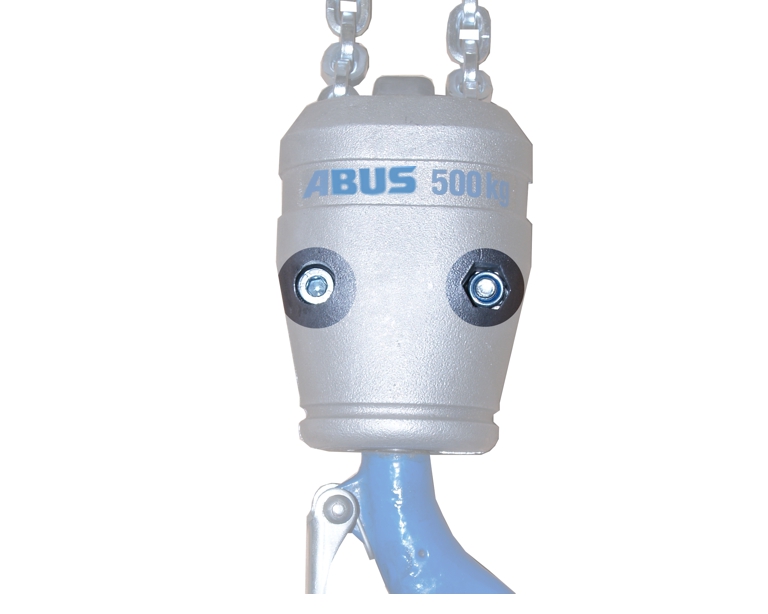
Size |
Type, size and length |
Number |
Tightening torque |
|---|---|---|---|
GM2 |
Fillister-head screw with self-locking nut M6x30 |
2x |
10 Nm |
GM4 |
Fillister-head screw with self-locking nut M8x35 |
2x |
25 Nm |
GM6 |
Fillister-head screw with self-locking nut M10x45 |
2x |
36 Nm |
GM8 |
Fillister-head screw with self-locking nut M12x75 |
2x |
49 Nm |
Only for single-fall chain hoists
Hook assembly
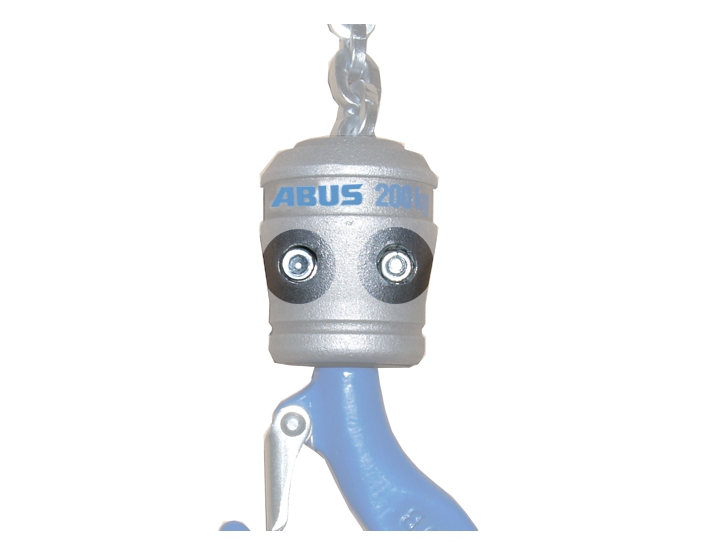
Size |
Type, size and length |
Number |
Tightening torque |
|---|---|---|---|
GM2 |
Fillister-head screw with self-locking nut M6x25 |
2x |
10 Nm |
GM4 |
Fillister-head screw with self-locking nut M6x25 |
2x |
10 Nm |
GM6 |
Fillister-head screw with self-locking nut M6x45 |
2x |
12 Nm |
GM8 |
Fillister-head screw with self-locking nut M8x50 |
2x |
30 Nm |
Only for GM6
Tab washer for bolt on chain anchor point
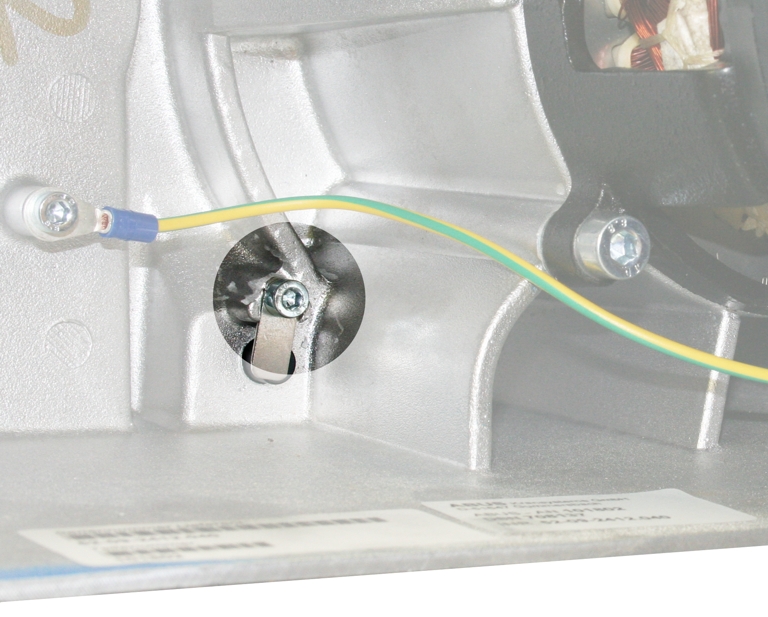
- Fillister-head screw M5x10
- 3 Nm
- Only the chain hoist GM 6 has a separate fillister-head screw for the tab washer.
- With the chain hoists GM2 and GM4, the fillister-head screw below on the left of the brake bearing shield is used to attach the tab washer.
- With the chain hoist GM8, the chain anchor point is designed differently and requires no tab washer.
ABUS Service
Only in Germany
- If available, have the product number, serial number and customer number handy.
- Call the ABUS Service Centre:
- Phone: +49-2261-37-237
- If calling outside the usual business hours, leave a message on the answering machine.
- ABUS Service will return your call promptly.
- If necessary, send a description of the problem by fax or e-mail:
- Fax: +49-2261-37-265
- E-mail: service@abus-kransysteme.de
Only outside Germany
- Call the local ABUS branch or crane service partner.
Your local ABUS branch or crane service partner will provide details of contact data, contacts and availability.
Eliminating errors on the chain hoist
If the chain hoist is not working or functions other than as expected, a malfunction of the chain hoist may be the cause.
Fault |
Possible cause |
Eliminating the fault |
|---|---|---|
The chain hoist does not lift or lower; hoist motor does not hum when a button on the pendant control is pressed. |
No mains voltage. |
Check the power line. See “Connecting the chain hoist”. |
Power line not correct. |
Check the rotary field and phases. See “Connecting the chain hoist”. |
|
Emergency stop button pressed. |
Unlock the emergency stop button. |
|
Main contactor is defective. |
Check the main contactor. |
|
With electronic control: No control voltage. |
Check the fuse on the supply PCB. |
|
Fuse is defective. |
Check the fuse. |
|
Bayonet couplings of the connection cable or control cable are not properly inserted. |
Insert the bayonet couplings. See “Connecting the chain hoist”. |
|
Broken wire in the control cable. |
Replace the control cable. |
|
Pendant control is defective. |
Replace the pendant control. |
|
For hoist limit switch: Switching point is incorrectly set. |
Reset the switching point. |
|
The chain hoist does not lift or lower; hoist motor hums when a button on the pendant control is pressed. |
Fuse is defective. |
Check the fuse. |
Power line is defective (2-phase running). |
Check the power line. See “Connecting the chain hoist”. |
|
The couplings of the hoist motor and brake are interchanged on the control. |
Connect the hoist motor and brake correctly. See “Wiring diagrams”. |
|
With electronic control: control is defective. |
Replace the control. |
|
With direct control: pendant control is defective. |
Replace the control. |
|
Hoist motor starts up sluggishly. |
Brake does not release. |
Check the brake. |
Brake does not release. |
Brake electronics are defective. |
Measure the voltage on the brake. It must be approximately 90 V DC. If it is not, replace the electronics for the brake. |
Brake coil in the magnet body is defective. |
Measure the electrical continuity. If the brake coil has no continuity, replace the magnet body. |
Fault |
Possible cause |
Eliminating the fault |
|---|---|---|
The load sags when stationary. |
Brake lining on the brake rotor is worn. |
See “Replacing the brake rotor ”. |
The load does not immediately come to a stop. |
The air gap is too large. |
Readjust the brake. See “Setting the air gap on the brake”. |
The load sags during lifting or lowering. |
The friction clutch is set too weak. |
Adjust the friction clutch. See “Adjusting the friction clutch”. |
The chain becomes worn very quickly. |
The chain is not sufficiently lubricated. |
Lubricate the chain. See “Lubricating the chain”. |
Loud clacking noises. |
Chain and chain sprocket are worn. |
Replace the chain and chain sprocket. See “Exchanging the chain and chain sprocket”. |
The chain is not sufficiently lubricated. |
Lubricate the chain. Lubricate the chain. See “Lubricating the chain”. |
Wiring diagrams
Special wiring diagrams can be obtained from ABUS Service. See “ABUS Service”.
Only for GM2, GM4 and GM6 with direct control
Control in the motor cover
Pin plug for star pointsPin plug for brake
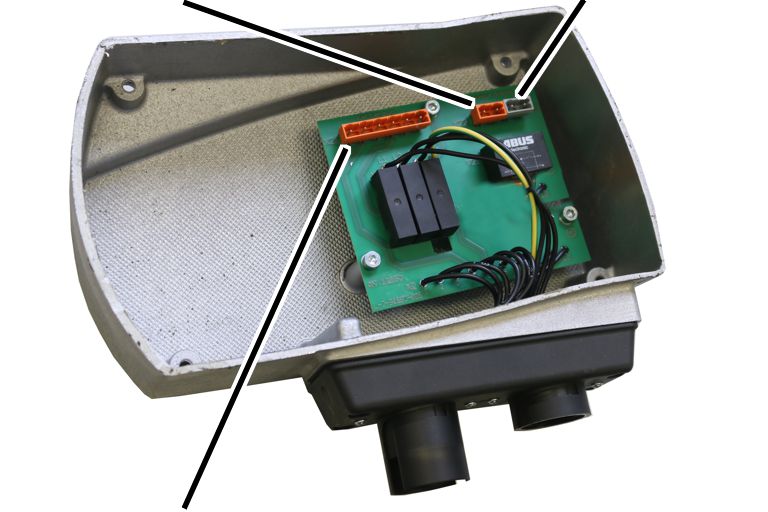
- The electricity for the hoist motor is controlled directly through the buttons of the pendant control and is switched from there.
Only for GM2, GM4 and GM6 with electric hoist trolley
Control in the motor cover
Pin plug for star pointsPin plug for brake
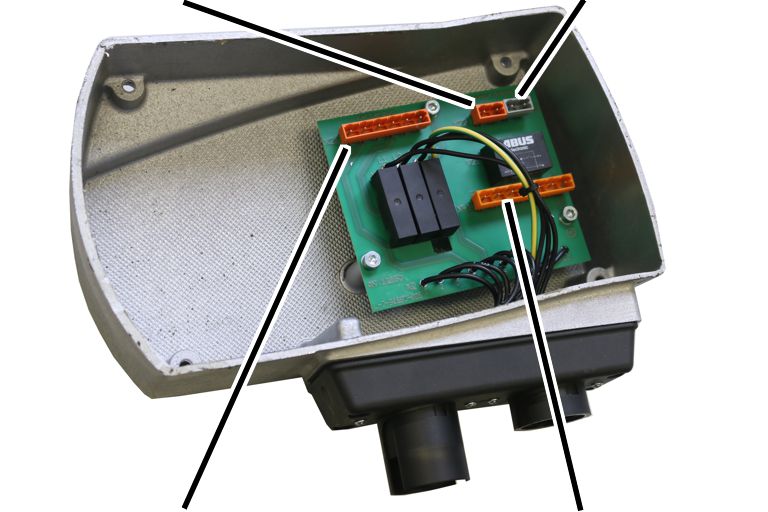
- The electricity for the hoist motor and the trolley travel motor is controlled directly through the buttons of the pendant control and is switched from there.
Only for GM2 and GM4 with electronic control
Control in the motor cover
Pin plug for star pointsPin plug for hoist motorSemi-conductor relay PCB
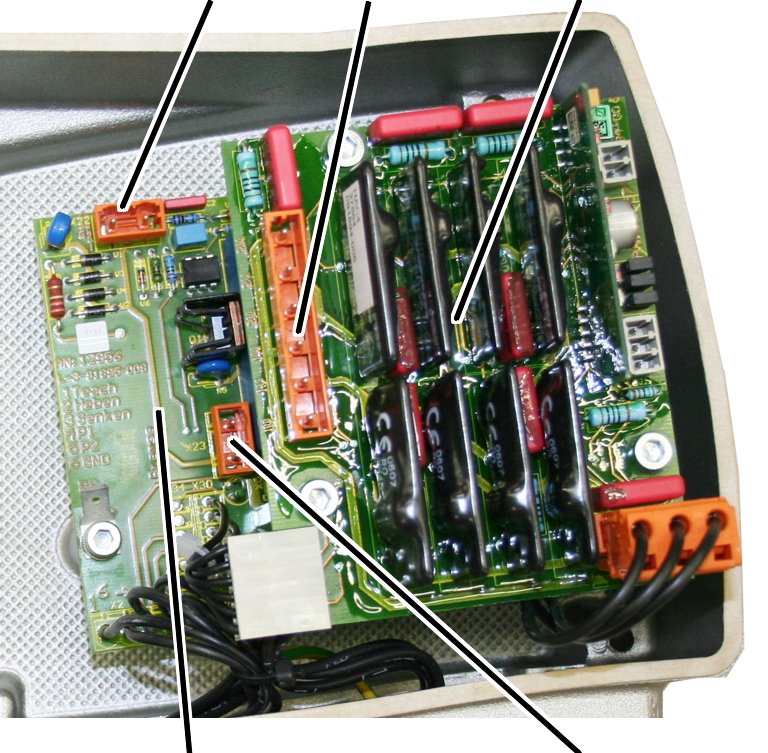
- The electricity for the hoist motor is controlled through a semiconductor relay which is switched from a 48 V control voltage.
- The control voltage can be switched using a pendant control or radio remote control.
- The control consists of a supply PCB and a semiconductor relay PCB attached above it.
Only for GM2 and GM4 with electronic control and electric hoist trolley
Control in the motor cover
Pin plug for trolley travel motorSemi-conductor relay PCBPin plug for hoist motor
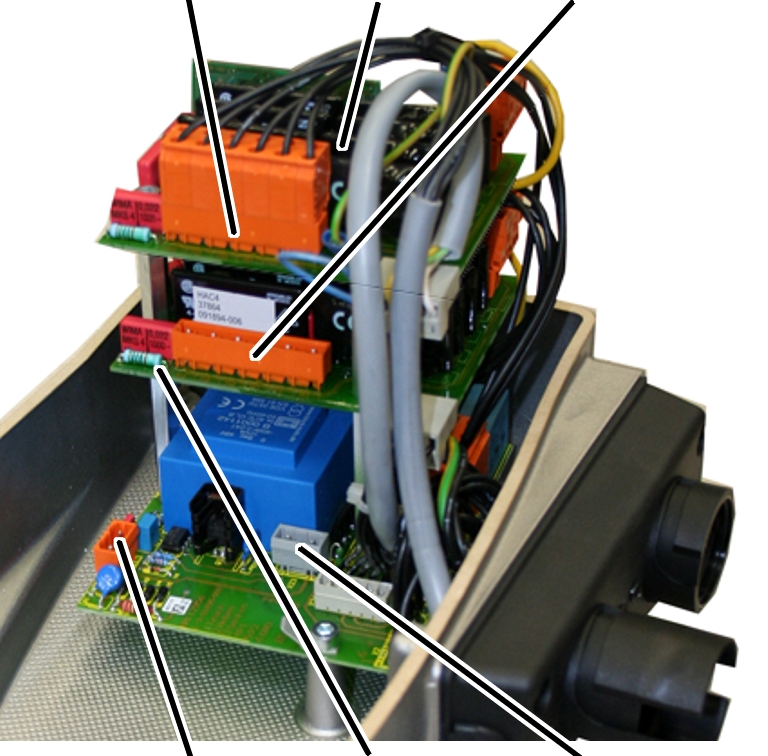
- The electricity for the hoist motor is controlled through a semiconductor relay which is switched from a 48 V control voltage.
- The control voltage can be switched using a pendant control or radio remote control.
- The control consists of a supply PCB and two semiconductor relay PCBs attached above it. One of them controls the hoist motor, the other controls the trolley travel motor.
- In the GM2, the installation of this electronic control is only possible through an additional housing.
Only for GM6 and GM8 with electronic control
Control in the motor cover
Pin plug for hoist motor
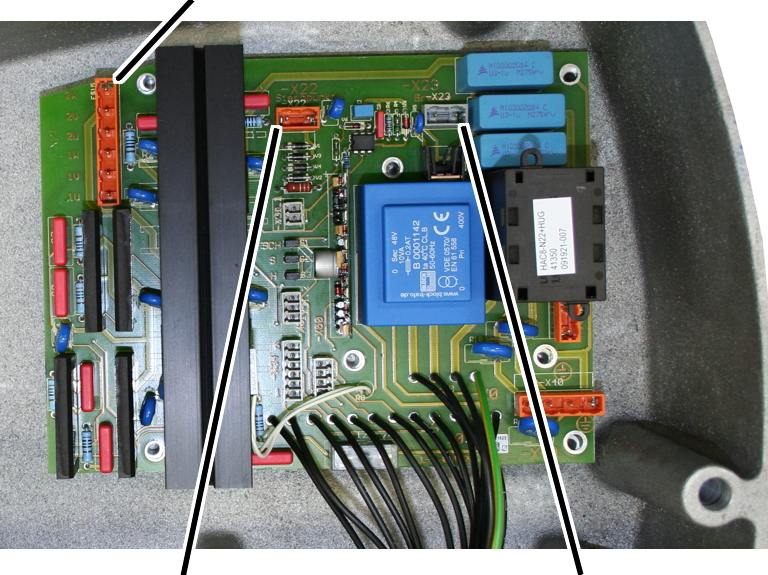
- The electricity for the hoist motor is controlled through a semiconductor relay which is switched from a 48 V control voltage.
- The control voltage can be switched using a pendant control or radio remote control.
- The control consists of a supply PCB on which there are also semiconductor relays.
Only for GM6 and GM8 with electronic control and electric hoist trolley
Control in the motor cover
Pin plug for hoist motorPin plug for star pointsPin plug for brake
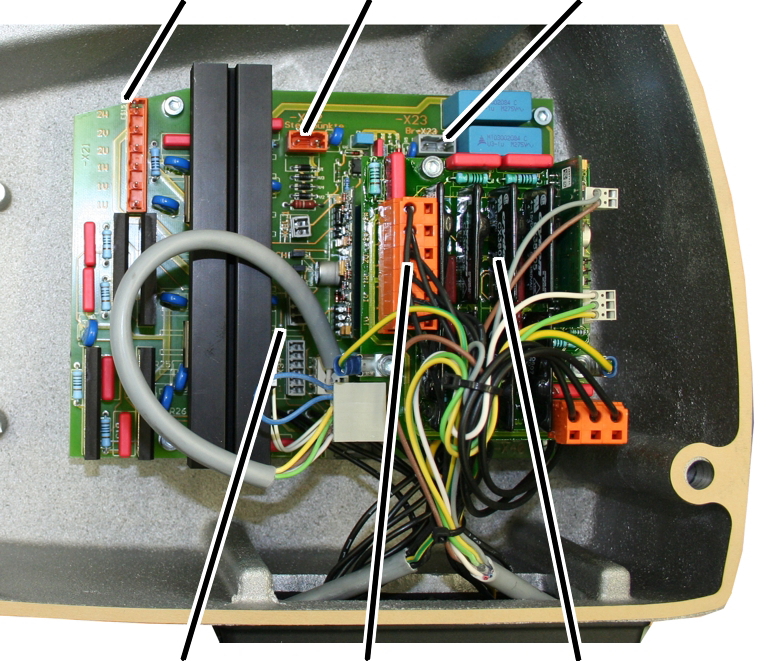
- The electricity for the hoist motor is controlled through a semiconductor relay which is switched from a 48 V control voltage.
- The control voltage can be switched using a pendant control or radio remote control.
- The control consists of a supply PCB on which there are also semiconductor relays for the control of the hoist motor and a semiconductor relay PCB attached above for the control of the trolley travel motor.
Only for external control
Control in the motor cover
Pin plug for star pointsPin plug for brake
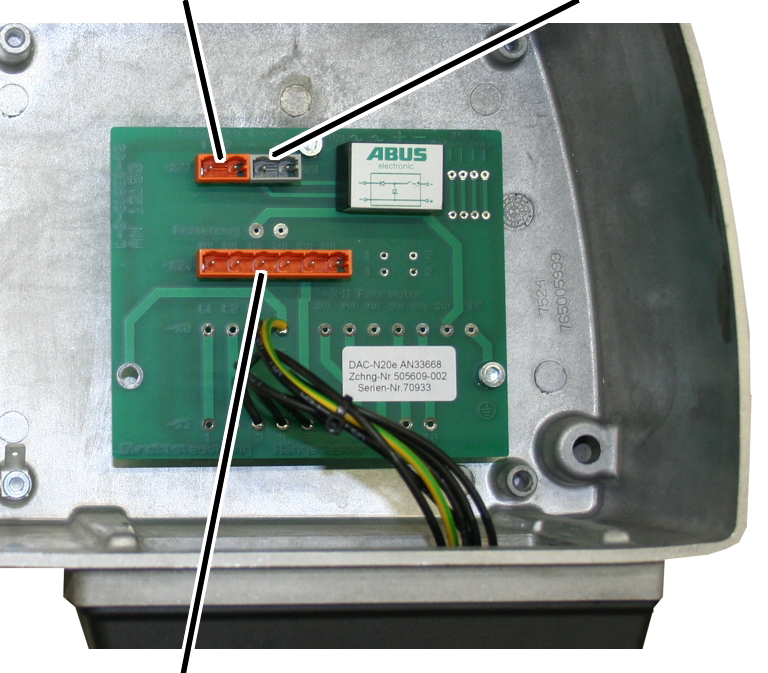
- The electricity for the hoist motor is controlled in an external control (e.g. inside a panel).
- The circuit board of the external control conducts the electricity to the hoist motor and handles the control of the brake.
Only for ABULiner
The electricity of the hoist motor is controlled by a frequency converter in a variable frequency. This enables continuous control of the speed of the chain hoist. The frequency converter is mounted on the chain hoist in an additional housing. With additional frequency converters, the trolley and crane speeds can also be continuously controlled. Wiring diagrams for this can be obtained from ABUS Service. See “ABUS Service”.
Abbreviation |
Designation |
|---|---|
+HT |
Pendant control |
-S1 |
Emergency stop button |
-S21 |
Lift button |
-S22 |
Lower button |
-S41 |
Trolley travel toward right button |
-S42 |
Trolley travel toward left button |
-S31 |
Teach-in hoist limit switch |
+VFS-X2 |
Mobile control |
+KA-M41 |
Trolley travel motor |
-M21 |
Hoist motor |
+HU |
Chain hoist |
-V21 |
Electronics for brake of hoist |
-V41 |
Electronics for brake of hoist trolley |
-A1 |
Supply PCB, direct control PCB or external control PCB |
+HW |
Power line |
+KA-S51 |
Trolley travel limit switch |
+KA-S51.1 |
Right limit stop |
+KA-S51.4 |
Left limit stop |
+KA-S51.2 |
Braking function, right |
+KA-S51.3 |
Braking function, left |
-A40 |
Semiconductor relay PCB, trolley travel motor |
HGS |
Hoist limit switch |
-P21 |
Operating hours counter |
-X0 |
Plug-in connection for connection cable |
-X2 |
Plug-in connection for pendant control |
-X41 |
Plug-in connection for trolley travel motor |
-X21 |
Plug-in connection for hoist motor |
-X22 |
Plug-in connection for star points of hoist motor |
-X23 |
Plug-in connection for brake of hoist motor |
-A31 |
Hoist limit switch PCB |
+SKR |
Crane panel |
-A20 |
Semiconductor relay PCB |
-X31.1 |
For electronic hoist limit switch: detach jumper |
-K1 |
Main contactor |
-T1 |
Control transformer |
- F1-3 |
Fuses |
Direct control – wiring diagram
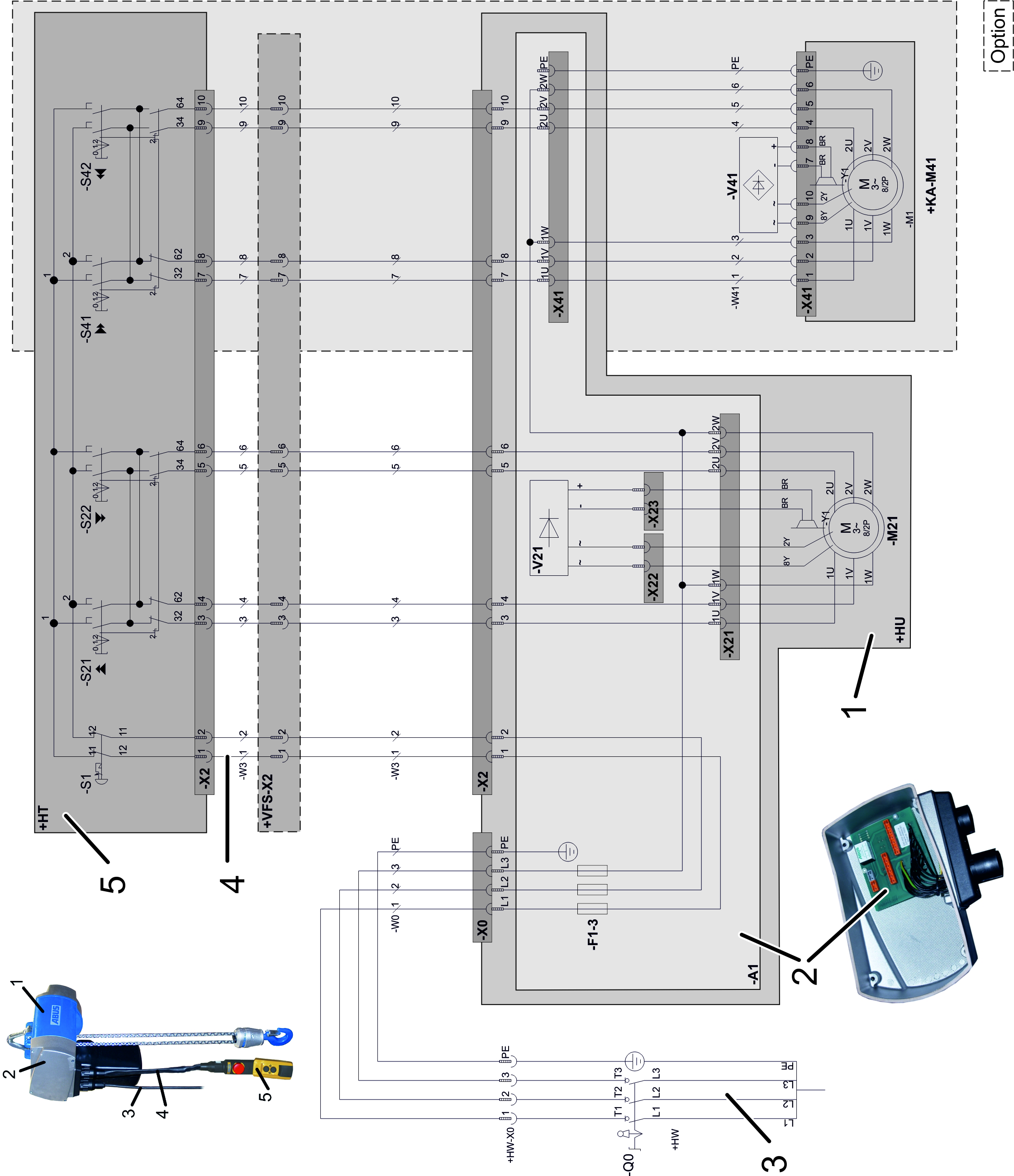
Direct control – wiring diagram
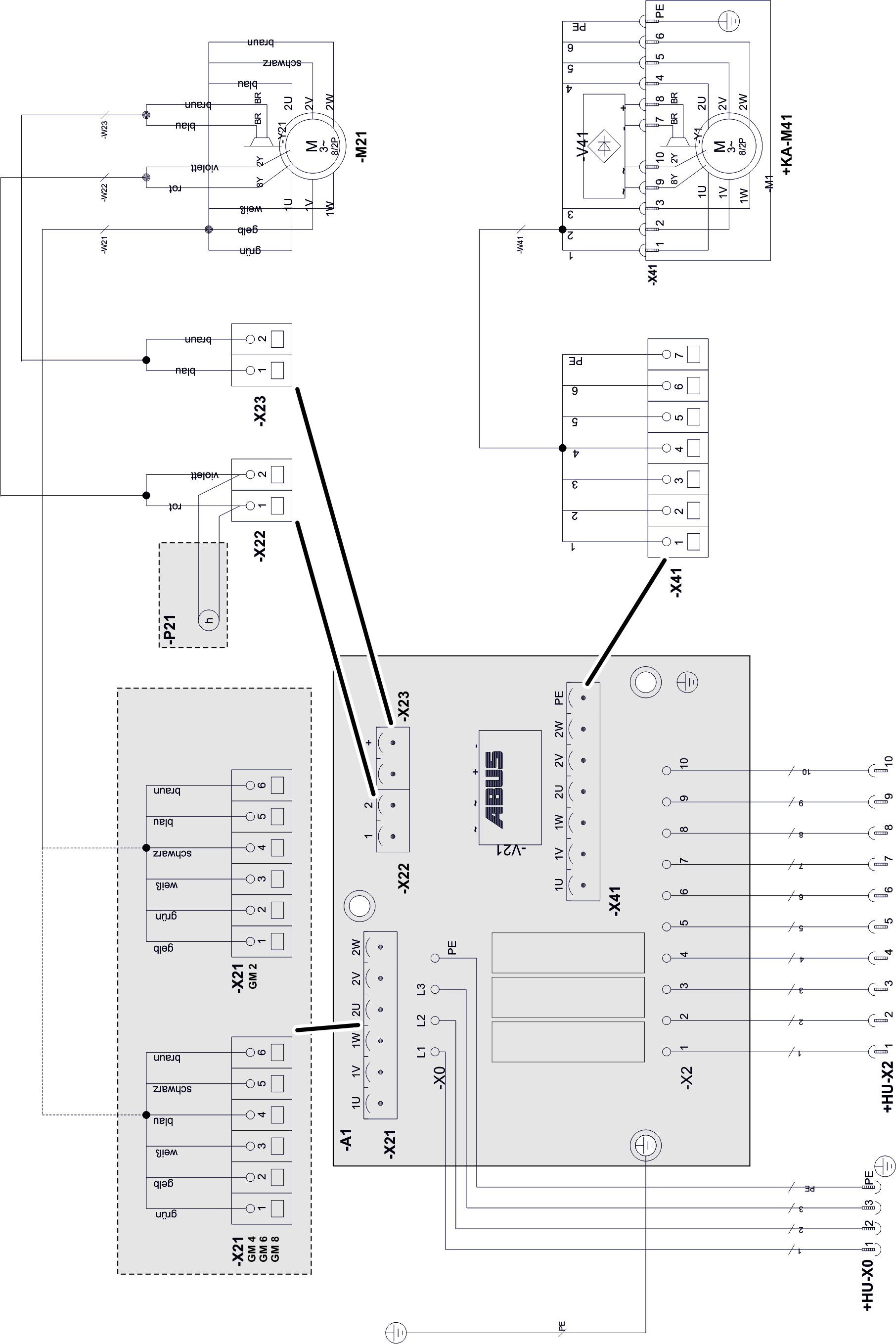
Electronic control – wiring diagram
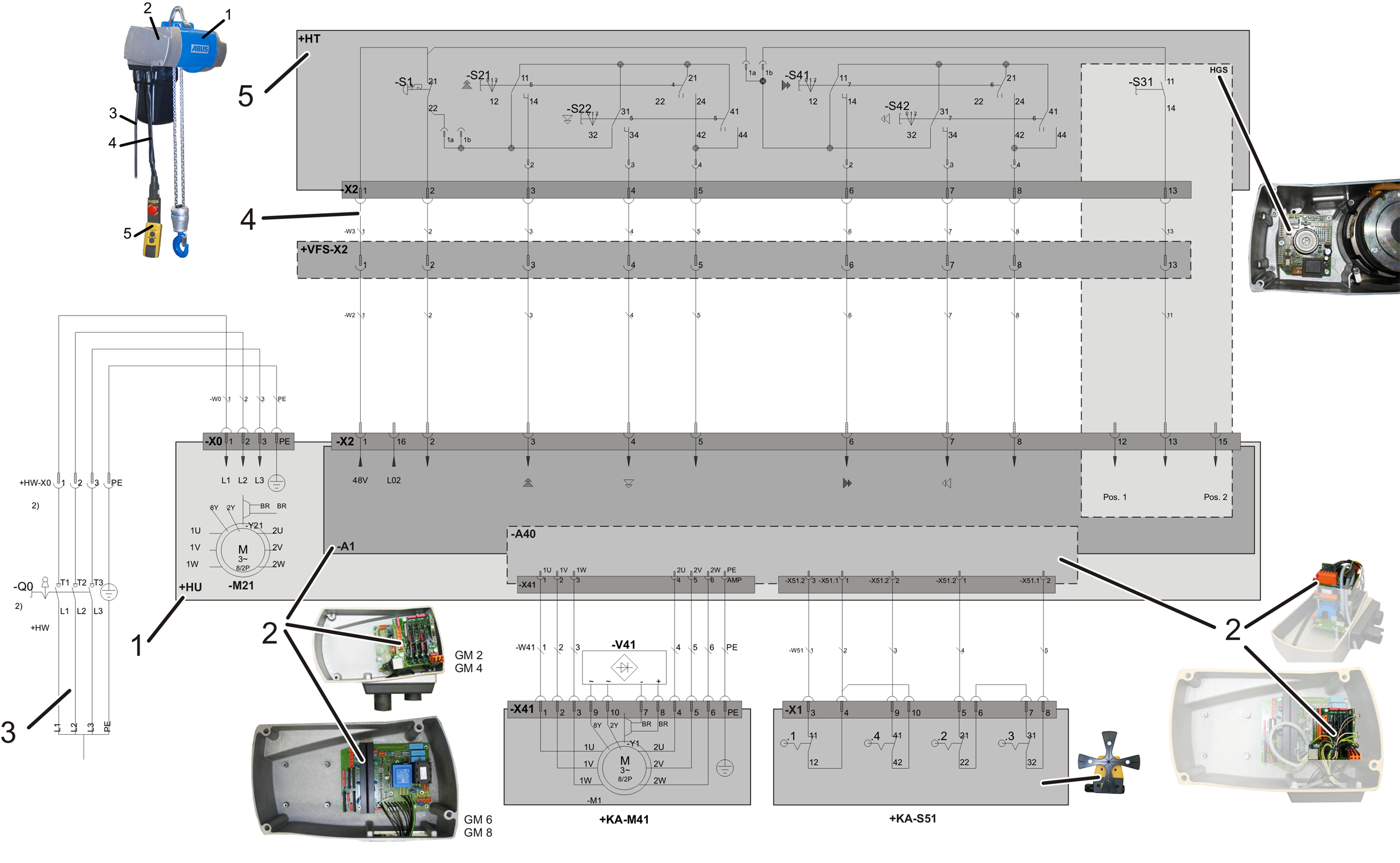
Electronic control – wiring diagram
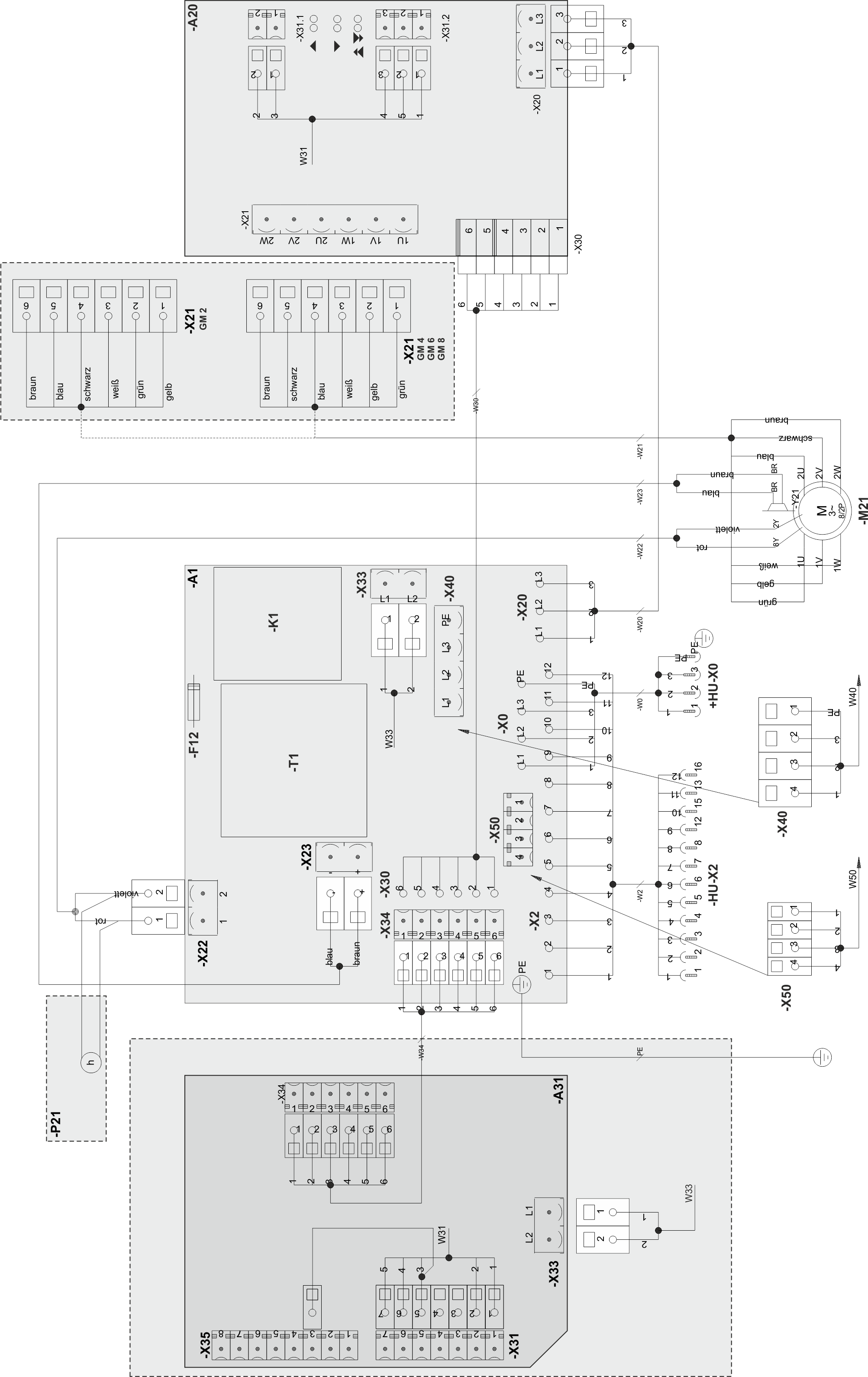
Electronic control – wiring diagram
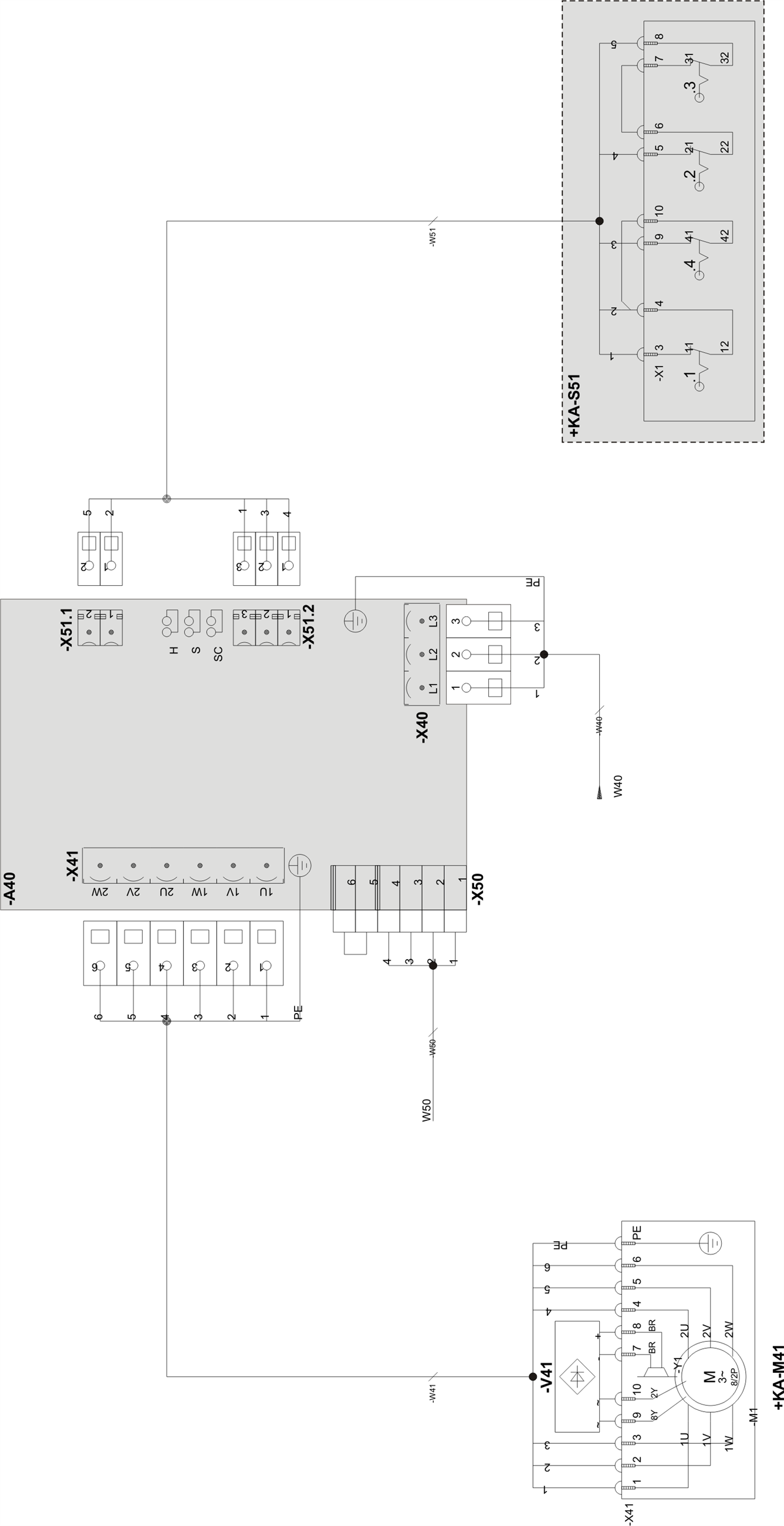
External control – wiring diagram
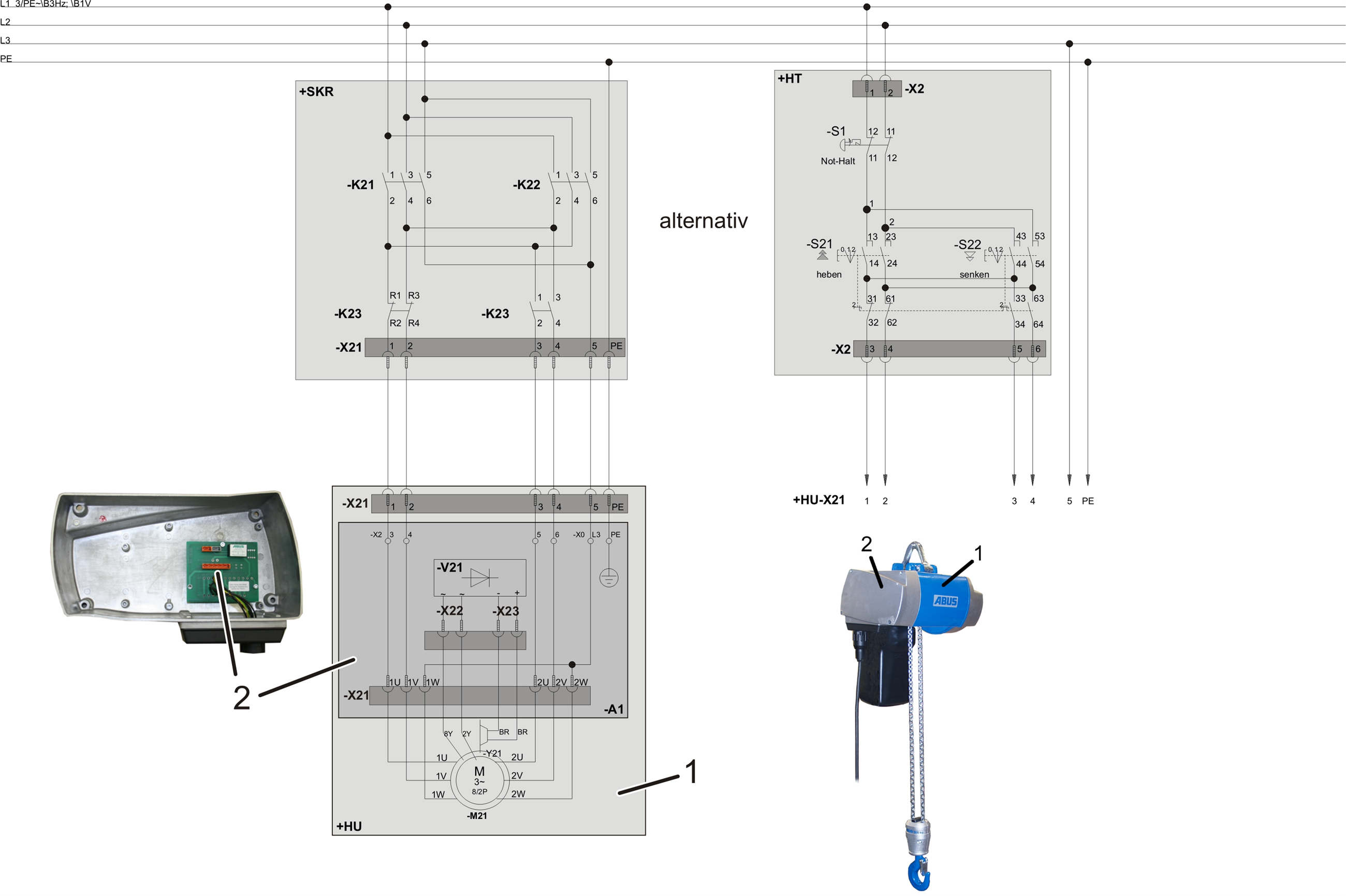
External control – wiring diagram
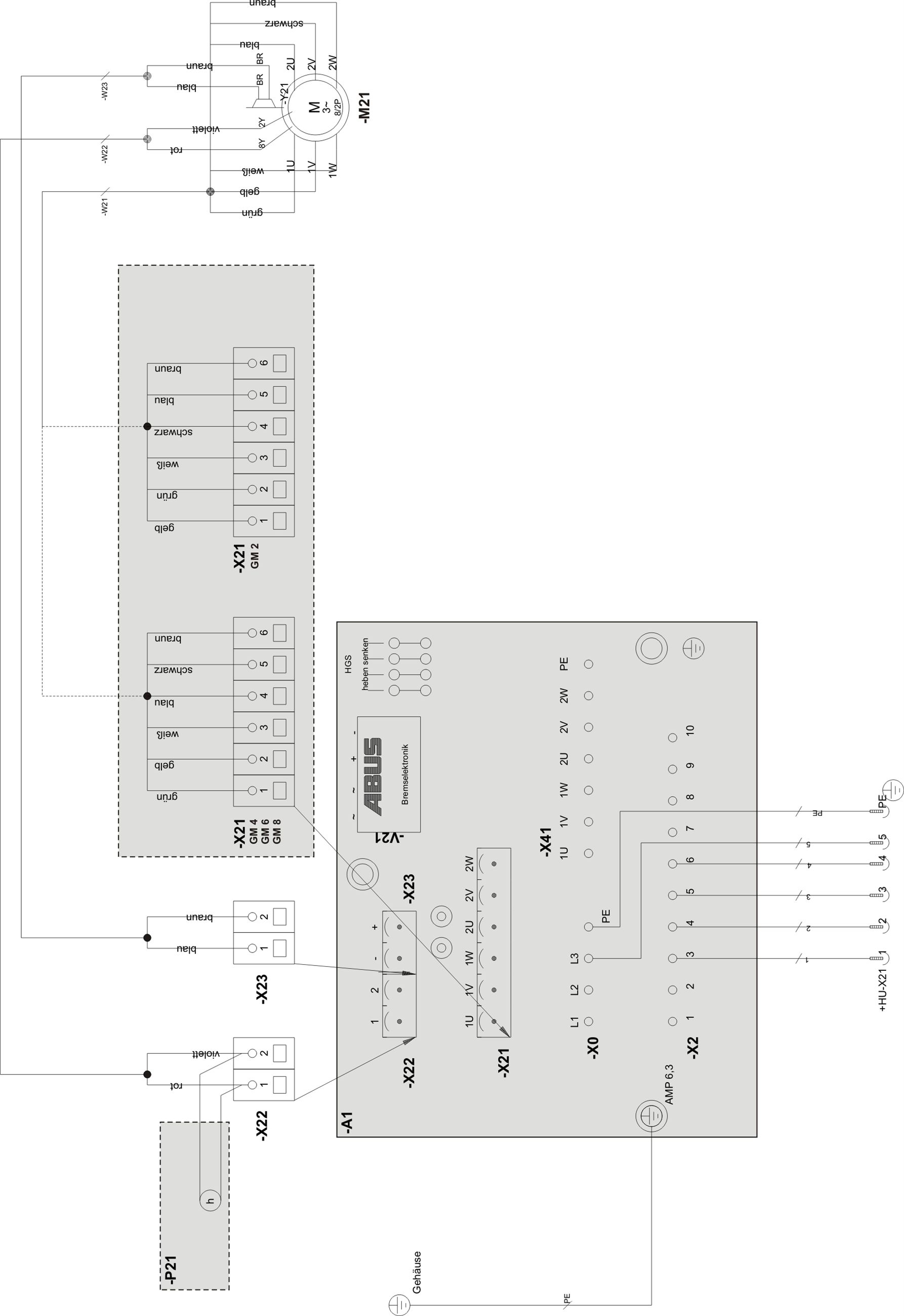
Contactor control - wiring diagram
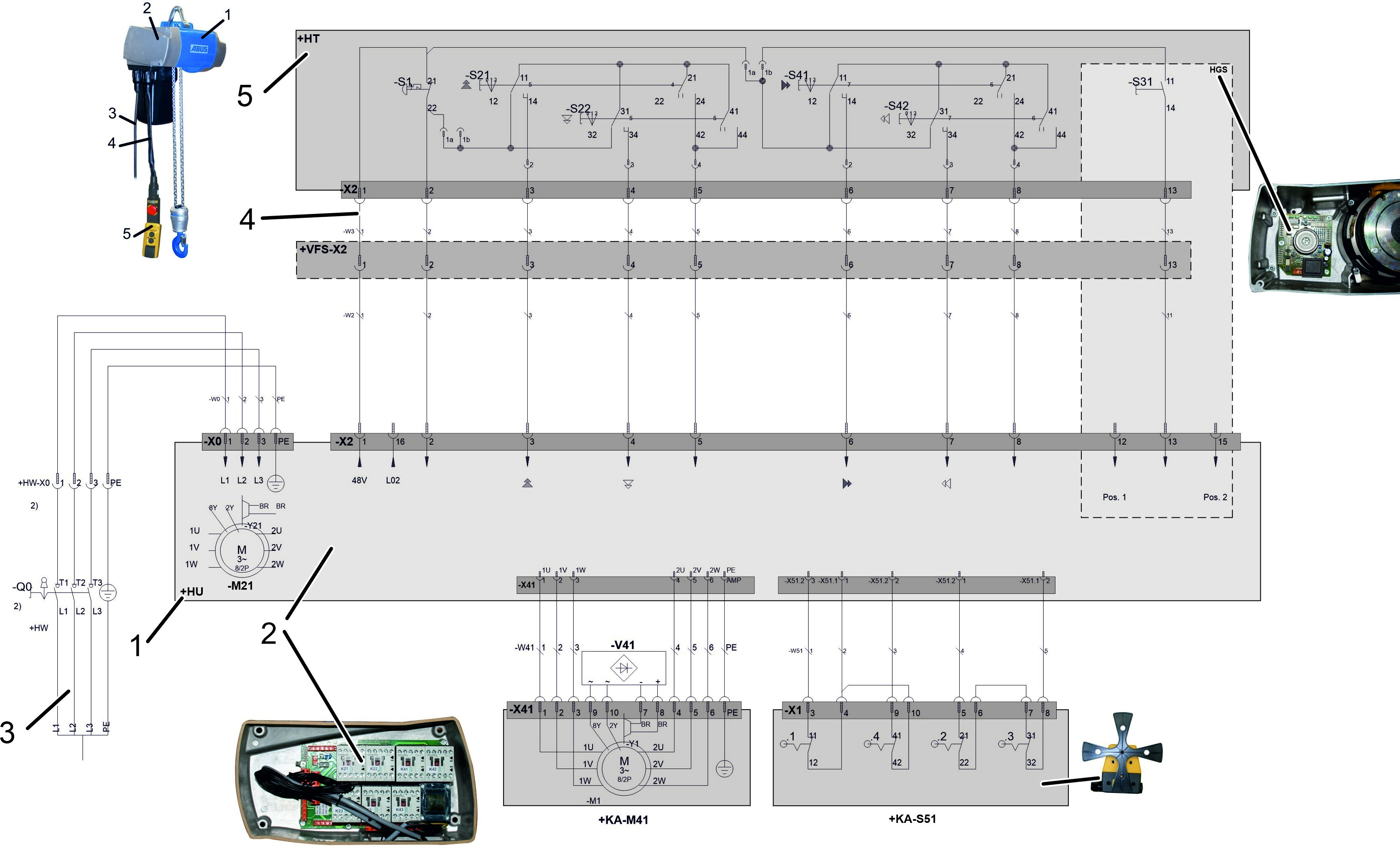
Contactor control - wiring diagram